You open your inbox, see an interview invitation, and suddenly a simple reply feels high-stakes.
A good response doesn’t need fancy language. It needs clear availability, the right details, and a tone that makes scheduling easy. Clear communication like this enhances the candidate experience during the hiring process. In 2026, with the shift toward video interview settings, shared calendars, and cross-time-zone teams, those small details matter even more. Start with what hiring teams want to see.
Key Takeaways
- Prioritize clear, specific availability with 2-3 time slots, your time zone, and confirmed interest to make scheduling simple for recruiters.
- Follow a simple email structure: thanks and yes, availability options, needed details, polite close—with a subject like “Re: [Position] Interview Scheduling – My Availability”.
- Use tailored templates for standard replies, limited schedules, rescheduling, or confirmations to avoid back-and-forth and build a positive candidate experience.
- Reply promptly, check your calendar first, and steer clear of vague answers, missing time zones, or unnecessary details.
- After scheduling, confirm details, review your application with tools like CareerScribeAI, and prep for the interview.
What recruiters need in an interview availability email
Most recruiters aren’t judging your writing style. They’re checking whether you can reply promptly, follow directions, and make scheduling simple.
So, your email response to an interview request should do three things at once: confirm interest, offer realistic scheduling options, and avoid follow-up email confusion. A short note often works better than a polished but wordy message.
Include these basics:
- Thank the recruiter and confirm you’re interested.
- Share two or three time slots that truly work.
- Add your time zone every time.
- Mention any hard limits if needed.
- Ask only the questions that affect scheduling.
Providing clear candidate availability helps whether the meeting is a video interview, phone interview, or in-person interview, regardless of the interview format.
If the recruiter sent a booking link or calendar invitation, use it instead of listing times. Also, reply in the same thread unless they ask for a new message. That keeps the interview scheduling email tied to the original invite and helps everyone stay organized. Clear details like interview duration make the hiring process move faster.
How to structure your interview scheduling email
A strong reply to the hiring manager follows a simple order: appreciation, availability, needed details, then a polite close. Start with a clear subject line like “Re: [Position] Interview Scheduling – My Availability” to set a professional tone right away. If you keep that structure, your message reads as calm and professional.
If visual reminders help, keep a simple flow like this in mind while you write:
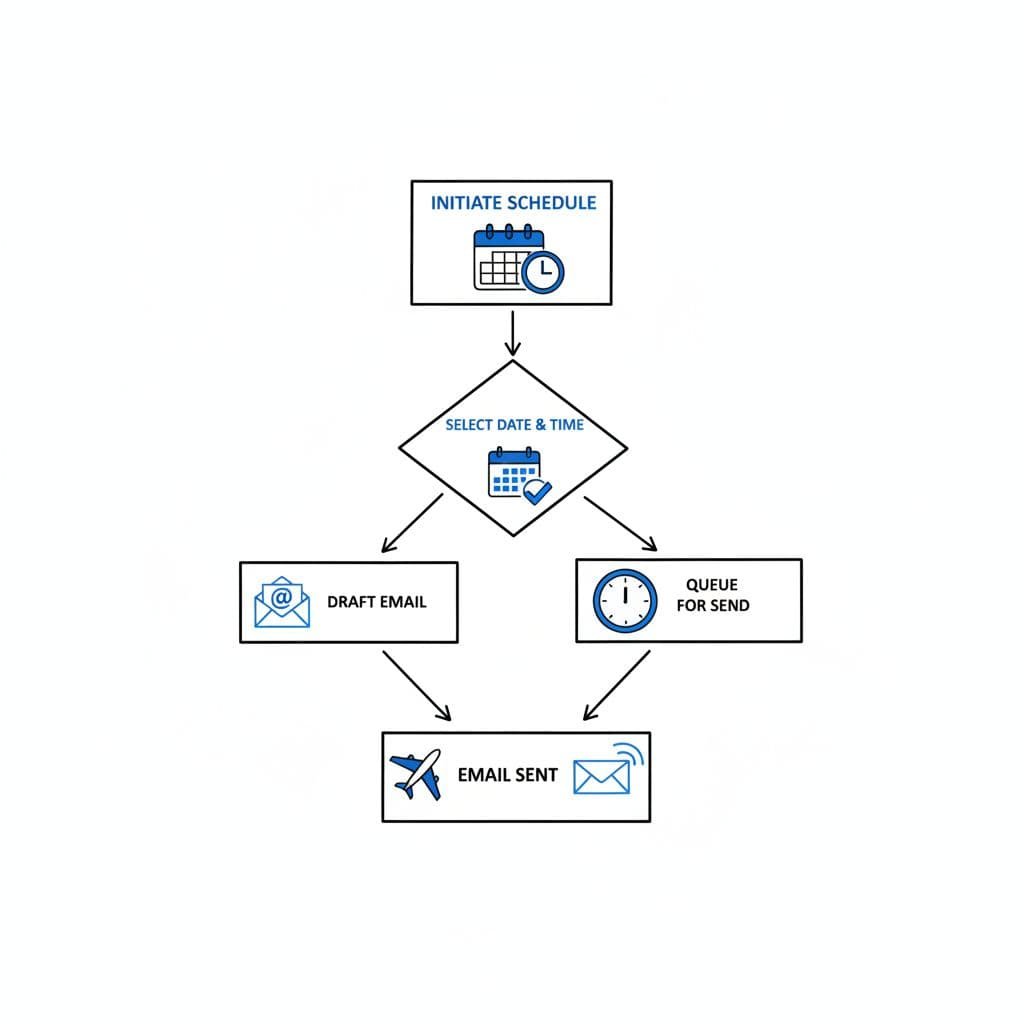
An easy email flow can prevent back-and-forth and missed details.
Use this order:
- Start with thanks and a clear yes to the interview.
- Offer specific time windows for your candidate availability, not “I’m free anytime.”
- Add your time zone (critical for interview scheduling), interview format question, or location question if needed.
- Close with a polite sign-off and your full name.
After the interview is set, review the materials you submitted. On CareerScribeAI, the AI Resume Builder and Cover Letter Generator can help you refresh your application language before the conversation. Then use the Interview Prep Tools to rehearse likely questions. If your next round includes a panel interview with multiple interviewers, these practical tips for preparing for multi-interviewer sessions can help you get ready.
Copy-and-paste templates for common interview replies
This quick chart shows when to use each interview availability email template.
| Situation | Best template | Why it works |
|---|---|---|
| First interview invitation | Standard availability reply | Fast and flexible |
| Tight schedule | Limited availability reply | Sets boundaries clearly |
| Rescheduling interview | Reschedule request | Protects tone and trust |
| Time already confirmed | Interview confirmation email | Prevents last-minute confusion |
The right interview availability email template saves time, but the details still matter.
Standard availability reply
Use this when a recruiter asks for your open times and you have a few solid options. Provide specific time slots that accommodate the interview duration. This is the most common interview availability email template.
Subject line: Re: Interview Invitation
Hi [Name],
Thank you for the invitation. I’m glad to speak with [Company] about the [Job Title] role. I’m available Tuesday between 10:00 a.m. and 1:00 p.m. ET, Wednesday after 2:00 p.m. ET, or Thursday between 9:00 a.m. and 11:30 a.m. ET. Please let me know which option works best.
Best,
[Your Name]
Limited availability reply
Use this availability email example if you work shifts, have classes, or need a narrow window. It sounds cooperative without pretending you’re free all day.
Subject line: Re: Interview Invitation
Hi [Name],
Thank you for reaching out. I’m excited about the [Job Title] opportunity. My schedule is limited this week, but I’m available Monday after 4:30 p.m. PT, Tuesday from 8:00 a.m. to 10:00 a.m. PT, or Friday after 1:00 p.m. PT. If those don’t work, I can also make time next Monday morning.
Best regards,
[Your Name]
Reschedule request
Sometimes life gets in the way. If you need to move an interview, send the note as soon as possible, keep the apology brief, and offer new times right away.
Subject line: Re: Interview Invitation on [Date]
Hi [Name],
Thank you for scheduling time with me. I need to request a new interview time because of an unexpected conflict. I’m sorry for the inconvenience. I’m available tomorrow after 3:00 p.m. CT, Thursday between 9:00 a.m. and noon CT, or Friday after 11:00 a.m. CT. I remain very interested in the [Job Title] role and appreciate your flexibility.
Best,
[Your Name]
Interview confirmation email
Once the time is set, send a short confirmation email if the recruiter hasn’t already done so. This works as a clean interview confirmation email and helps catch missing details. Reference the calendar invitation and include your email signature.
Subject line: Re: Interview Invitation Confirmation
Hi [Name],
Thank you for confirming. I look forward to speaking with the hiring manager, [Interviewer Name], on Thursday, May 14 at 2:00 p.m. ET. I have the calendar invitation and will join using the link provided. Please let me know if there’s anything you’d like me to review or prepare in advance.
Best,
[Your Name]
Common mistakes that create avoidable back-and-forth
The biggest problem isn’t tone. It’s missing details that create scheduling friction during interview scheduling, hurting the employer brand and candidate experience.
Keep these mistakes off your list:
- Giving vague answers like “any time works,” which risks needing to reschedule the interview later.
- Forgetting the time zone.
- Sending five long paragraphs when four lines would do.
- Explaining personal conflicts in too much detail.
- Offering times you haven’t checked against your calendar or set an interview reminder for.
Time zone mistakes can make a strong candidate look careless.
Slow response rates from candidates can prompt a nudge email from the recruiter, so reply promptly. A good template helps, but don’t paste it blindly. Match the tone to the company culture and the stage of the process. If you’ve moved from application to interview, it’s also smart to revisit your resume and cover letter so your answers stay aligned. CareerScribeAI’s tools can help you review that story before the meeting starts.
Frequently Asked Questions
What should I include in every interview availability email?
Thank the recruiter, confirm your interest, list 2-3 specific time slots that work, always add your time zone, and mention any limits. Keep it short to respect their time. Use the same email thread and booking links if provided.
Why is specifying my time zone critical?
Time zone details prevent mix-ups, especially with remote teams and video interviews in 2026. Forgetting it can make you seem careless and lead to rescheduling. Always include it with every slot, like “10:00 a.m. ET”.
How do I politely request to reschedule an interview?
Apologize briefly for the inconvenience, explain nothing personal, and immediately offer 2-3 new solid options with time zones. Reaffirm your interest in the role. Send it ASAP in the same thread with a clear subject like “Re: Interview Invitation on [Date]”.
When should I send an interview confirmation email?
Send a short confirmation once the time is set, especially if no calendar invite arrived yet. Reference the exact time, interviewer, and join details. It catches missing info and shows you’re organized.
What are the biggest mistakes to avoid in availability replies?
Don’t give vague times like “anytime,” skip time zones, write novels, or offer unverified slots. These create friction and hurt your candidate experience. Reply fast with checked details instead.
Final thoughts
The best interview availability email templates are short, specific, and easy to act on, creating a positive candidate experience. Recruiters remember how simple you made the scheduling process.
Save two or three of these templates now, then adjust them for each role, and include a professional email signature to help the hiring process conclude smoothly. As you move toward a final round, this professional communication reflects well on your fit for the company culture. When the next invite arrives, you’ll send a clear reply fast and move on to what matters most, preparing for the interview itself.