
A professional resume can look polished on your screen and still break after upload. That gap is why ATS resume format (Applicant Tracking System) matters so much in 2026.
The good news is simple. The safest format is still plain. Use one column, clear headings, steady dates, and text that survives a copy-paste test. Think of your resume like luggage going through scanning software. If the shape is odd, the scanning software misses what matters.
What a workable ATS resume format looks like in 2026
As of March 2026, the basic rules for an ATS-friendly resume still hold. A strong ATS resume format uses a single reading path, chronological format work history, standard font, and common section names. If a job post doesn’t name a file type, DOCX is still the safer first choice. PDFs can work too, but only if the file pastes cleanly into plain text.
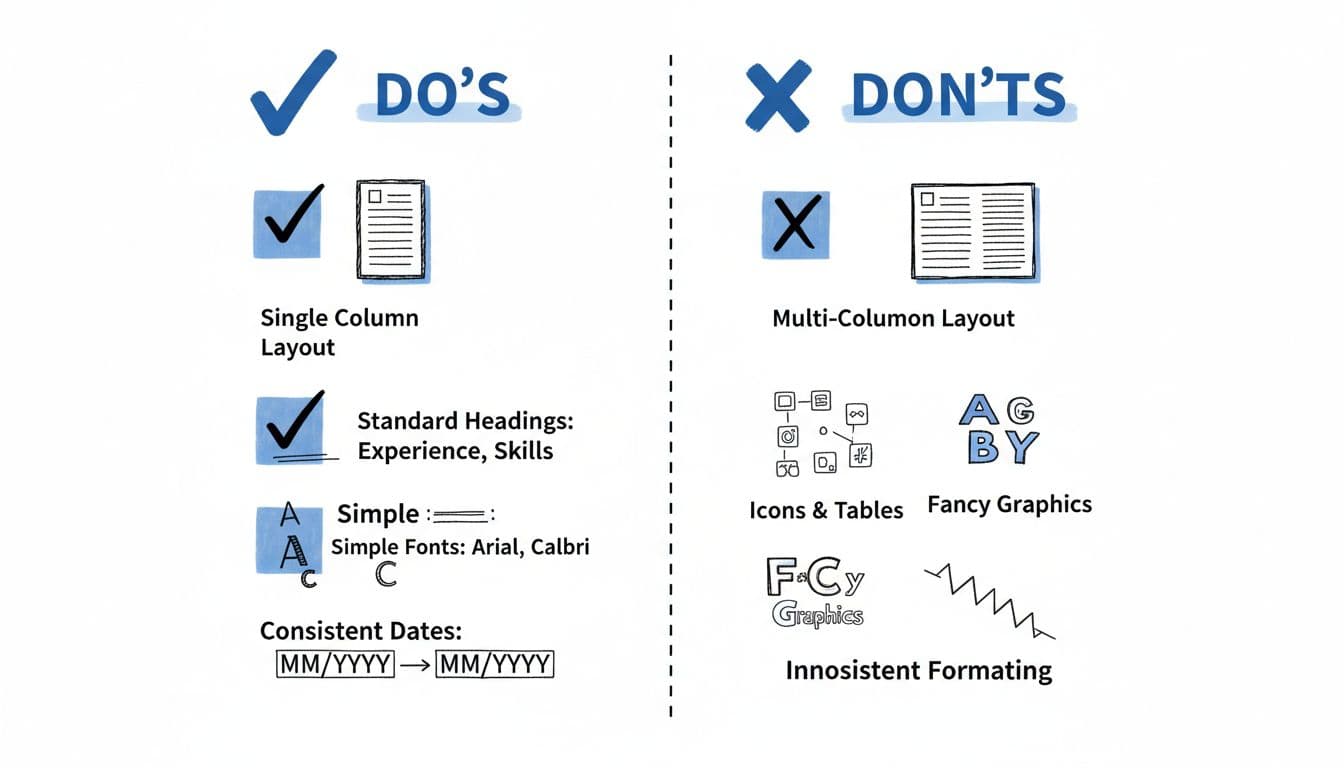
Keep the layout boring in the best way. These resume formatting tips for a standardized layout aren’t trendy, but they work:
- One column from top to bottom (Applicant Tracking System software parses text linearly and struggles with multi-column designs)
- Standard headings like Professional Summary, Work Experience, Skills, and education section
- Contact info in the body, not in headers or footers
- Consistent date format, such as 03/2023 to 02/2026
- No tables, icons, charts, or text boxes
Also, keep the ATS-friendly resume to one or two pages (with ample white space for readability), unless your field expects more. Most Applicant Tracking System tools and recruiters scan recent experience first, so put your newest role near the top and make each job entry follow the same pattern.
If you want a second source, this ATS formatting rules guide for 2026 supports the same structure. For a real example, CareerScribeAI’s one-column resume templates for Lever ATS shows how a clean layout stays readable without losing substance.
A workable resume doesn’t need visual tricks. It needs text the system can read, then proof a recruiter can trust.
Run the copy-paste test before every application
The fastest way to check resume parser compatibility for Applicant Tracking Systems is the copy-paste test. It takes about two minutes, and it catches most layout problems before you hit submit, paving the way for ATS compliance.
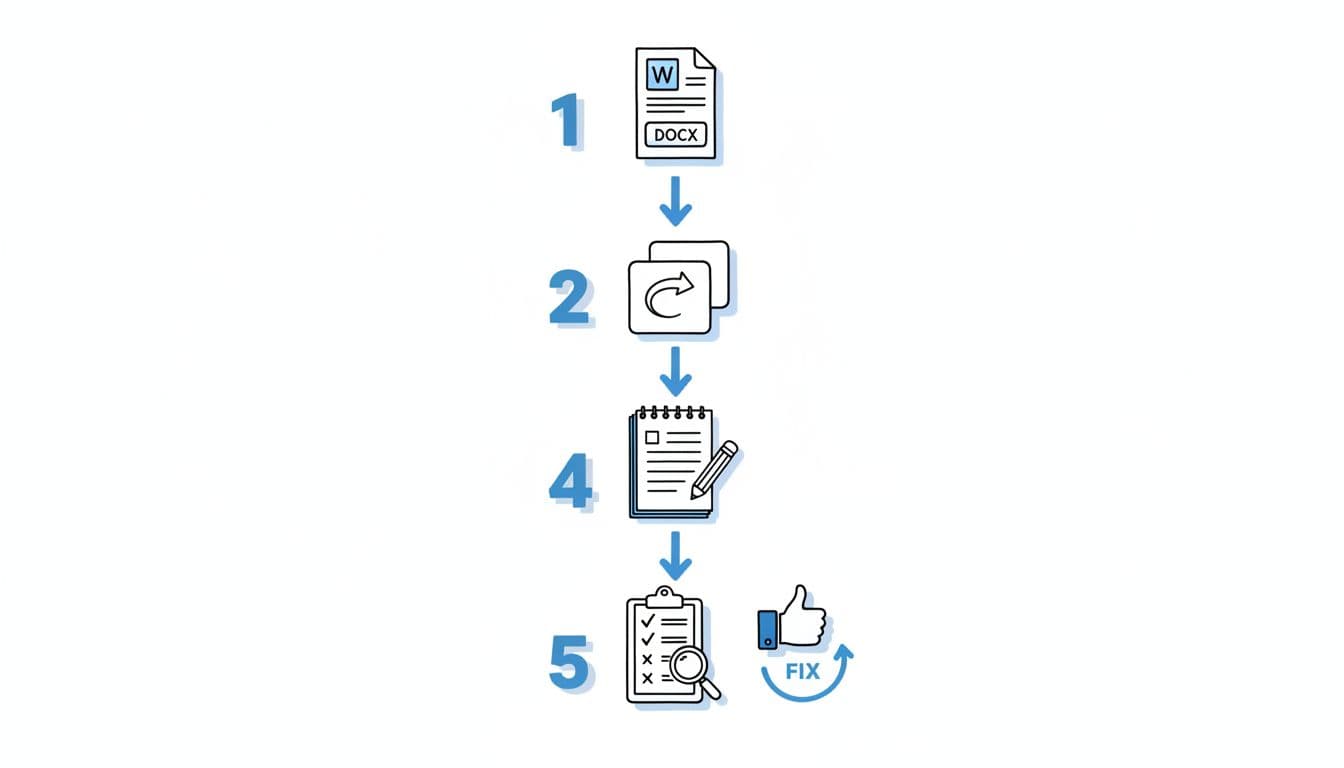
- Save the resume as Microsoft Word DOCX first.
- Open the file and copy all text.
- Paste it into Notepad or plain-text TextEdit.
- Scan for missing contact details, broken line wraps, odd symbols, or mixed section order.
- Fix the issue, then test again. If you’ll submit a PDF format, test that version too.
If your resume won’t paste cleanly into plain text, don’t trust it in an ATS.
A passing result looks plain, and that’s the point. Your name stays at the top. Job title, company, and dates stay together. Bullets may turn into hyphens, but the meaning stays intact. Meanwhile, a failing result looks scrambled, with sections out of order or skills drifting into the wrong job.
When the test fails, change one thing at a time. Remove the header. Then test again. Replace a table with plain lines. Test again. That step-by-step approach saves time because you can see which element caused the problem.
This works because many Applicant Tracking Systems rely on ATS scanners to strip styling before they map your details into fields, which feeds into the ranking system. So the copy-paste test acts like an X-ray. For another walkthrough, this ATS-friendly resume format guide explains why plain-text readability still matters, even with ATS scanners.
The formatting mistakes that still break resumes in 2026
Most ATS failures come from the same small group of choices. Usually, it’s not your experience that gets lost. It’s the wrapper around it.
Resume headers and footers still cause trouble for Applicant Tracking Systems and recruiters, because contact details can disappear during extraction. Multi-column designs can mix the reading order, so a skills sidebar gets dropped into your employment history or work experience. Tables and text boxes create the same kind of mess.
Creative headings are another quiet problem. “Career Story” may sound polished, but “Work Experience” is safer because the system knows what that means. Dates need the same discipline. Don’t mix “Spring 2024” with “04/2024” on the same page.
Content matters too. A clean format helps you get past the Applicant Tracking System so a hiring manager can find information quickly, but relevance helps you get matched. Start with the must-have skills from the job description, then mirror that language honestly by incorporating specific keywords and phrases. CareerScribeAI’s guide on spotting essential skills in job postings can help you decide what belongs near the top.
If you’re applying through different platforms, compare how formats behave across systems, since recruiters depend on varied tools. This Recruitee ATS resume format guide is useful if you want another example of the same copy-paste test in action.
How to tailor an ATS-friendly resume without breaking the format
Tailoring should change the words, not the structure. Keep the simple design and functional layout steady, then adjust the content inside it to craft an ATS-friendly resume.
Start with a short resume summary that matches the target role. Next, move your strongest and most relevant achievements to the top of work experience. Use numbers when you can, because results land harder than vague claims. “Cut onboarding time by 30%” says more than “helped improve onboarding.”
Then refresh your resume skills section so it reflects the job vacancy. Include full terms and common abbreviations of keywords and phrases when both appear in the ad. Still, don’t stuff keywords and phrases. Repeating terms like a robot can hurt readability, and recruiters notice that fast.
This is where CareerScribeAI can help without cluttering the page. Its AI Resume Builder can keep your format stable while you improve bullet points in your work experience and resume skills. The Cover Letter Generator can carry the same themes from your resume summary into your letter, and Interview Prep Tools can help you turn those points into stronger interview stories.
Keep the format plain, let the proof stand out
In 2026, a workable ATS resume format relies on a standardized layout that’s plain on purpose. Use one column, standard headings, simple fonts, and the copy-paste test before every submission to pass the ATS scanner in the Applicant Tracking System’s ranking system. Then put your energy into what really wins interviews for your ATS-friendly resume, clear skills, matched language, and measurable results. Recruiters value a professional resume with simple design that lets the proof stand out over fancy packaging. A resume doesn’t need elaborate visuals to open doors. It needs to be read correctly first.