
A resume can look sharp on your screen and still fall apart after upload to an Applicant Tracking System. That’s the trap many job seekers miss.
For the Rippling ATS resume format, the safest approach in 2026 is simple: one column, standard section names, steady dates, and no decorative elements that break resume parsing. Public information about Rippling Recruiting, part of its workforce operating system for talent acquisition, points to the same basic rule as most ATS platforms; the system needs clean text first for seamless HRIS integration and data flow into the employee record. This guide shows what to use, what to avoid, and how to run a quick copy-paste test before you apply.
What a Rippling ATS-friendly resume should look like
Rippling ATS appears to pull application fields like your name, work history, dates, skills, and education. That means your resume should read like a clean document, not a designed brochure. If the parser has to guess where your experience starts, you’ve already made the first review harder.
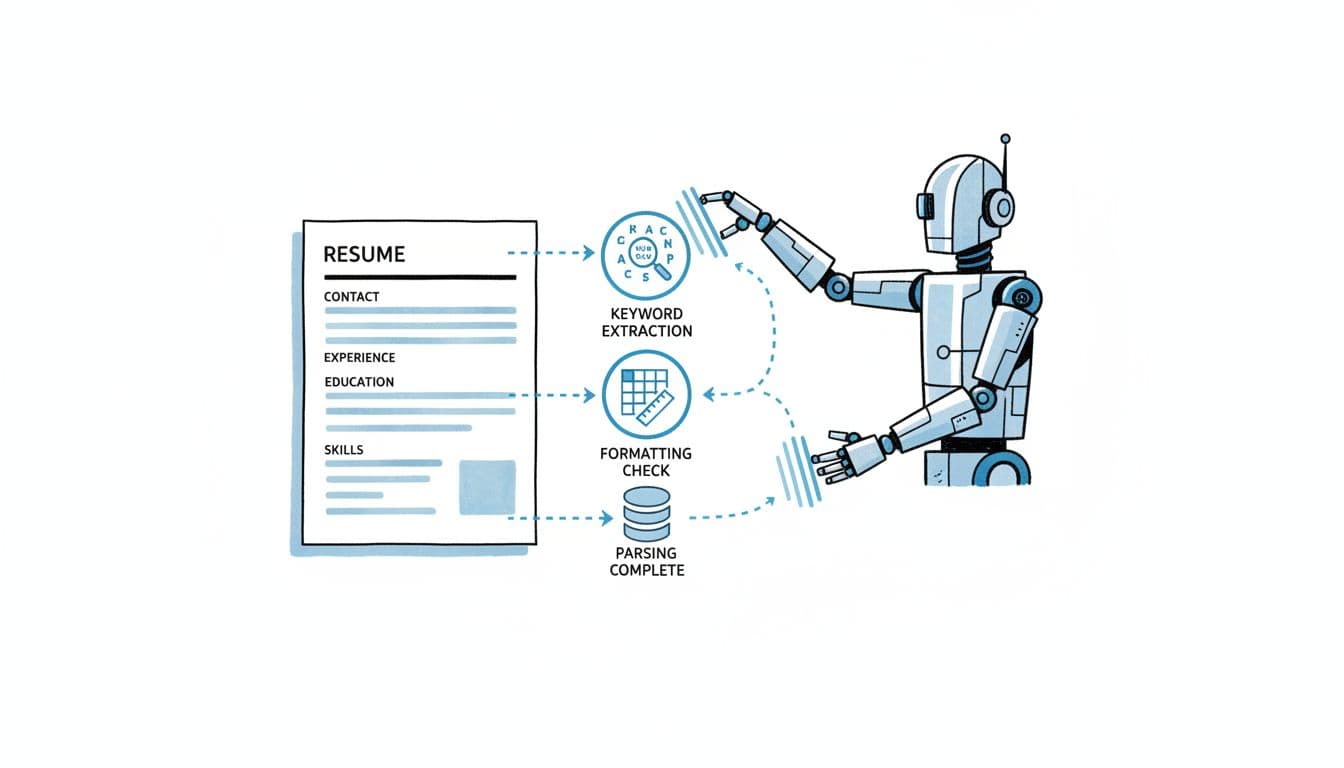
Use a single-column layout. Keep everything left-aligned. Stick with standard headings such as Summary, Experience, Education, Skills, and Certifications for structured hiring. Also, put contact details in the body of the document, not the header or footer.
Skip tables, text boxes, sidebars, icons, photos, logos, and skill bars. Those features may look polished, but they often scramble text extraction. Think of your resume like a grocery barcode for the Applicant Tracking System. If the lines are bent, the scanner still tries, but the result can be wrong.
If a section only works because of visual layout, it may not survive ATS parsing.
Your job history should be reverse-chronological, with one date format from top to bottom. For example, use 03/2023 to Present everywhere, or spell out each month the same way. Keep job title, employer, and dates grouped together so they stay intact after upload.
Use this quick file-type guide, considering PDF vs DOCX, before you submit:
| File type | Good choice when | Main risk |
|---|---|---|
| DOCX | The posting does not name a format | Minor spacing shifts on other devices |
| The employer asks for PDF and your export is clean | Some PDFs paste poorly | |
| Scanned or image PDF | Never | Text may not parse at all |
The takeaway is simple: follow the employer’s instructions first with clean formatting so hiring managers can view the resume correctly. When the post is silent, DOCX is often the safer fallback. While a staffing agency might use specialized tools, Rippling requires standard text structures.
If you want a parallel example, this Lever ATS resume format guide shows the same one-column logic. Also, Rippling’s own Rippling Recruiting review makes clear that recruiting sits inside a broader hiring system, which is one more reason clean, accurate application data matters.
The copy-paste test that catches parsing problems fast
A copy-paste test is the quickest quality check for system compatibility. It simulates data extraction and catches the most common problems in under two minutes.
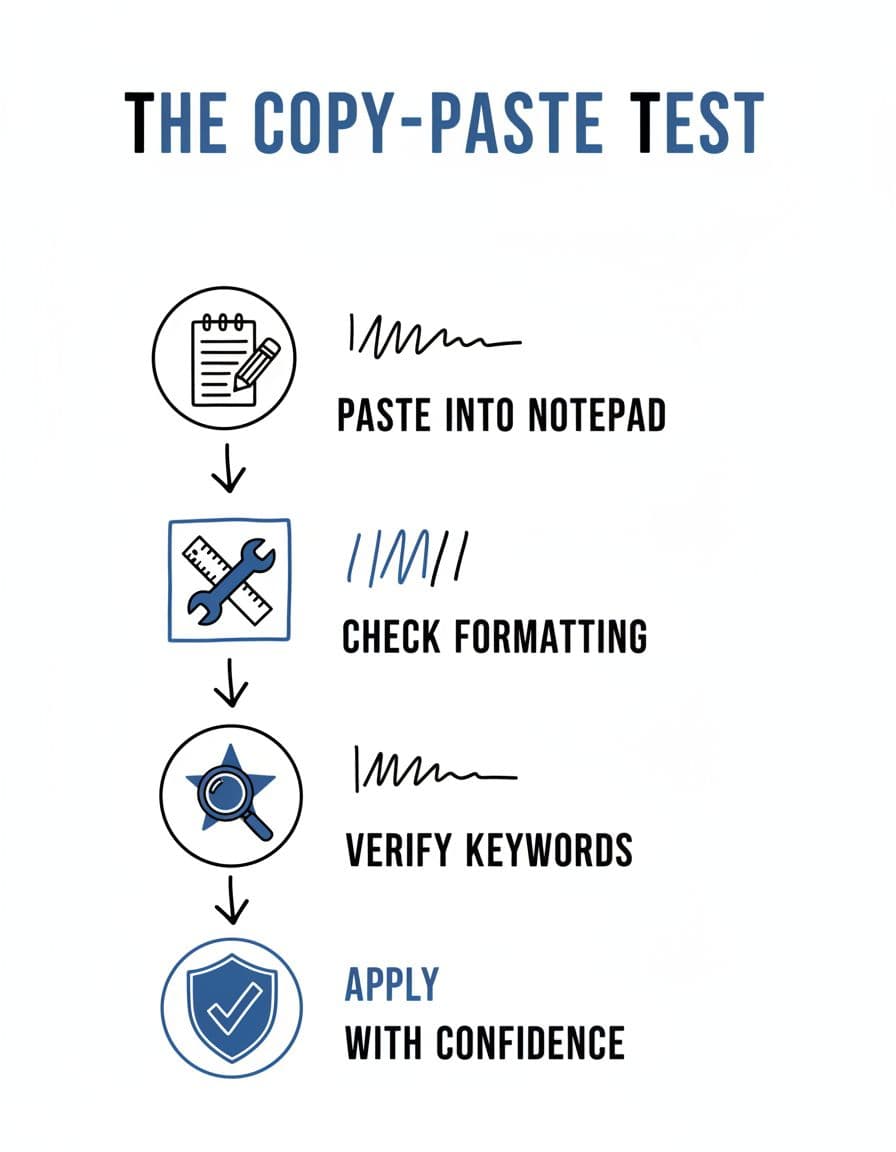
Here’s the process:
- Save your resume as the file type you plan to upload.
- Open the file and copy all text.
- Paste it into Notepad, TextEdit in plain-text mode, or a basic notes app.
- Read it top to bottom.
- Check whether sections, dates, bullets, and contact info still make sense.
A good result looks plain, but clear, delivering parsing success for ATS compatibility. Your name stays at the top. Job titles stay with the right employer. Dates don’t drift into the next section. Bullets may turn into hyphens, and that’s fine.
A bad result is easy to spot. Lines break in odd places. Symbols turn into junk. Contact details vanish. Experience bullets show up under the wrong role. These errors can lead to immediate rejection during candidate screening.
If dates separate from job titles after paste, your work history may map badly inside the ATS.
Fixes should stay small. If bullets turn weird, swap fancy bullets for basic ones. If contact info disappears, move it out of the header. If the order breaks, remove columns, tables, and manual line breaks. Then run the test again on the exact file you’ll send, so hiring managers receive clean extracted data.
For a broader checklist, this ATS-friendly resume layout guide mirrors the same plain-text-first rules for the Applicant Tracking System.
How to tailor keywords without breaking the format
Formatting gets your resume read and improves candidate experience. Content gets it shortlisted into the recruitment pipeline. That’s where many people overdo it. They paste every keyword into the skills section and hope for the best. A better move is to mirror the job description only where it’s true.
Put the target job title from the job description and a few core tools in your summary. Then repeat the strongest terms from the job description in your experience bullets and skills section. If the job description says “cross-functional collaboration,” use that phrase where it fits your real work. If it asks for Greenhouse, SQL, payroll systems, or Rippling’s automated workflows, name those tools clearly.
Keep bullets concrete. “Helped with recruiting” is vague. “Coordinated 40+ interview loops with interview scheduling and cut delays by 30%” is easier for both hiring managers and systems to read. Accurate data also supports features like scorecards.
CareerScribeAI can help here without making the format messy. Its AI-powered features, like the AI Resume Builder, can keep an ATS-friendly resume structure while you tailor bullets to a job description. The Cover Letter Generator can match the same language, and Interview Prep Tools help you turn resume claims into stronger interview answers. These AI-powered features ensure your resume fits automated workflows in platforms like Rippling, streamlining the hiring process from recruitment pipeline to onboarding process. If you apply across multiple platforms, the same structure still holds, as shown in this clean structure for Recruitee ATS.
Keep the layout plain, let the results stand out
The best Rippling ATS resume format in 2026 is not flashy. It’s readable, predictable, and easy to parse. Within Rippling’s unified platform, which manages the full employee lifecycle starting from headcount planning and employee referrals, hiring managers depend on clean data to track recruitment metrics accurately. Use one column, standard headings, consistent dates, and a fast copy-paste test before every application. Then spend your energy where it counts, on clear keywords, measurable results, and a resume that still works when the formatting gets stripped away, helping hiring managers from headcount planning through onboarding in Rippling’s Applicant Tracking System.