
If a confirmation message hasn’t arrived, sometimes called an application acknowledgement email, check your inbox settings, the address you used, and your application portal before contacting the employer. A missing message alone doesn’t tell you whether your application succeeded or failed.
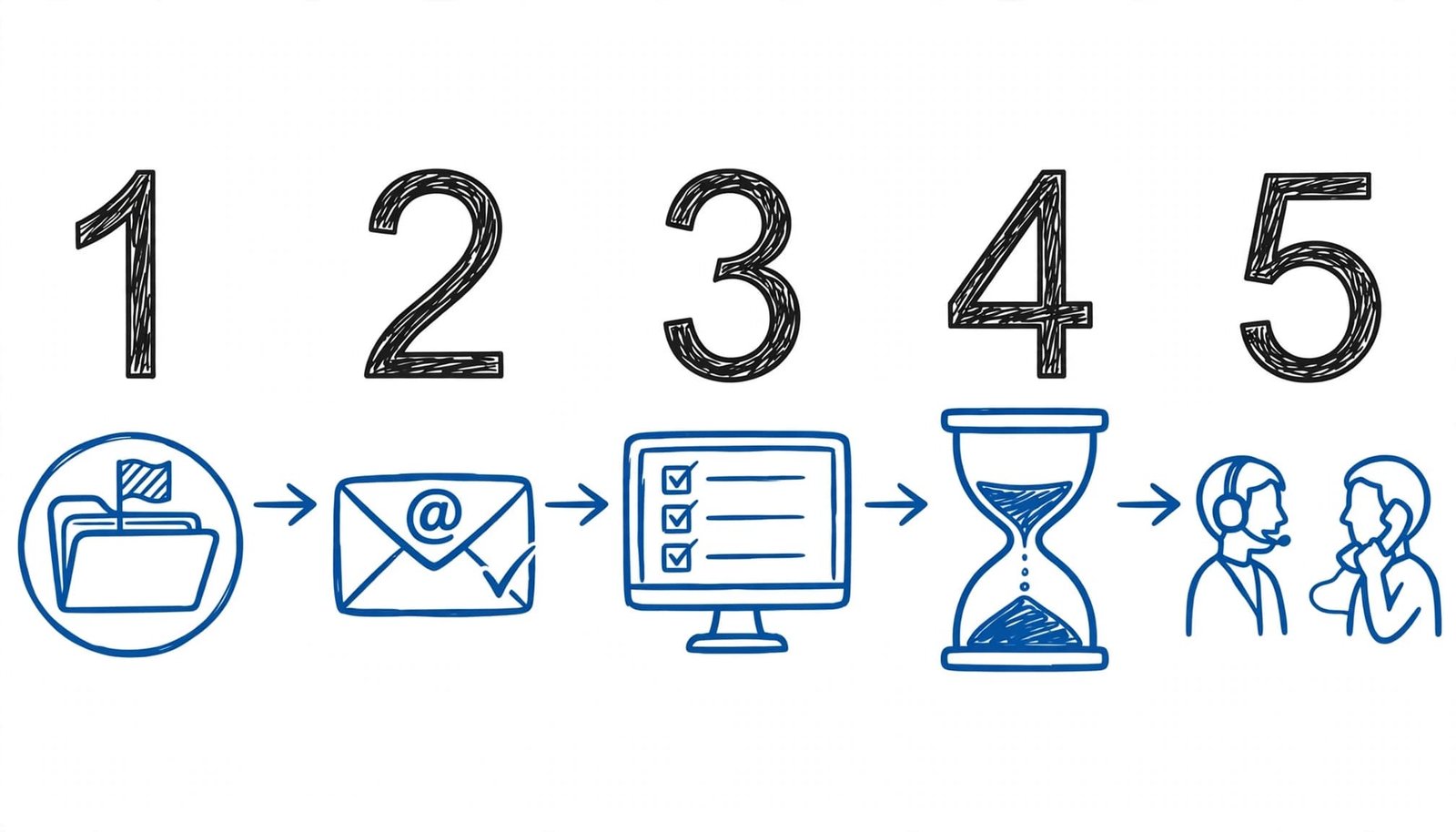
The most useful next step is finding evidence of submission, such as a portal record or reference number. Follow the sequence below before sending another application.
Key takeaways
- Search spam folders and email filters before assuming something went wrong.
- Use the application portal to distinguish a saved draft from a submitted application.
- Follow up politely, but avoid submitting duplicates without a reason.
Check your submission before following up
Some employers don’t send automatic acknowledgments. Messages can also arrive late, land in filtered folders, or go to an address you don’t usually monitor. Meanwhile, a saved job application may still require a final submission step.
Search spam and check your email address
First, search all folders for the company name, position title, and words such as “application” or “received.” Include spam, trash, and archived messages. Also review rules that automatically move or delete incoming mail.
Next, check which address you entered. Browser autofill can insert an old address, and job boards may use the email associated with your account. If you find a typo, correct your candidate profile where possible. Then notify the recruiting contact of the correct address.
Look for a submitted application in the portal
Then sign in to the employer’s application portal using the same account you applied with. Look for the exact vacancy, submission date, application number, and status.
A draft or incomplete record needs attention. A submitted record is stronger evidence than an empty inbox. Save a screenshot or reference number for your records.
For example, GovernmentJobs’ online application guide includes checking application status as part of its process. Status labels vary, so don’t interpret “received” as evidence that a recruiter has reviewed your resume.
When to follow up or submit again

Allow time for delivery and processing
As a practical starting point, allow one or two business days for a delayed acknowledgment, unless the application instructions say otherwise. This is a troubleshooting interval, not an employer response promise.
Separate a receipt inquiry from a request for a hiring decision. If the portal confirms submission, there’s usually no need to chase an immediate acknowledgment.
An application status update follows a different timeline in the hiring process than receipt confirmation. For a status inquiry, Indeed’s follow-up email guidance suggests waiting one to two weeks after applying. Follow any stated employer timeframe and respect instructions against calls or follow-ups.
Contact the employer before reapplying
If receipt remains unclear, email the point of contact listed in the posting, such as a recruiting contact or application-support address. Include the role title, reference number, and submission date.
Contact support sooner if a technical error threatens an application deadline. Otherwise, send one concise inquiry rather than contacting several employees.
Resubmit when the portal shows an unfinished application, a submission error prevented completion, or the employer requests another copy. If it already shows a submitted application, avoid creating a duplicate. For document corrections, use an available update option or ask the recruiter how to proceed.
Follow-up email template
Keep your message focused on receipt rather than asking for an immediate hiring decision. Use an email subject line that identifies your receipt inquiry, and keep the email body concise.
Subject: Application receipt inquiry: [Role title], [Reference number]
Hi [Recruiter name],
I applied for the [Job title] position at [Company name] on [Date], but haven’t received a confirmation email.
Could you please confirm whether my application was received? I submitted it using [Email address]. I’m interested in the opportunity and would appreciate any information about next steps.
Thank you for your time.
Best regards,
[Full name]
[Phone number]
Meanwhile, keep other applications moving. At CareerScribeAI.com, our application tracking and preparation guide covers recording submissions and setting follow-up reminders. Our AI Resume Builder and Cover Letter Generator support tailored applications, while our Interview Prep Tools help you practice questions based on the role and your resume.
What an application confirmation email should tell you
An application acknowledgement email is often the first direct message in the hiring process. Clear wording sets the tone, reduces uncertainty, and improves candidate experience. Consistent updates also support an organized hiring process.
A clear “thank you for your application” message confirms receipt and explains what happens next. Use the applicant name in the greeting, with [Candidate name] as the placeholder. The acknowledgement email template below gives applicants a clear receipt and next steps. An acknowledgment doesn’t mean the hiring manager has reviewed the application.
Subject: Thank you for your application
Hi [Candidate name],
Thank you for applying for the [Job title] position at [Company name]. We’ve received your [application/resume/portfolio], and our recruiting team is reviewing submissions.
We expect to update you by email within two weeks. If selected, a recruiter will call to schedule a phone interview. Later stages may include assessments or background checks.
Please contact [HR name/email] with questions. We appreciate your interest.
Best regards,
[Hiring team]
The two-week interval is an example, not a universal deadline. A stated timeframe sets the candidate’s expectations. Without a firm date, employers can say, “We’ll email you if you’re selected for the next stage.”
Employers should adapt this acknowledgement email template to match their actual hiring timeline and communication practices. A useful acknowledgment should explain how personal and professional information will be used, link to the applicant privacy notice for data privacy details, and offer resources about the selection process.
Recognize suspicious application processes
A missing email alone isn’t evidence of fraud. However, requests for payment, banking details, or identity documents during an unverified application process deserve caution.
The FTC’s job-scam guidance warns against paying a fee to get a job. Don’t send money to secure an interview or position.
Similarly, the University of Wisconsin’s fraud guidance advises against sharing Social Security numbers, banking information, or identification documents in job applications. Before sharing sensitive details, check that they’re appropriate for the stated selection process and consider data privacy. Keep your follow-up limited to the details needed to locate your submission.
Frequently asked questions
Does an acknowledgment mean I’ll get an interview?
An acknowledgment records receipt. It doesn’t promise an interview or show that the hiring manager has read your documents. Look for a separate invitation with scheduling details before treating your application as progressing.
How do I confirm an interview invitation?
Reply directly: “Thank you for the invitation. I confirm that I’m available for the [Job title] interview on [Date] at [Time and time zone]. I look forward to speaking with you.”
Resolve uncertainty without duplicating your application
Your strongest next step is to find a submission record, then ask one clear question if receipt remains uncertain. Keep the missing acknowledgment separate from the employer’s hiring decision.
Save your application details and schedule a reasonable follow-up. Keep applying elsewhere on a positive note while the employer reviews candidates.