Staring at a blank resume with no work experience can feel like being asked to write a book with no plot. The truth is, entry-level resumes aren’t supposed to read like senior ones.
What they do need is structure that an applicant tracking system can read, plus proof you can do the work. This guide includes an ATS-friendly resume fill-in template you can use today, even if your experience is projects, volunteering, coursework, and part-time roles. It reflects an ATS-friendly resume strategy designed for the modern hiring landscape, including how hiring teams and ATS reviews work in 2026 with fast scanning, keyword matching, and clean parsing.
If you want help tailoring each version to a specific posting, CareerScribeAI.com can be useful, especially when you’re applying to more than a few roles.
What “ATS-friendly” means in 2026 (and what breaks parsing)
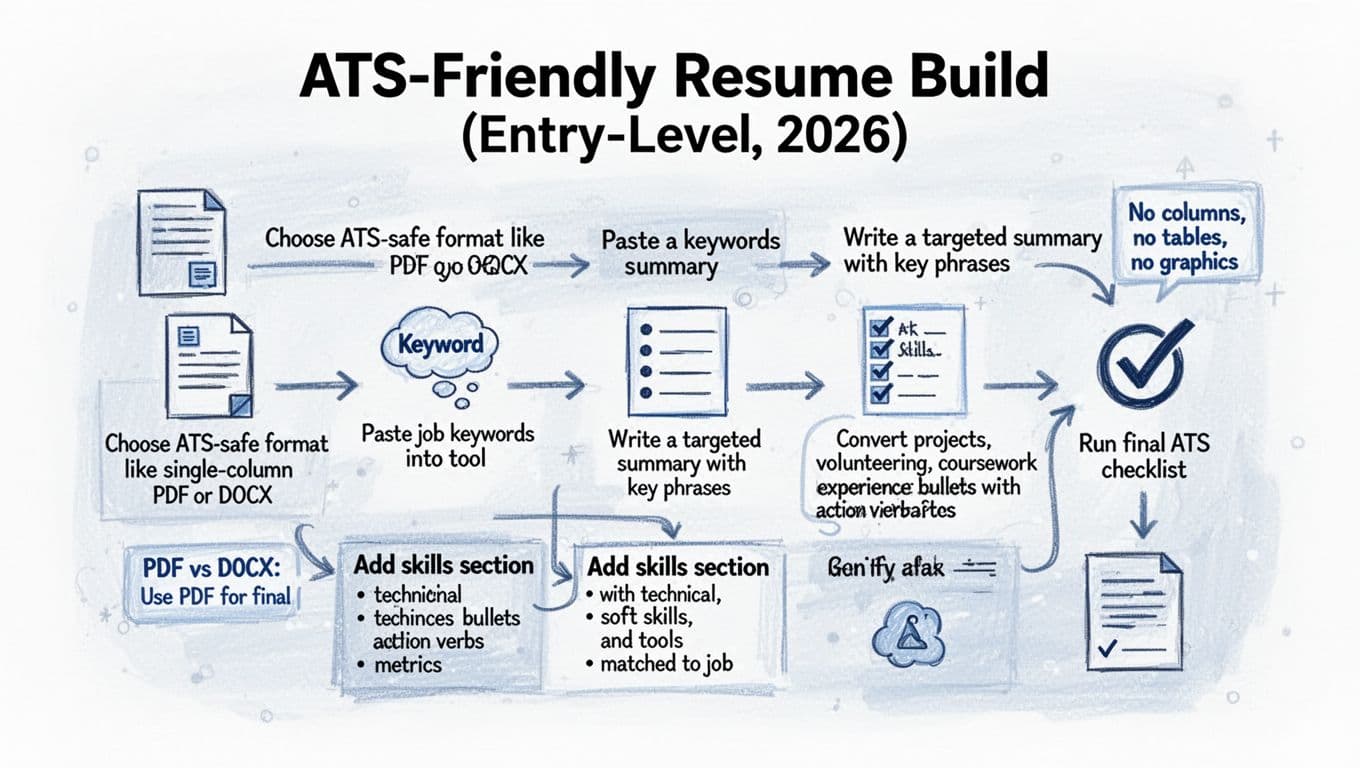
An applicant tracking system (ATS) is basically a label scanner. If your information sits in the wrong place (columns, text boxes, icons), the scanner misreads it. The most reliable format is single-column, with standard section headings, plain text bullets, ample white space, and a readable font like Arial.
In 2026, the safest approach is still boring on purpose:
- Use a standard font (think Arial, Calibri, Times New Roman).
- Avoid tables, columns, and graphics (even if they look great).
- Keep section titles conventional: Summary, Skills, Projects, Experience, Education, Certifications.
- Use simple dates (Month Year or Year, pick one and stay consistent).
File type matters too. Many systems accept PDF format and Microsoft Word (DOCX), but parsing can vary by employer. Follow the portal’s instructions first. If it doesn’t specify, PDF format is usually the safer choice for a 2026 resume since it preserves a clean, text-based layout, and it’s smart to keep a Microsoft Word version ready in case an upload preview looks wrong.
Keyword alignment is the other half. Most ATS tools rely on matching role terms from the job description (job titles, skills, tools, and responsibilities). You don’t need to copy the posting word-for-word, but your resume should use the same naming where it’s accurate (for example, “customer relationship management (CRM)” if the posting says CRM). For a quick reality check on what ATS-safe layouts look like, compare a few examples like ATS-friendly resume templates and examples.
When you’re tailoring, CareerScribeAI.com’s AI resume builder can help by highlighting keywords from a job description and prompting you to reflect them in your Summary, Skills, and bullets without turning your resume into a word dump.
A fill-in, one-page template (built for zero full-time experience)
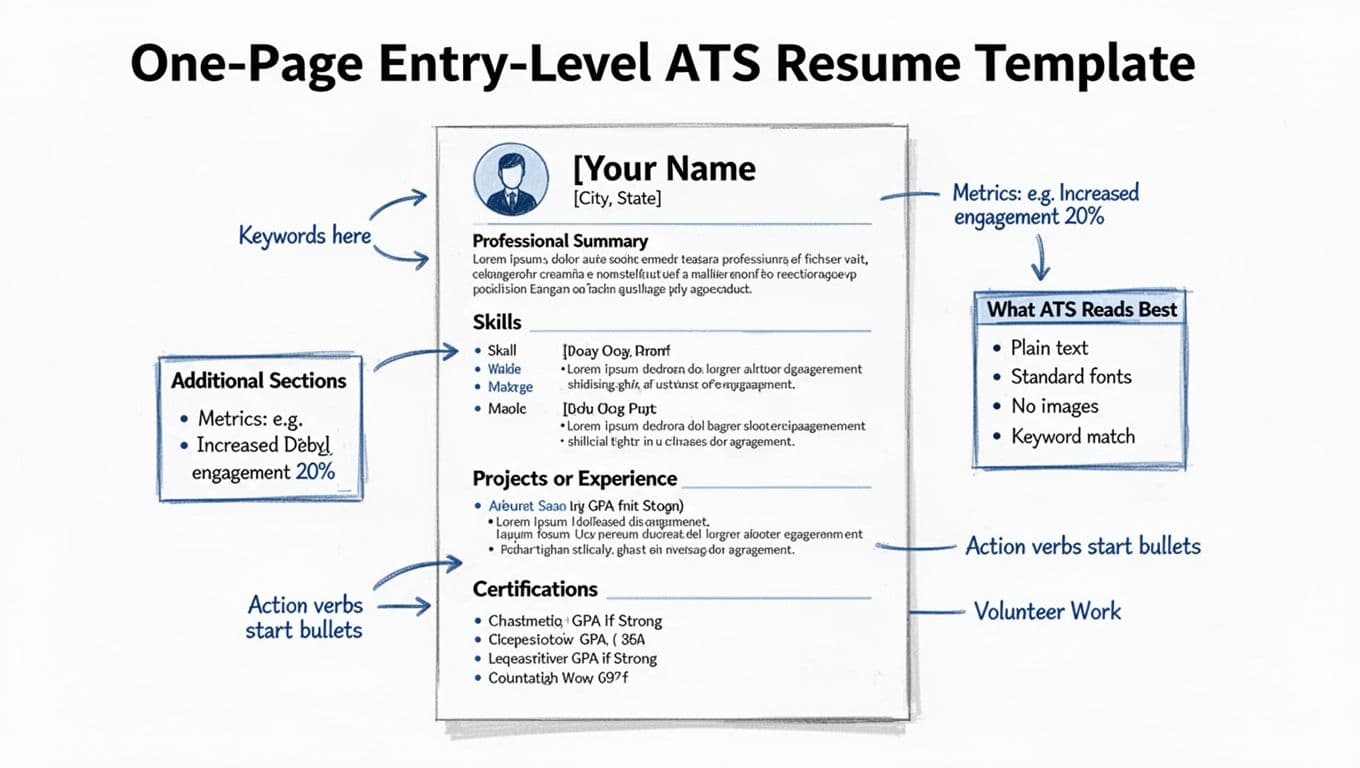
Keep this to one page unless the role explicitly asks for more detail. If you’re early-career, tight writing beats extra length.
Copy-and-fill resume template (use these exact section names)
CONTACT INFORMATION
[YOUR NAME]
Resume headline: Entry-level [target role] professional
[City, State] | [Phone] | [Professional email] | [LinkedIn URL] | [Portfolio/GitHub URL if relevant]
RESUME SUMMARY
Option A (general): Entry-level [target role] with hands-on experience in [2 to 3 skills/tools]. Completed [project, coursework, volunteer work] focused on [relevant outcome]. Known for [1 strength], [1 strength], and clear communication.
Option B (targeted): Entry-level [target role] with experience using [tool 1], [tool 2], and [method]. Built [project type] that improved [metric/outcome] by [number or %]. Seeking to support [team goal from job posting] through [skill area].
SKILLS SECTION (CORE COMPETENCIES) (match the posting’s wording where honest)
Hard skills:
Technical: [SQL], [Excel], [Python], [HTML/CSS], [Google Analytics], [Salesforce], [Tableau]
Tools: [Jira], [Figma], [Microsoft 365], [Google Workspace], [Slack]
Soft skills: [Written communication], [time management], [teamwork], [customer empathy], [attention to detail]
RELEVANT PROJECTS
[Project Name], [Course/Club/Personal], [Month Year]
- Improved [result] by [X%/X units] by [action], using [tool].
- Built [deliverable] for [user/audience], shipped in [timeframe], tested with [method].
- Documented requirements in [format], tracked work in [tool], presented findings to [group size].
[Project Name], [Hackathon/Capstone/Portfolio], [Month Year]
- Analyzed [dataset/topic] and identified [insight], reducing [time/errors] by [number].
- Created a dashboard/report in [tool] with [KPI] and [KPI], used by [X people/class/team].
PROFESSIONAL EXPERIENCE (optional, include part-time, internships, campus jobs; for those with no work experience, a functional resume format may be used, though the template provided follows a hybrid structure)
[Role Title], [Organization], [City, State], [Month Year to Month Year]
- Handled [volume] of [tasks/customers/tickets] per [day/week] while maintaining [quality metric].
- Trained [number] new team members on [process], improving [speed/accuracy] by [number/%].
- Resolved [issue type] using [tool/process], documented outcomes in [system].
EDUCATION SECTION
[Degree], [Major], [School], [Graduation Month Year]
Academic achievements or relevant coursework: [Course 1], [Course 2], [Course 3]
GPA: [X.XX] (include if strong or requested)
CERTIFICATIONS (only if relevant)
[Certification], [Issuer], [Year] (or “In progress, expected Month Year”)
EXTRAS (pick 1 to 2)
Volunteer work: [Role], [Org] | Leadership: [Club role] | Awards: [Scholarship] | Languages: [Language level]
If you need more formatting guardrails, it can help to compare your layout to a modern ATS-safe approach like a 2026 ATS resume template guide; this is one of many resume templates available to entry-level candidates, so keep your version plain and easy to parse.
Build your resume in 60 minutes (plus an ATS checklist you can copy)
Speed comes from order. Don’t polish the header for 20 minutes. Get the content down first, then tighten.
60-minute resume timeline (quick and realistic)
- Minutes 0 to 10: Paste the job description into a notes doc, then highlight skills, tools, and responsibilities from the job description that repeat.
- Minutes 10 to 25: Write a targeted Summary and a Skills list that matches the job description’s wording. Use ChatGPT prompts to brainstorm skills and bullet points.
- Minutes 25 to 45: Add 2 projects (or 1 project + 1 volunteer role) and write 3 bullets each with actions and outcomes.
- Minutes 45 to 55: Add Education, certifications, and links (LinkedIn, portfolio).
- Minutes 55 to 60: Run the ATS checklist below, verify the reverse chronological format versus other layouts, and fix anything risky.
If you’re stuck on what counts as “experience,” it helps to see beginner examples like a beginner resume template with examples, then translate your work into clear bullets with results.
ATS checklist (copy, paste, and run before every application)
- I used a single-column layout with no tables, icons, or text boxes.
- My section headings are standard (Summary, Skills, Projects, Experience, Education).
- My contact info is plain text (not in the header/footer area of the document).
- My professional experience is accurately described with matching job titles where possible.
- Each bullet starts with an action verb (Built, Analyzed, Led, Improved, Resolved).
- I included numbers where I can (time saved, volume handled, percent change, users).
- My job title target matches the posting (when accurate).
- My Skills list includes the posting’s key tools (when I truly have them).
- Dates and locations use a consistent format.
- The file type matches the portal instructions (PDF or DOCX).
- I proofread names, links, and the last line (the most common typo zone).
Run this checklist to ensure an ATS-friendly resume.
“Do vs Don’t” formatting table (plain-text friendly)
| Do | Don’t |
|---|---|
| Use one column with clear headings | Use two columns or sidebars |
| Write simple bullets with metrics | Use paragraphs that hide results |
| Match skill names from the posting | Keyword-stuff unrelated tools |
| Save clean PDF or DOCX as required | Submit a designed template with graphics |
To keep everything aligned across documents, CareerScribeAI.com’s resume builder, Cover Letter Generator can help you mirror the same keywords and top projects from your resume, without repeating full bullets. Then, once interviews start, CareerScribeAI.com’s Interview Prep Tools can turn your project bullets into tight STAR-style answers, so you’re not inventing stories on the spot.
Conclusion
A strong entry-level resume for entry-level candidates isn’t about job titles, it’s about proof. Use clean resume templates designed for an applicant tracking system, speak the employer’s language, and turn projects into results with numbers. Start with the fill-in template above, tailor it to one posting, and run the checklist every time. The goal is simple: make your ATS-friendly resume easy to read for software, and convincing for humans.