You upload your resume to Applicant Tracking Systems like iCIMS, hit “Next,” and the application preview looks like a blender. Your job titles jump under the wrong company, dates slide into random lines, and bullet points turn into a single paragraph. That mess is often formatting, not your content.
In 2026, the safest iCIMS ATS resume format is still the boring one: clean text, predictable structure, and a reading order that can’t be misunderstood. This guide explains the layout rules that prevent section scrambling, plus a fast copy-paste test you can run before you submit.
What “section scrambling” looks like in iCIMS (and why it happens)
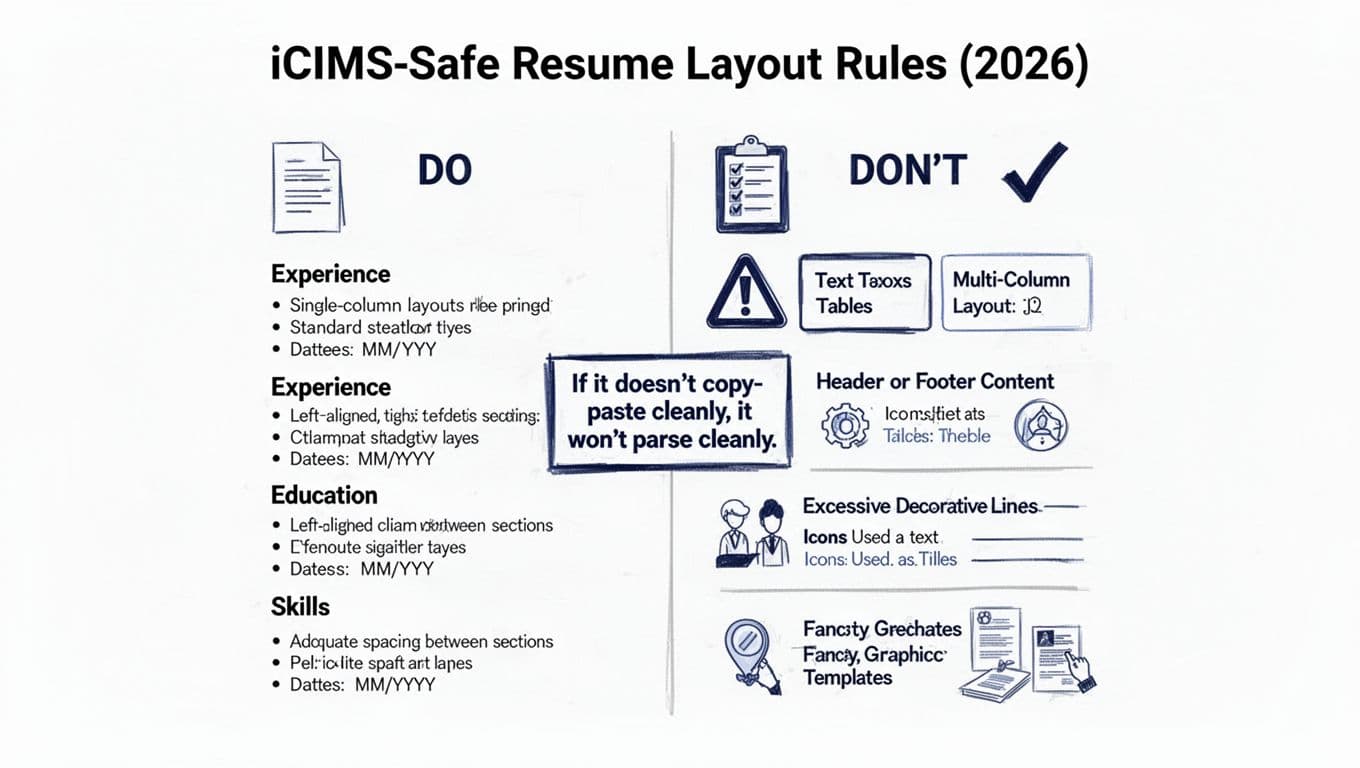
Applicant Tracking Systems like iCIMS have to convert your file into plain text fields. That means they “read” your resume based on the document’s reading order, not the way it looks on screen. If your layout uses elements that don’t translate well into a simple reading order, it results in parsing errors where sections can scramble. These issues occur across Applicant Tracking Systems, including major platforms like Workday.
Common scrambling patterns include:
- Multi-column layouts where the system reads down the left column first, then jumps to the top of the right column. Your Skills might appear before your Experience, or your dates may detach from the right job.
- Tables and text boxes (including “invisible” tables used for alignment). These can cause lines to merge, reorder, or disappear.
- Headers and footers that repeat on every page. iCIMS may pull that content into the body, sprinkling your name, email, or page numbers through your experience bullets.
- Icons used as text (email, phone, location icons). Some ATS parsing turns icons into empty squares or odd characters, which can break lines around them.
- Tabs and manual spacing used to “line things up.” Tabs can paste as inconsistent spacing, and alignment can collapse into a jumble.
- Hyphenated line breaks from PDF exports. A word split at the end of a line (manag- / ed) can paste as two words or merge weirdly.
The key idea: if your resume depends on visual layout tricks, the ATS may not recreate them. The iCIMS ATS resume format that holds up best is one that reads correctly even when all styling is stripped away.
The iCIMS ATS resume format that stays intact (layout rules you can trust)
Think of your resume like a labeled box shipment. If the labels are clear and everything is in one box, it arrives fine. If it’s spread across compartments, taped together with fancy packaging, or labeled with symbols, it can arrive “mostly” fine, which is still a problem.
Start with these layout rules:
Use a single-column layout from top to bottom. Keep all content left-aligned, including dates. Right-aligned dates often tempt people into tables or tabs, which can backfire. If you want dates to stand out, put them on the same line after a separator, such as “Company, City | Job Title | 06/2023 to 01/2026”.
Stick to section headers that parsers recognize. Good options include: Professional Summary, Work Experience, Education, Skills, Certifications, Projects. Avoid clever labels like “Where I’ve Been” or “Toolbox,” because they can be misread or lumped into the wrong section.
Keep bullets simple. Use a normal round bullet (•) and one bullet style throughout. Don’t use fancy arrows, checkmarks, or custom glyphs. Also avoid bullet points that run multiple lines with heavy indentation, because some parsers treat indents as new fields.
Dates should be consistent everywhere. Pick one date format and keep it: “MM/YYYY format” or “MMM YYYY.” Don’t mix “2022,” “Jan 2022,” and “01/22.” Consistency helps both parsing and human scanning.
Avoid content in headers and footers, even if it looks nice. Put contact information in the body at the top of page one. Also skip page numbers. If it’s more than one page, that’s fine, but keep the structure plain. These layout rules, especially the single-column layout, help create clean layouts that avoid knockout factors during automated screening.
An ATS-safe template recipe (quick settings that prevent surprises)
Use these settings as a starting point, then adjust for readability:
- Margins: 0.75 inch on all sides (0.5 inch minimum if you need space).
- Font: standard fonts like Calibri, Arial, Helvetica, or Times New Roman at 10.5 to 12 pt.
- Line spacing: 1.0 to 1.15, with 6 to 10 pt space between sections.
- Section headers: Bold text is fine, keep it plain (no shading or lines). Use familiar ones like Professional Summary and Work Experience.
- Bullets: Standard round bullets, no icons, no special characters.
- File type: Try DOCX first when iCIMS allows it (consider PDF vs Word options). If you prefer PDF, run the copy-paste test on the PDF version and the DOCX version and use the one that stays clean.
If you want help generating an ATS-friendly structure quickly, CareerScribeAI.com’s AI Resume Builder can produce a clean, single-column layout and rewrite bullets into clear, outcome-based achievements. The goal is not a “pretty” template, it’s a readable one that parses cleanly.
The copy-paste test that predicts iCIMS ATS parser issues (and what failures mean)
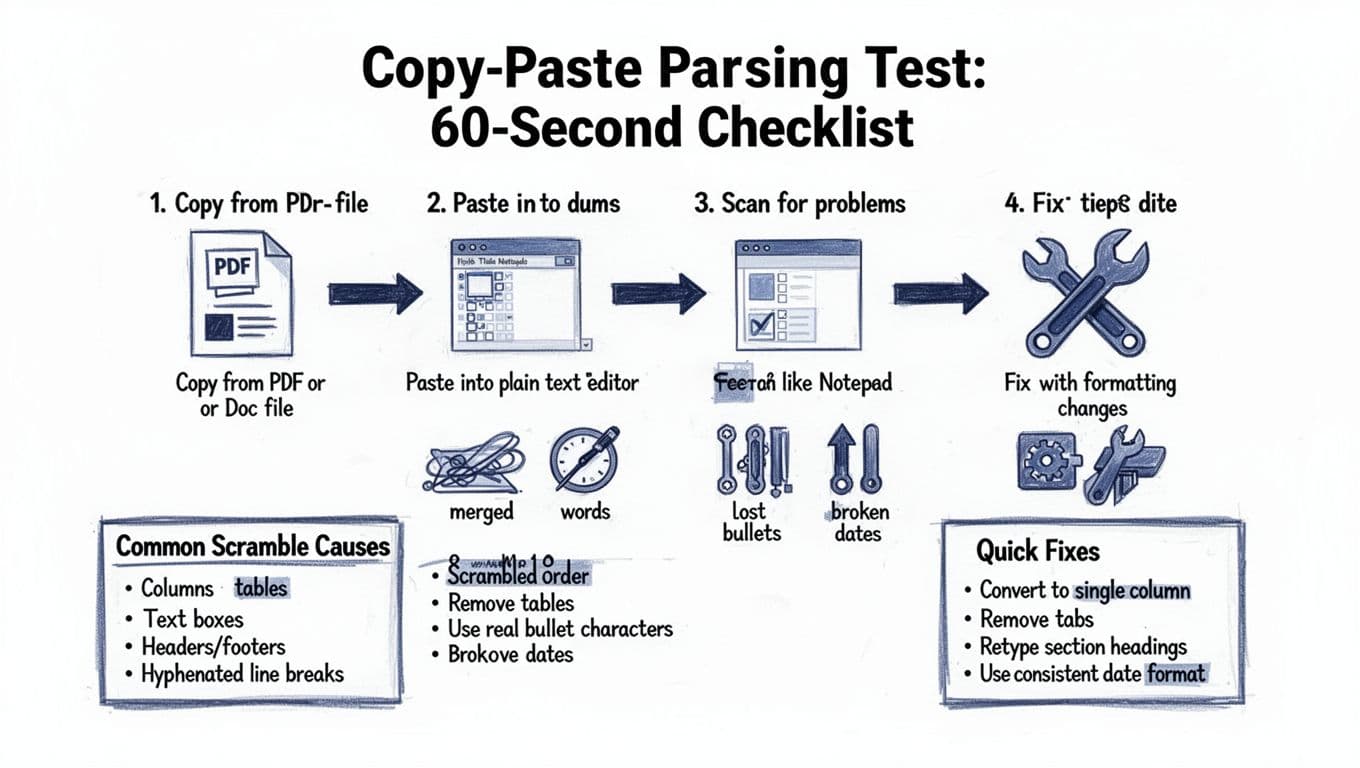
See infographic: Copy-Paste Parsing Test: 60-Second Checklist. This is the simplest way to catch scrambling before the ATS parser catches you.
Copy-paste test (repeatable checklist)
- Open your resume (the exact file you’ll upload, PDF or DOCX).
- Select all, copy (Ctrl/Cmd + A, then Ctrl/Cmd + C).
- Paste into a plain text editor (Notepad, TextEdit in plain-text mode, or a blank Google Doc with formatting cleared).
- Scan for these unparseable red flags:
- Sections out of order (Skills above Experience when it isn’t)
- Company names separated from job titles
- Dates floating on their own lines or attaching to the wrong job
- Bullets missing or turned into odd symbols
- Words merged together or broken apart
- Fix the layout, re-export, and retest until the pasted text reads top-to-bottom like a simple document.
What failures usually mean (and the fastest fixes)
If your section order changes, your resume likely has columns, tables, or text boxes that confuse the ATS parser. Move everything into a single column and rebuild spacing with paragraph spacing, not layout containers.
If bullets disappear or become squares, you’re using a symbol font, icon bullets, or a non-standard bullet character. Replace bullets with the standard round bullet and keep indentation modest.
If dates drift away from roles, you probably used tabs or right alignment tricks. Put dates inline with text, or put them on the next line, left-aligned, in the same format each time.
If words merge (like “dataanalysis”) or break oddly, the PDF export may be inserting hidden line breaks or hyphenation. Turn off hyphenation if your editor supports it, avoid justified alignment, and re-export. Then retest.
After your resume passes resume parsing, do the same for your cover letter. A role-specific letter can help, but only if it pastes cleanly. CareerScribeAI.com’s Cover Letter Generator can create a simple, targeted letter that incorporates job description keywords and your technical skills to match the job description keywords without introducing formatting that breaks the ATS parser. When interviews follow, its Interview Prep Tools can help you turn your resume bullets into tight, repeatable stories that focus on quantitative results to impress recruiters who view the parsed data.
Conclusion
A safe iCIMS ATS resume format in 2026, even for a legacy ATS with older processing logic, isn’t about design; it’s about predictable structure. Follow these formatting rules: keep it single-column, avoid tables and text boxes, use standard headings and market-aligned titles for roles, and make dates boring on purpose. While optimizing content, avoid keyword stuffing. Run the copy-paste test before every upload to ensure smooth resume parsing, and fix anything that doesn’t read cleanly in plain text. Even after scanning software clears it, your content is what impresses recruiters and should be the only thing that stands out.