If you’ve ever uploaded a resume, watched the form auto-fill, and thought, “Why is my job title in the address field?”, you already know the problem. The resume looked fine to you, but the system read it like a shuffled deck of cards.
In 2026, the safest approach for a Greenhouse ATS resume is still the least exciting one: a modern resume compatible with most Applicant Tracking Systems, a clean, single-column document that reads top-to-bottom like plain text. Think of it like packing a suitcase for airport security. Neat beats clever, every time.
Below is an ATS-friendly resume format specifically optimized for Greenhouse software that tends to parse cleanly, plus a fast ATS copy-paste test you can run before you apply.
How Greenhouse parsing works in 2026 (and what trips it up)
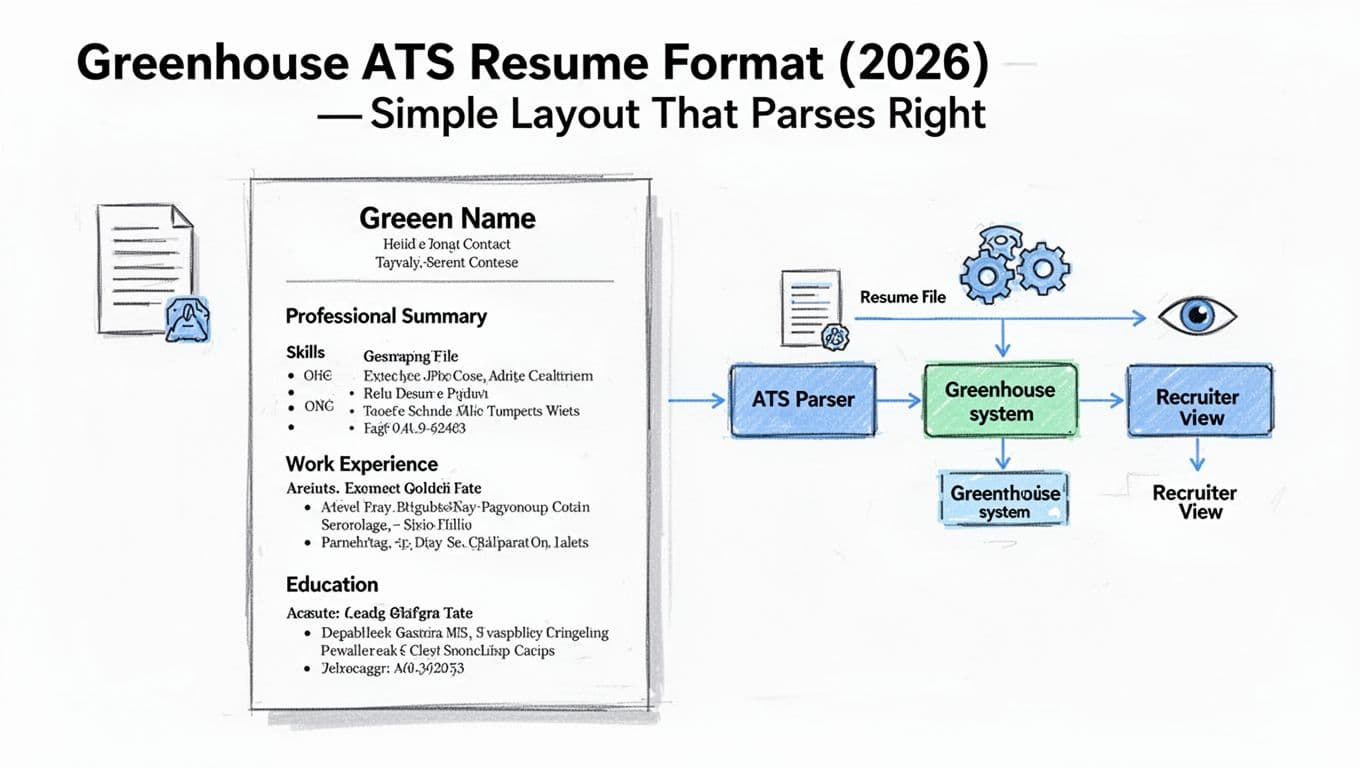
When recruiters use Greenhouse, an Applicant Tracking System, they’re often looking at information that was extracted (parsed) from your file into standard fields: contact information, summary, skills, work experience, dates, employers, education. In 2026, AI-powered ATS tools rely on structured hiring and scorecards to evaluate candidates, so your job is to make that extraction boring and predictable for the recruiter experience when viewing these parsed profiles.
The biggest parsing failures usually come from layout tricks that look polished on a screen but break the reading order. Two columns are the classic offender, but they’re not alone. Tables, text boxes, icons, and headers and footers can all cause “split sentences,” missing dates, or bullets that merge into one long paragraph.
File type matters too, especially in the PDF vs Word debate. Greenhouse supports common upload formats, and employers can configure what they accept. Before you submit, it’s worth checking Greenhouse’s own guidance on supported formats for candidate uploads. In practice, a clean DOCX is often the easiest for an ATS scanner since it needs selectable text to function correctly, and a well-made PDF can work well too (as long as it’s real text, not an image).
One more 2026 reality: accessibility and parsing tend to agree. If your resume works with screen readers and can be copied cleanly into plain text, it’s usually a safer bet for Greenhouse parsing as well.
The Greenhouse ATS resume format that stays readable (and scannable)
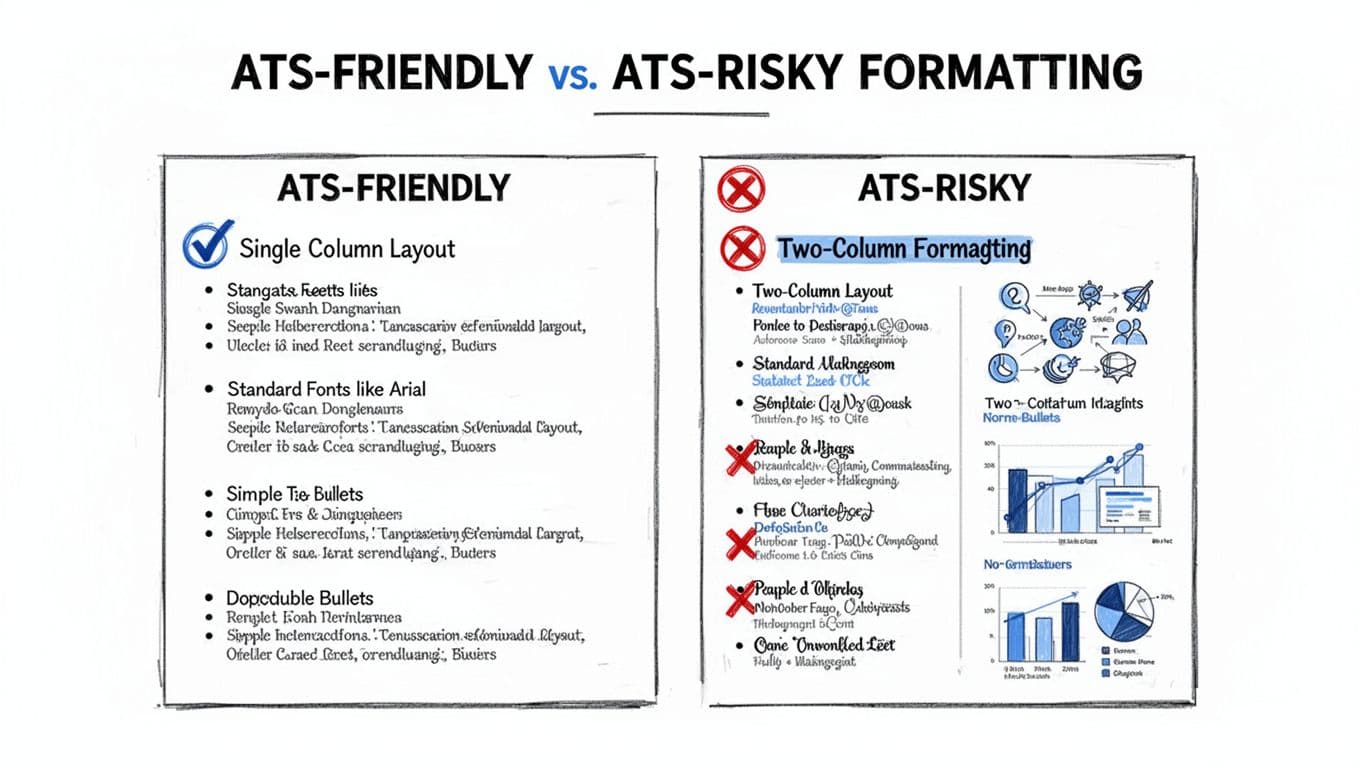
A reliable ATS-friendly resume format ensures your document passes through Applicant Tracking Systems without error. A Greenhouse ATS resume format has one goal: preserve a clear reading order from the first character to the last. That doesn’t mean your resume has to look plain. It just needs structure the ATS can understand.
Here’s the layout that parses well across most ATS platforms in resume formatting 2026. Recommend a reverse-chronological format with single-column layout, the gold standard for a modern resume:
Keep it single column. No sidebars for skills, no right-rail for certifications. If you want skills near the top, place them under a “Skills” heading, full width. Include both hard skills and technical skills for better keyword optimization against job description keywords.
Use standard section headers. These are easy for both humans and systems to recognize:
- Professional summary (or Summary)
- Skills
- Professional Experience (or Experience)
- Education
- Certifications (optional)
- Projects (optional)
Use standard fonts and simple spacing. Stick to common fonts (Arial, Calibri, Times New Roman) and use consistent spacing. The ATS doesn’t care about typography, but it does care when spacing is created with weird objects.
Write dates in a consistent pattern. Example: Jan 2022 to Feb 2026 or 2022 to 2026. Pick one and keep it consistent across roles.
Bullet points structure that reads cleanly. Use normal round bullets (not arrows, not checkmarks). A strong pattern is:
Action verbs + what you did + tool or scope + quantifiable achievements
Example: “Reduced invoice processing time 28% by rebuilding the approval workflow in NetSuite and training 12 users.”
If you want more general ATS-friendly resume examples to compare against, see ATS resume examples and guidance for 2026. Treat design inspiration carefully, but the section ordering and headings are useful benchmarks.
The quick ATS copy-paste test (your fastest parsing check)
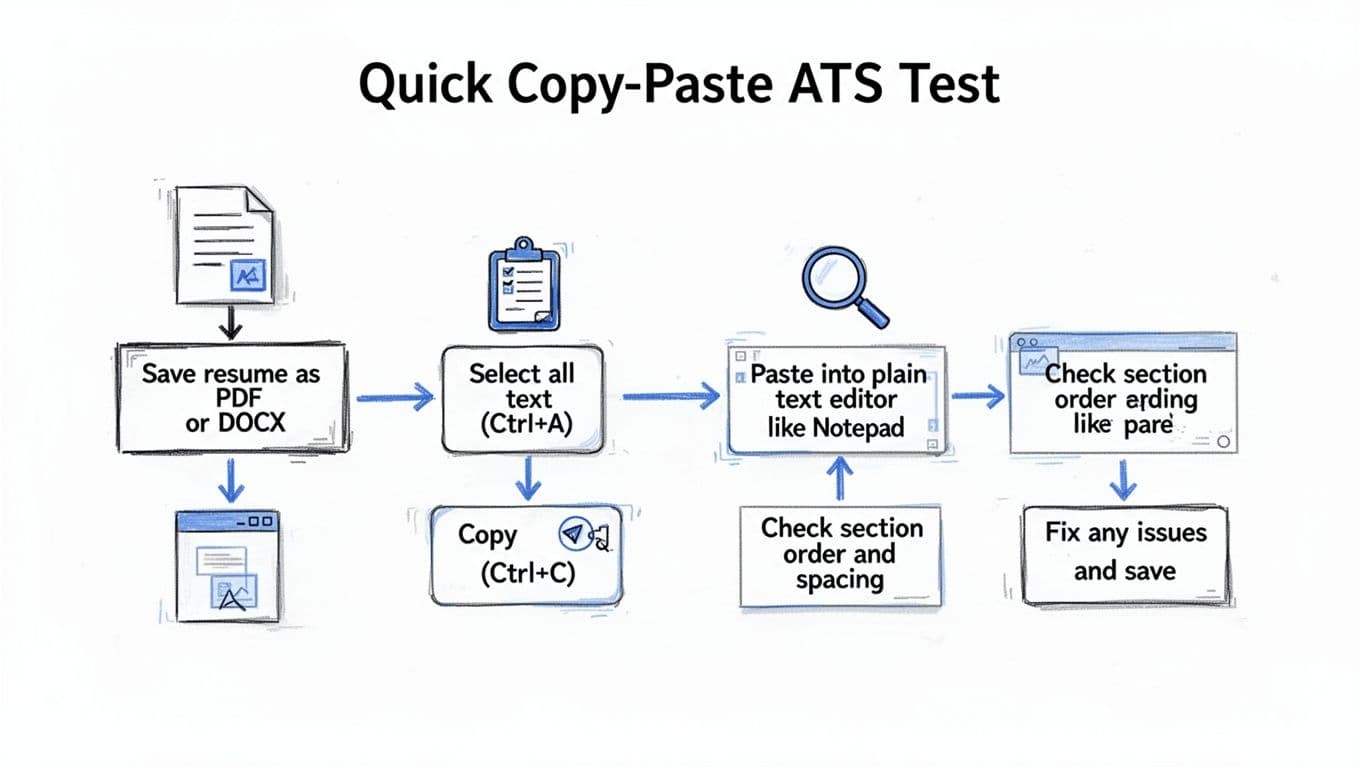
You don’t need special software to run an ATS copy-paste test. Applicant Tracking Systems often have hidden errors that this Copy-paste test catches. This one-minute check catches most formatting issues that cause field-mapping errors in Greenhouse.
Here’s the test:
- Save your resume as DOCX (and PDF too, if you plan to submit PDF).
- Open the file.
- Select all text (Ctrl or Cmd + A), then copy (Ctrl or Cmd + C).
- Paste into a plain text editor (Notepad, TextEdit in plain text mode, or a blank Google Doc).
- Scan for order and clarity.
This test helps with parsing and ensures the ATS scanner reads sections in order. What you want to see: a clean top-to-bottom flow that matches your intended sections.
Red flags that signal formatting trouble (even with great keyword optimization, it won’t help if selectable text is scrambled):
- Your right-column content appears first (a sign of multi-column layout).
- Dates drift to strange places, or employers and titles swap lines.
- Bullets collapse into one paragraph, or bullets become odd symbols.
- Section headings repeat or disappear.
Fixes are usually simple. Remove columns, rebuild tables as plain text, replace icon bullets with standard bullets, and avoid placing important details in headers or footers. If your PDF paste looks broken but DOCX paste looks clean, submit DOCX (Word format) when allowed to maintain section flow for the recruiter.
For broader ATS-friendly resume rules that still apply in 2026, Jobscan’s walkthrough is a solid reference point: ATS-friendly resume guidance and templates.
Copy-paste-friendly resume template (single column)
Use this Resume builder template as your starting point. Keep the headings as written, and replace bracketed text with your details. (When you format it in Word or Google Docs, resist the urge to put skills in a sidebar.)
NAME LASTNAME
Contact information
City, State | Phone | Email | LinkedIn profile | Portfolio URL
PROFESSIONAL SUMMARY
[2 to 3 lines. Role, years of experience, focus areas, and 1 standout result.]
SKILLS
Hard skills: Skill, Skill, Skill
Technical skills: Tool, Tool, Tool
Methods: Method, Method, Method
PROFESSIONAL EXPERIENCE
Work experience in reverse-chronological format, best for Applicant Tracking Systems.
Job Title | Company, City, State (or Remote)
Month Year to Month Year
- [Bullet points that mirror job description keywords: Action + task + tool/scope + result with number]
- [Bullet points that mirror job description keywords: Action + task + result, tie to the job posting language]
- [Bullet points that mirror job description keywords: Action + collaboration + outcome]
Job Title | Company, City, State
Month Year to Month Year
- [Bullet points that mirror job description keywords: Bullet 1]
- [Bullet points that mirror job description keywords: Bullet 2]
EDUCATION
Degree, Major | School, City, State
Graduation Year (optional)
CERTIFICATIONS (optional)
Certification Name, Issuer, Year
If you want help turning rough notes into ATS-safe sections with this Resume builder template, CareerScribeAI.com can speed things up without pushing risky formatting. Use the AI Resume builder to generate clean headings and quantified bullets in ATS-friendly resume format, the Resume builder Cover Letter Generator to mirror role-specific keywords naturally, and the Resume builder Interview Prep Tools to get ready once Greenhouse parsing turns into a recruiter screen. This Resume builder ensures your reverse-chronological format works seamlessly with Applicant Tracking Systems, while its tools help craft bullet points that mirror job description keywords perfectly.
Conclusion
A Greenhouse-friendly resume doesn’t need design tricks. Applicant Tracking Systems value a modern resume with clean structure, standard headings, a single-column layout, and text that survives a copy and paste. Run the ATS copy-paste test before every application, and fix anything that changes order or meaning. When your resume parses cleanly into Greenhouse, recruiters (who rely on structured hiring and scorecards) spend their time judging your experience clearly and quickly, not untangling your formatting. Passing the ATS scanner check is the first step to an interview.