If you’re wrestling your experience onto one page by shrinking fonts and margins, you’re not alone. In 2026, a 2-page resume in 2026 is normal in many fields, as long as page two earns its space.
The real risk isn’t length, it’s what happens at the seam between pages. A sloppy resume page break can split key details (title, employer, dates), which can confuse Applicant Tracking System (ATS) parsing and make your history harder to skim.
This guide will help you decide when two pages are the right call, and how to keep an ATS-friendly resume intact from top to bottom.
When a two page resume makes sense in 2026 (and when it doesn’t)
Think of multi-page resumes like packing for a trip. One carry-on is great, until you start leaving out essentials. A second page is fine when it prevents you from cutting the proof that you can do the job.
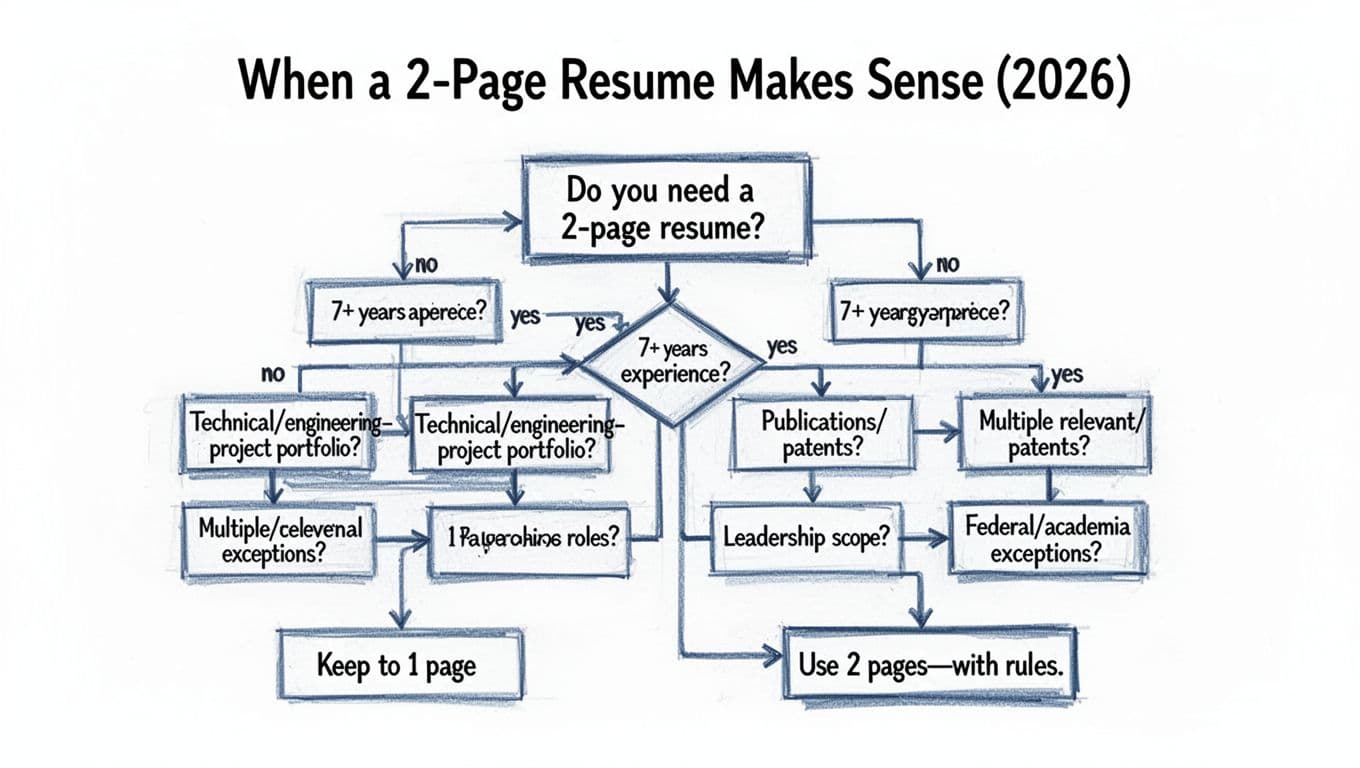
A two-page resume is usually the better choice when:
- You have 7 to 10+ years of relevant work following the ten-year guideline and you’re excluding strong, role-matching achievements to stay on one page.
- Your work is technical or project-based, highlighting technical skills where outcomes and tools matter (engineering, data, product, IT, construction).
- You’ve held multiple relevant roles and each one adds something the target job needs.
- You have leadership scope (team size, budgets, cross-functional ownership) that can’t fit in one tight block.
- You’re in an exception category, like certain federal processes that set a hard limit (often two pages) rather than expecting long narrative resumes. See OPM’s guidance on the two-page resume limit for context.
Your experience level is the primary driver for length decisions.
If you’re early-career, changing fields, or your second page would be mostly older, less relevant roles, keep it to one page and sharpen the match.
Here’s a quick way to decide, based on the six-second scan and recruiter preference for what they actually scan:
| Factor | 1-page resume fits best | 2-page resume fits best |
|---|---|---|
| Relevant experience | 0 to 6 years | 7+ years, or dense projects |
| Role history | 1 to 3 roles | 4+ relevant roles or promotions |
| Proof of impact | A few strong wins | Multiple quantified wins across roles |
| Reader experience | Fast skim, minimal context | Still skimmable, but needs structure |
| Risk | Over-editing and missing proof | Weak page breaks, repeated fluff, and resume formatting rules |
What breaks ATS parsing at a page break (and why it matters)
Most modern Applicant Tracking System tools can read PDFs, but their parsing algorithms still struggle with certain formatting. Page breaks add one more stress point, because many systems rebuild your resume into a single text stream. If the break splits a job entry in the wrong spot, the ATS may attach bullets to the wrong employer or treat a title as a header for the next section.
Common page-break problems that can hurt ATS parsing:
- A job title on page one with the company and dates starting page two.
- A section heading stranded at the bottom with no content beneath it (an “orphan” heading).
- A job entry split mid-bullet, where the impact line loses its subject.
- Layout tricks like text boxes and tables, columns, or floating shapes, which can scramble reading order.
The fix is boring, and that’s the point. Following resume formatting rules ensures a two-page ATS-friendly resume behaves like plain text under the hood for better ATS parsing results, even if it looks polished on the surface. If you want a second opinion on whether two pages are appropriate, this two-page resume guidance gives a solid baseline for length decisions, then your formatting choices determine whether the document stays readable to both bots and humans.
Clean resume page-break rules recruiters actually notice
Follow these clean page-break rules for a seamless reading experience. A clean break reads like a chapter turn, not like a ripped page. The goal is continuity: the reader should understand who you worked for, what you did, and what happened, without hunting for missing context.
Use these rules as your “don’t embarrass me in parsing” standard:
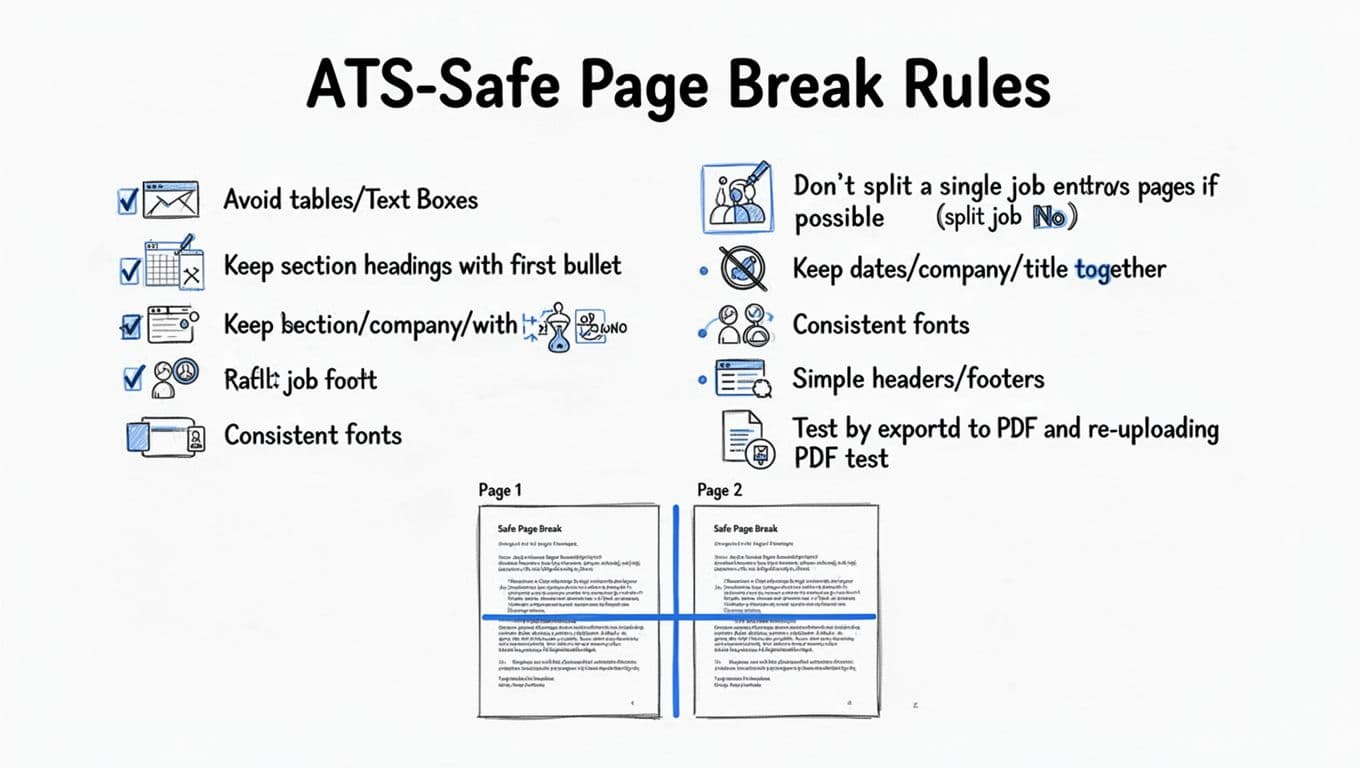
- Keep each job header together: job title, company, location (optional), and dates should sit on the same page, stacked as a unit.
- Keep standard section headers with the first bullet: if “Experience” lands as the last line on page one, avoid manual line breaks; instead, insert spacing so it starts page two with content.
- Try not to split one job across pages: if the role has three bullet points highlighting quantifiable achievements, don’t leave one lonely bullet point on page two. Either tighten the bullet points or move the entire role.
- Avoid text boxes and tables for core content: they look neat, but they’re a common cause of jumbled ATS parsing.
- Use consistent typography: one font family, predictable sizes, and standard bolding for titles. Fancy font pairing is where resumes go to die.
- Keep headers and footers simple: name and contact info is fine, but don’t hide important details there. Some systems ignore headers.
If you’re using an AI tool to tailor versions, formatting can drift as you edit, especially risks from text boxes and tables. CareerScribeAI.com’s AI Resume Builder is useful here because you can generate role-specific versions with a professional summary and STAR method examples intact, then do a quick visual scan for page-break damage before you export. Pair it with a matching cover letter from the Cover Letter Generator so your story stays consistent, then use the Interview Prep Tools to practice the same achievements you highlighted on page two.
For another viewpoint on when longer resumes are acceptable, Teal’s two-page resume overview is a practical read, but the safest approach is still the same: include only what the target job needs.
The 7-minute page break audit (step-by-step)
Before you submit, run a quick “page break audit.” It’s the resume equivalent of checking that your suitcase zipper actually closed.
- Export to PDF (even if you’ll upload a DOCX; compare PDF vs DOCX file formats). PDFs show true spacing and breaks.
- Check every page transition: the last 5 lines of page one and the first 5 lines of page two are the danger zone.
- Verify job header integrity: confirm title, company, and MM/YYYY date format never split across pages.
- Hunt for orphan headings: move the heading down if it doesn’t have at least one line of content under it.
- Scan bullet continuity: no bullet should start on one page and finish on the next.
- Test with ATS scanner tools: run your resume through ATS scanner tools to check keyword matching score and keyword density.
- Re-upload and preview where possible: some portals show a parsed preview, others show a text-only view. Portal previews often reflect how systems at Fortune 500 companies like Workday and Taleo handle the document. If the preview looks scrambled, simplify formatting.
- Print view test (optional but fast): if it looks weird on paper, it’ll look weird to a recruiter.
A final quick checklist before you hit submit:
- Font size is readable (generally 10.5 to 12 for body text in a single-column layout).
- Margins aren’t tiny (avoid squeezing to fake one page).
- Header and footer check: contact information is complete and visible.
- Page two starts strong, with the most relevant remaining content first for your experience level.
- No “References available upon request”, it wastes space.
Conclusion: Two pages are fine, messy breaks aren’t
A two page resume in 2026 is a smart choice when it protects your best proof and keeps the story focused on the role. The non-negotiable part is the page break: keep job headers intact, avoid tricky layouts, and test your file the way an ATS will see it to ensure a high keyword matching score and successful ATS parsing. If page two doesn’t add relevant wins, cut it. If it does, keep it, and make the break so clean nobody notices it. Following these resume formatting rules ensures your 2-page resume in 2026 works for you rather than against you.