
Is your resume education section helping you get interviews, or quietly taking up space you could use for work experience, skills, and results?
In 2026, recruiters and ATS scanners both reward a resume format with clear, job-relevant educational qualifications that’s easy to parse. That means your education section should read like a label, not a memoir. Keep it tight, keep it scannable, and only add details that earn their place.
Below is a practical set of rules you can apply in minutes, plus templates and an ATS-safe format you can copy.
A fast decision framework for your Education section
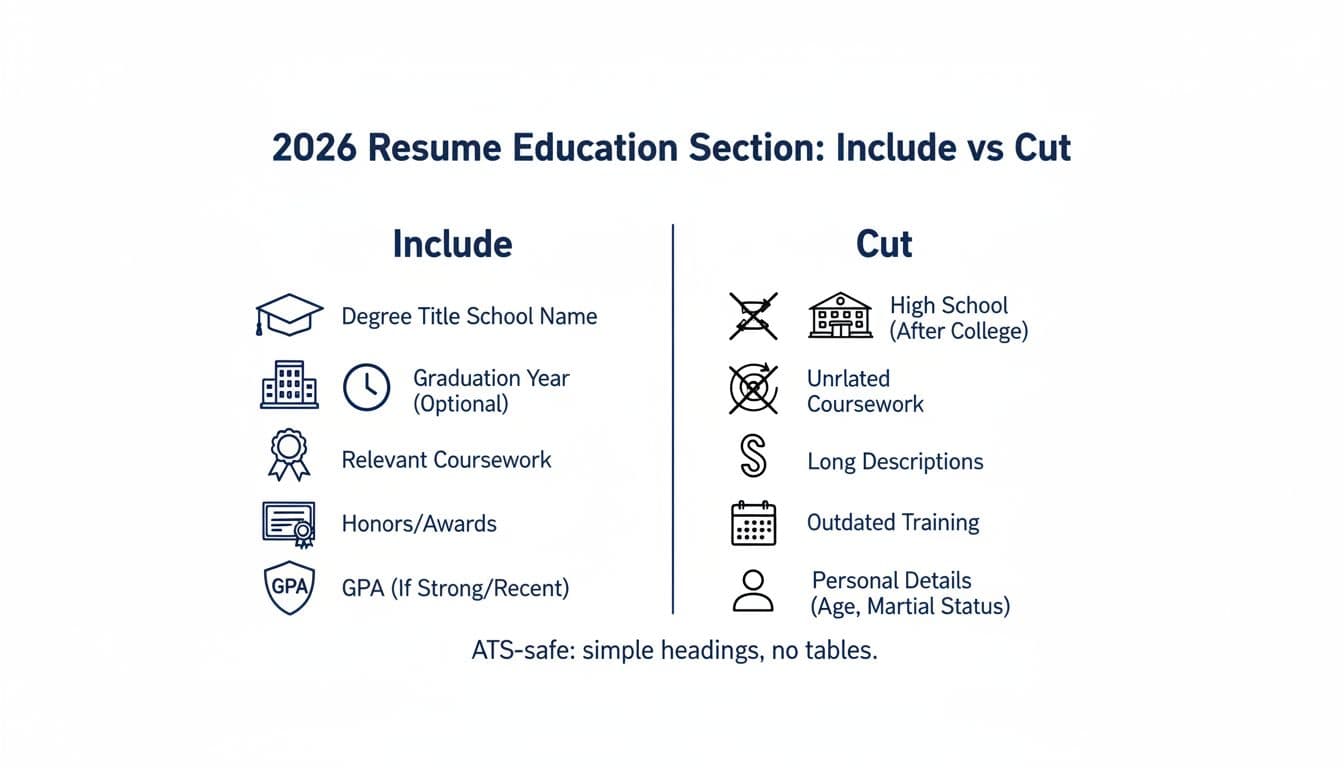
A fast decision framework based on your career stage
A simple rule still holds in 2026: lead with your strongest proof.
- If you’re a current student or recent graduate, education often goes near the top (after resume summary).
- If you have 3+ years of professional experience, education usually goes below Experience.
If you want a second opinion on placement, compare a few examples in a current guide like this 2026 education section walkthrough. Then commit to one layout and keep it consistent.
The “space test” (quick decision table)
Use this to decide what earns a line in your education section:
If the detail is…Keep it?WhyRequired to prove qualification (degree, license, in-progress program)YesIt protects you from easy screen-outsA direct match to the job (relevant coursework, certifications, honors)Yes, brieflyIt supports keywords and readinessOld, generic, or unrelated (high school diploma, long course lists, dated training)NoIt steals space from impact
When in doubt, prioritize items that match the job description language. Tools like CareerScribeAI (careerscribeai.com) can help here, its AI Resume Builder can highlight job-relevant skills and training so you’re not guessing what matters.
What to include, what to cut (2026 rules recruiters notice)

Optimizing your resume education section means focusing on relevance under 2026 rules recruiters notice.
What to include (keep it compact)
In most cases, your educational qualifications entry needs only the basics:
- Bachelor’s degree, major and minor, field of study (or program name if in progress)
- School name (and location if it helps, city/state is enough)
- Graduation date (optional if it’s old or could work against you)
- Honors and awards (Dean’s List, Latin honors, scholarships, study abroad, extracurricular activities)
- Certifications and job-related training (often stronger than coursework in 2026)
Add relevant coursework only when it fills a gap, like if you’re a recent graduate, an entry-level professional, a career changer, or aiming at a technical role. Keep it to 3 to 5 items. Skip “Intro to” classes unless the job truly requires it.
For more examples of what recruiters expect, this breakdown on formatting the education section is a useful reference.
What to cut (or move elsewhere)
Think of these as “common space leaks”:
High school diploma (usually): If you have any college, most roles don’t need it.
Long course lists: A few targeted courses beat a full transcript.
Low GPA: If it’s not strong, don’t include it.
Personal details: Graduation dates are not the place for age clues, and you never need to list hobbies here.
If you’re unsure what counts as “best practice,” compare your draft to a clear example set like these education section do’s and don’ts.
Clean ATS-safe format, templates, and a final checklist
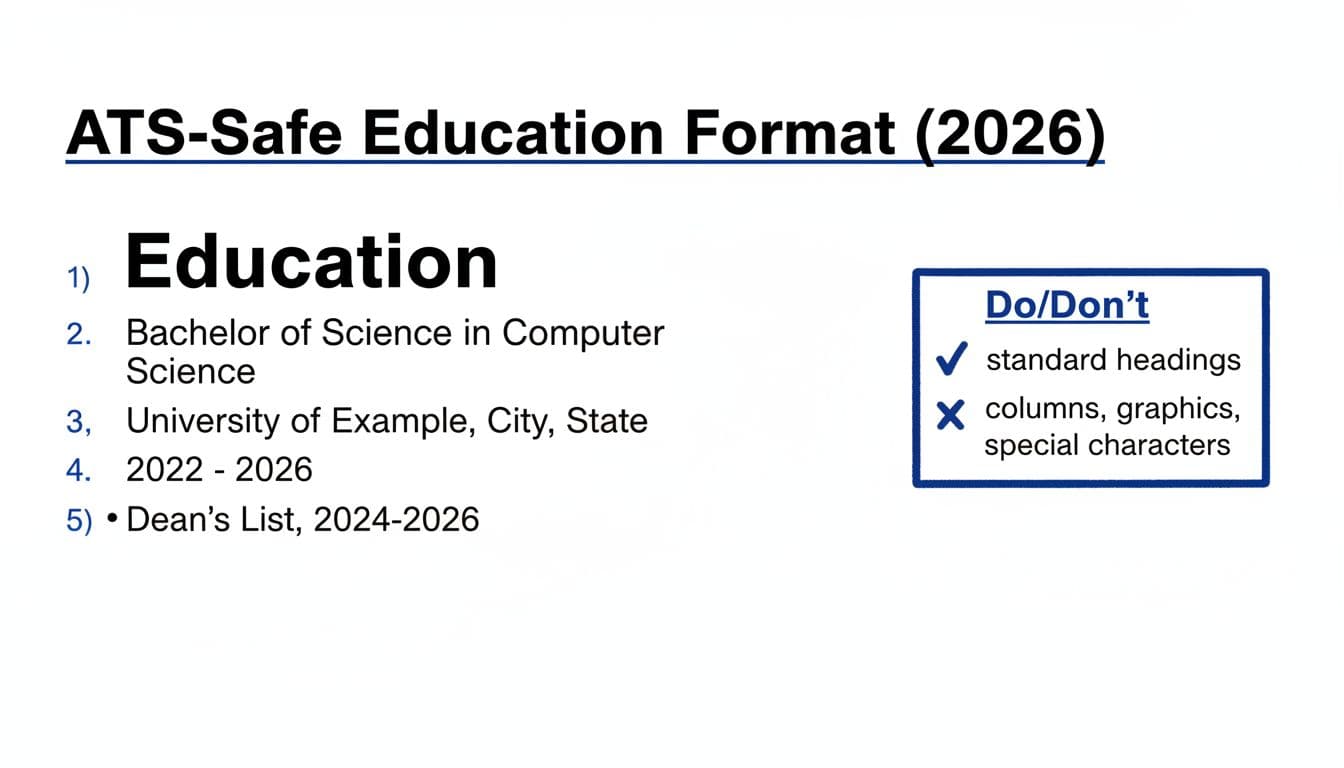
The clean format for ATS compatibility that parses well in 2026
ATS tools still struggle with fancy layouts. Your goal is boring clarity.
Use a standard heading: Education (or Education & Certifications). Then use one consistent pattern:
Education
Degree name
Bachelor of Science in Nursing (BSN)
Institution name
State University, City, State
2019 (optional)
Honors: Dean’s List (2018-2019)
Keep it single-column, left-aligned, and easy to skim. Avoid tables, text boxes, icons, and columns inside the resume file.
File choice matters too. Many teams accept PDF, but not all PDFs parse equally. If you submit a PDF, follow PDF formatting tips that reduce ATS parsing errors. When in doubt, a clean DOCX is still a safe bet.
Templates for different career stages (quick guide)
Use this table to decide which “extras” belong in your resume education section by career stage:
Career stagePut EducationAddSkipStudent or recent gradNear topGPA (if strong), expected graduation date, 3-5 relevant courses, honors, bachelor’s degreeHigh school (if in college), full course listsCareer changerMid-pageCerts, bootcamps, targeted coursework, certificationsOld unrelated degrees detailsExperienced professionalNear bottomCertifications, licensesGraduation year (often), courseworkAdvanced degree holderNear top or midThesis focus (1 line), publications (if relevant), master’s degreeLong abstracts
If you’re changing fields, CareerScribeAI’s Cover Letter Generator can help you explain why your learning path fits the role. Its Interview Prep Tools are also useful for turning coursework into strong story answers (problem, action, result), not vague “I learned X.”
Common mistakes and fast fixes
- Mistake: Listing every class. Fix: Keep only job-matching courses, max 3 to 5.
- Mistake: Listing incomplete degree without context. Fix: Add expected graduation date or current status.
- Mistake: Using two columns to “save space.” Fix: Use a single column and shorter lines.
- Mistake: Mixing date styles. Fix: Pick one (2024 or May 2024) and stay consistent.
- Mistake: Adding a weak GPA. Fix: Remove it, add honors or a relevant certification instead.
- Mistake: Hiding certifications under Education. Fix: Use “Education & Certifications” or a separate “Certifications” section.
ATS formatting checklist (Education-specific)
- Use the heading Education (standard wording).
- Keep everything left-aligned, single column.
- Include degree name, institution name, and location (city/state).
- Put items in reverse chronological order.
- Highlight academic honors if applicable.
- Use simple bullets (if needed), not symbols or special characters.
- Don’t use tables, text boxes, logos, or icons in the resume file.
- Save as DOCX or a simple PDF that can be selected and copied.
- Tailor resume format to emphasize professional experience and work experience alongside education.
Conclusion
For recent graduates and entry-level professionals, the best resume education section in 2026 is short, relevant, and easy to scan. Lead with what proves you can do the job, cut what’s dated or generic, and stick to a plain format that ATS tools read cleanly. If your education is your edge, show it. If it isn’t, keep it tidy, balance it effectively with your work experience using a simple resume format, and let your work experience take the spotlight.