Got promoted at the same company and now your resume looks like a small puzzle? You’re not alone. The hard part isn’t the promotion, it’s writing your work experience section so an ATS doesn’t mash two titles into one confusing entry that obscures your career progression.
If you want resume promotions ATS parsing to work in your favor, your goal is simple: make each role look like its own job, even when the employer is the same. Below are three clean formats that help ATS software, human recruiters, and hiring managers see your progression fast.
What ATS is trying to “extract” from your promotions
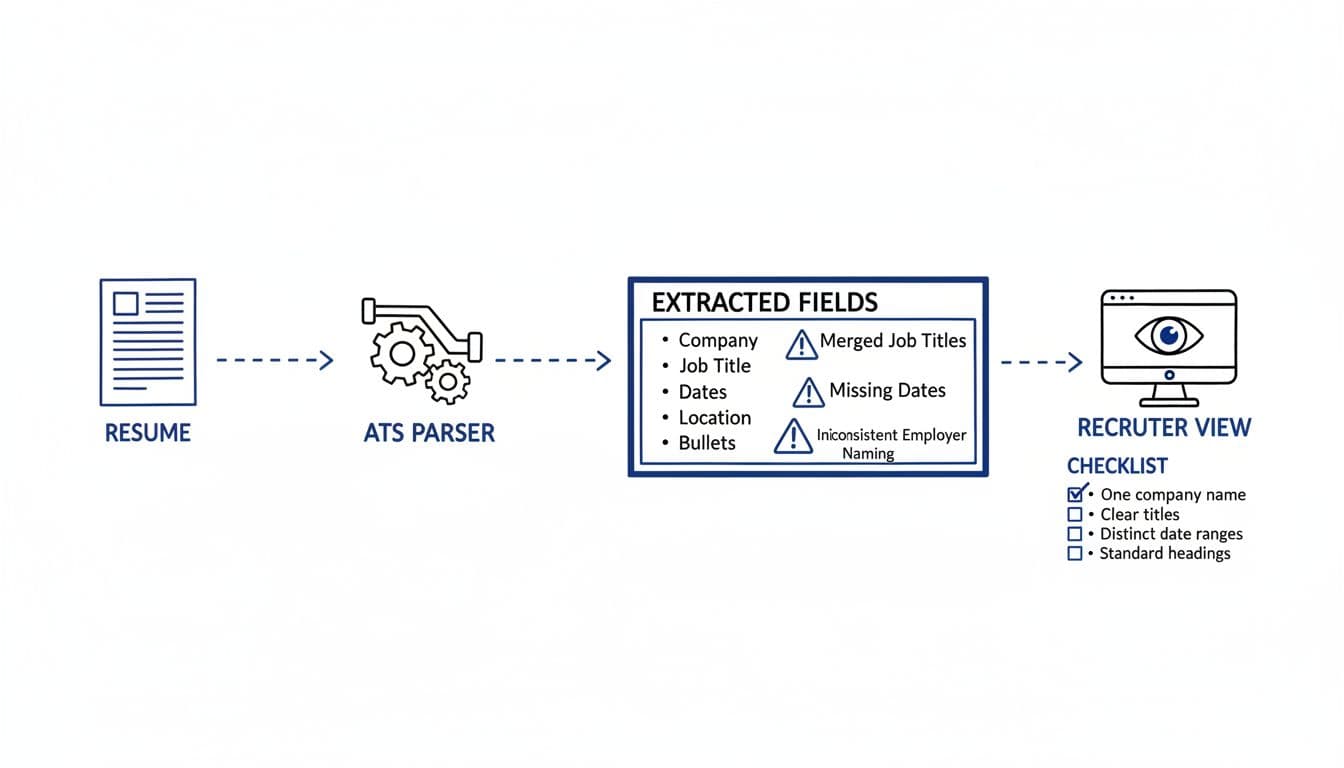
Most ATS tools don’t “understand” internal progression the way a person does. They scan your resume’s work experience section and try to pull structured fields into a database, especially for multiple roles. Think of it like a librarian sorting index cards. If your formatting is unclear, the ATS may:
- Merge two job titles into one field
- Assign the wrong dates to the wrong title
- Treat your earlier role as a gap, or ignore it
- Duplicate the company name in messy ways
These errors can make steady internal progression look like frequent company switches, causing you to appear like a job hopper.
The fix isn’t fancy design. It’s consistent structure.
For any ATS-friendly resume, every role should have:
- A clear company name
- A distinct job title line
- Its own date range (even if it’s “Jan 2024 to Present”)
- Bullet points that belong to that role only
If you want more examples of how to show multiple positions same company, this guide from The Muse on listing multiple roles is a solid reference. Use it as a gut check: if a skimmer can’t tell what changed between roles in five seconds, the ATS may struggle too.
Format A: One company header, roles stacked underneath (most common and clean)
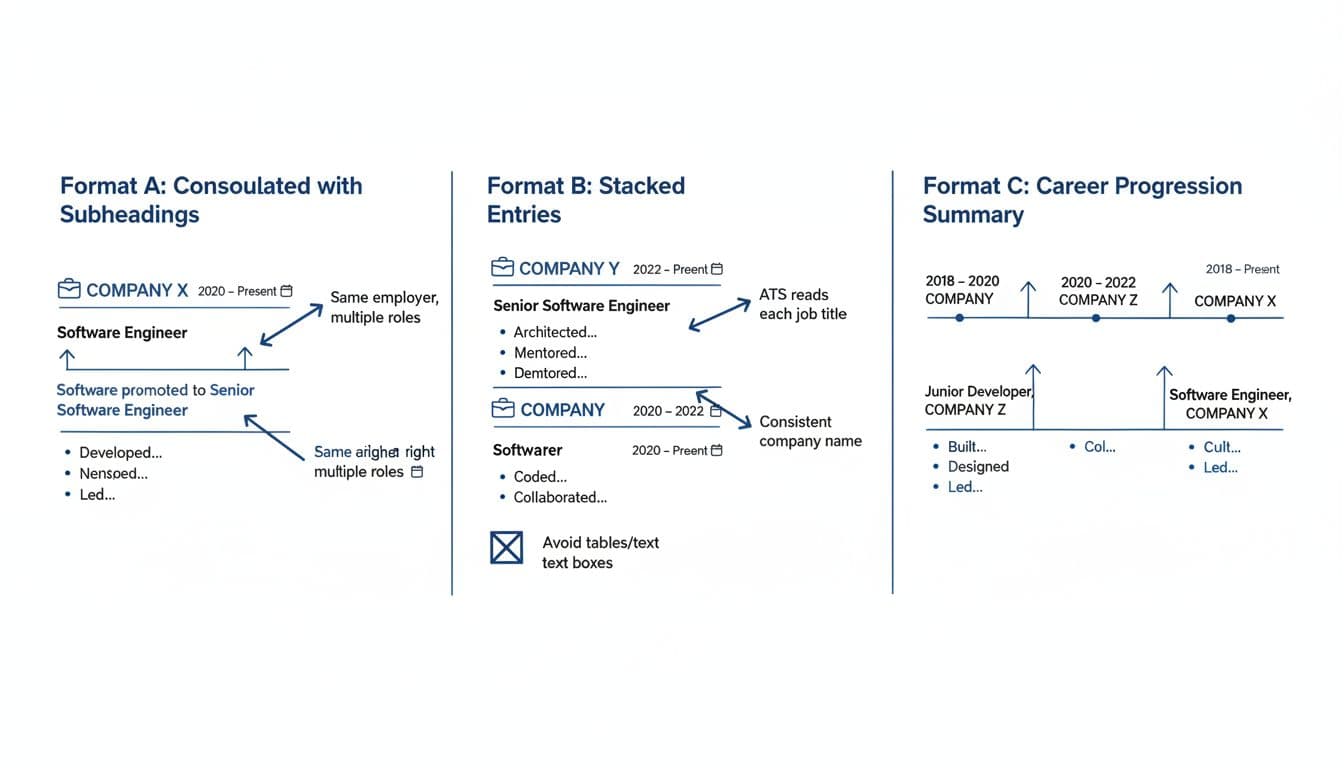
This is the go-to resume format for stacked entries with a straightforward path (Analyst to senior job title, Coordinator to Manager). You list the employer once, then show each title underneath with its own dates.
Why it works: the company header is clear, but each title still looks like a separate job entry when parsed. Use bullet points in each section, starting with action verbs to showcase accomplishments.
Do (ATS-safe example)
Northwind Logistics, Denver, CO
Senior Operations Analyst | Apr 2024 to Present
- Led weekly KPI reviews for a 12-site network, reducing late shipments by 9%
- Built a vendor scorecard used by procurement and finance
Operations Analyst | Jul 2022 to Mar 2024
- Automated reporting in Excel and Power BI, saving 6 hours per week
- Trained 4 new hires on SOPs and audit checks
Don’t (common parsing problem)
Northwind Logistics, Denver, CO
Operations Analyst → Senior Operations Analyst | Jul 2022 to Present
- (Bullet points blended across both roles with one date range)
Small rules that matter
- Keep the company name and job titles exactly the same across your resume (no “Northwind” in one place and “Northwind Logistics Inc.” in another).
- Put dates of employment in a consistent format (month + year is easiest).
- Don’t rely on columns, tables, or text boxes to “line things up.” ATS tools often flatten those layouts.
Format B: Separate entries for each title (best when roles changed a lot)
Use separate entries when the roles are meaningfully different (support to sales, engineer to product, lateral moves, or a location change). You create separate sequential entries for each role, repeating the company name just like separate employers. This works well for promotions involving increased responsibilities or significant professional development.
Why it works: the ATS can’t miss the fact that each title is its own job. It’s also easier for hiring managers and recruiters to scan accomplishments when responsibilities don’t overlap.
Do (ATS-safe example)
Acme Health, Chicago, IL
Customer Support Specialist | Feb 2022 to Aug 2023
- Resolved 40 to 55 tickets per day with a 95% CSAT average
- Documented recurring issues, reducing repeat contacts by 12%
Acme Health, Chicago, IL
Implementation Specialist (Promotion) | Sep 2023 to Present
- Ran onboarding for 25+ client accounts, cutting time-to-launch by 18%
- Partnered with product to improve setup workflows based on client feedback
Don’t (looks neat, parses poorly)
Acme Health | Chicago, IL | Feb 2022 to Present
Customer Support Specialist; Implementation Specialist
- (ATS may store one “combined” title and lose the timeline)
If you’re unsure which details to include under each role, VisualCV’s promotion formatting tips can help you decide what relevant skills to keep, how to quantify achievements, versus what to cut. The key is to protect clarity, not to fit everything you’ve ever done.
Format C: Career progression summary line + role blocks (best for 3+ promotions)
If you’ve had several promotions, Format A can get long and Format B can look repetitive. Format C gives a quick “career progression” snapshot of your multiple roles, then breaks out each job description clearly underneath.
Why it works: recruiters get the story of your professional growth quickly (showing career growth), and ATS still has separate title and date lines to capture.
Do (ATS-safe example)
Blue Peak Retail, Remote
Promoted: Junior Analyst (2021) → Analyst (2022) → Senior Analyst (2024)
Senior Analyst | Jan 2024 to Present
- Owned forecast model for a 7-figure category, improving accuracy by 6%
- Mentored 2 analysts on SQL and stakeholder updates
Analyst | May 2022 to Dec 2023
- Built weekly dashboards for marketing and finance
- Created QA checks that reduced reporting errors by 30%
Junior Analyst | Jun 2021 to Apr 2022
- Cleaned data sets and maintained KPI definitions across teams
Don’t (summary replaces structure)
Blue Peak Retail
Promoted three times from 2021 to Present
- (No distinct titles and dates, ATS can’t separate roles)
This format also pairs well with your cover letter. If you use CareerScribeAI’s Cover Letter Generator, keep the promotion story to one or two lines (what changed, why it matters), then let the resume summary carry the detail. And since promotions trigger interview questions, CareerScribeAI’s Interview Prep Tools can help you practice clean answers about scope, leadership, and why you earned the next title.
ATS safety checklist for listing promotions (quick final pass)
Before you apply, do this fast review to keep your ATS-friendly resume readable and searchable:
- One standard heading for the work experience section: use “Experience” or “Work Experience.”
- One company name style: identical spelling every time.
- One job title per line for job titles: no combined titles in a single field.
- Distinct date ranges for each role in reverse chronological order (month + year).
- Promotion label is optional: “(Promotion)” is fine, but don’t replace dates with it.
- Bullets sit under the correct role (focus on relevant skills, no blended achievements).
- Avoid tables, text boxes, and header/footer placement for titles and dates.
- Plain-text test: paste into a blank document. If structure collapses, the applicant tracking system may collapse it too.
For another perspective on how to show a promotion clearly, this walkthrough from ResumeTemplates on listing promotions can help you spot common layout mistakes.
Promotions should make your candidacy stronger, not harder to read. Pick one resume format, follow these formatting tips, keep your dates and titles consistent, and make your career growth easy to extract. In 2026 hiring, clarity wins for resume promotions ATS, because both software and people are moving fast. Your job is to make the story obvious on the first pass, then back it up with results.