
Your resume can look perfect on your screen and still read like scrambled soup inside an ATS. That mismatch is why the Ashby ATS resume format matters so much in 2026.
Ashby is used by many fast-growing teams, and it relies on parsing to pull your job titles, dates, and skills into structured fields. Ashby’s efficiency is part of a broader shift toward AI-Assisted Application Review in modern applicant tracking systems. These tools streamline the hiring process for busy teams. If your layout hides that info, recruiters may not see your best details at a glance. The goal is simple: make your resume easy to parse, easy to skim, and easy to match to the job.
What Ashby ATS is trying to extract from your resume
Ashby’s automated resume parsing is designed to identify the building blocks of your background: employer names, titles, locations, dates, education, and skills. When those elements are clear, the system can display them cleanly on the candidate profile and in recruiter views. Clean recruitment data is essential for AI-Assisted Application Review tools used by a technical recruiter to perform candidate outreach. Ashby has also shipped updates to how resumes display in the product, which is why clean structure still wins even when formatting looks “fine” in a PDF. See Ashby’s resume display updates for context on how resumes surface in the platform.
To keep parsing stable, aim for a plain-text-first layout:
- Use a single-column layout.
- Put key details (title, company, dates) on the same line or adjacent lines.
- Label sections with common headings (Summary, Skills, Experience, Education).
- Use reverse chronological order for experience and education.
- Keep dates consistent (for example, 01/2023 to 02/2026).
ATS-friendly vs design-heavy resumes (what breaks parsing)
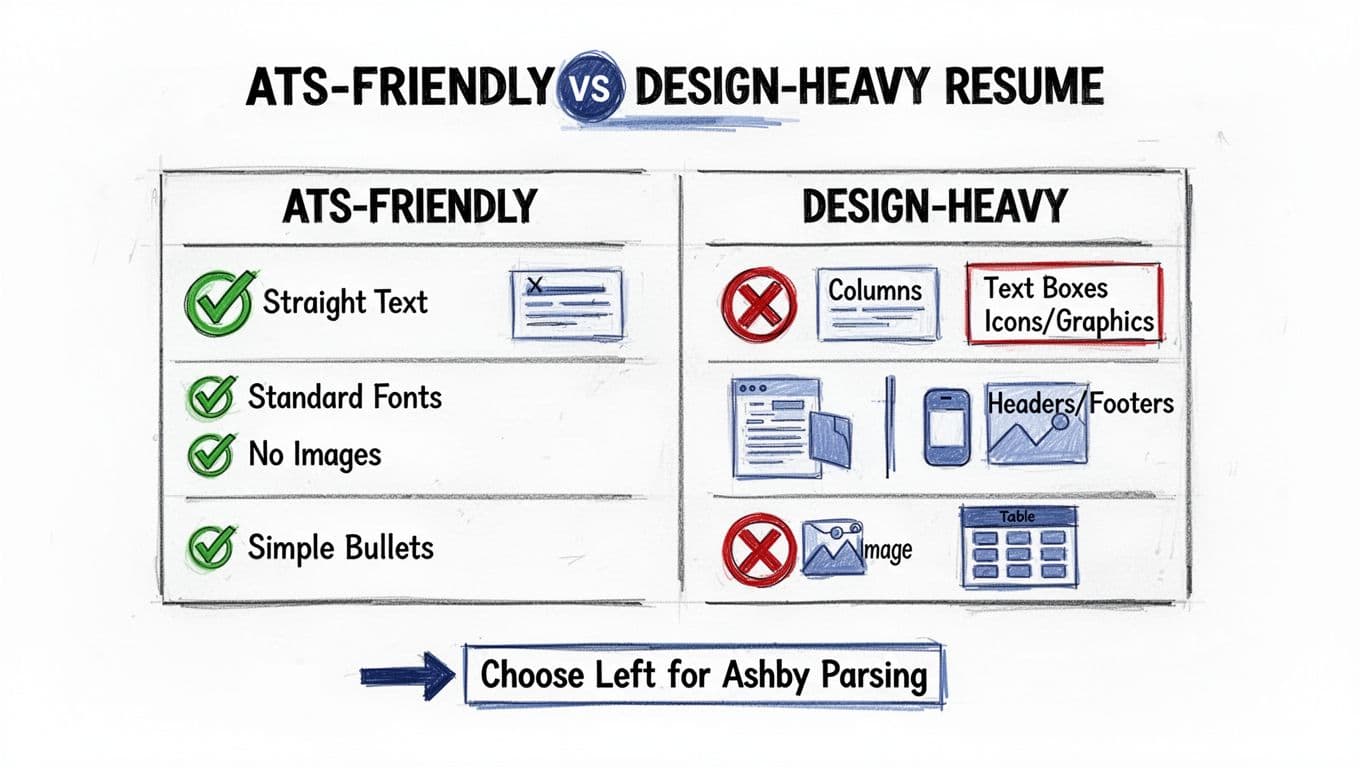
Design-heavy resumes cause parsing errors in predictable ways. Columns can reorder text when copied. Text boxes can vanish. Headers and footers often don’t parse at all, so your contact info may disappear. These parsing errors highlight why maintaining data integrity is a key part of responsible AI practices in HR. If you want a modern look without risking ATS issues, compare options like those discussed in modern ATS-safe templates for 2026 and then keep the structure conservative.
Ashby ATS Resume Format (2026) Template
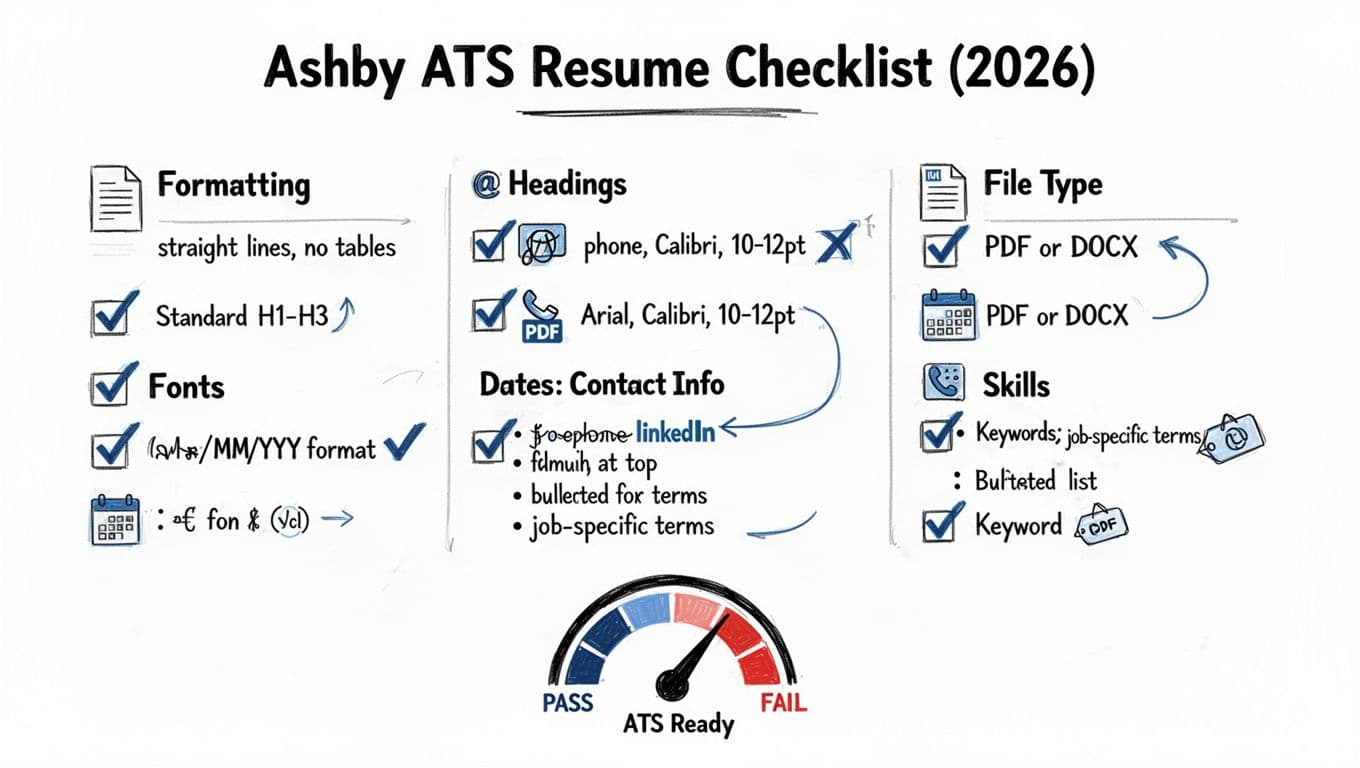
A strong Ashby-friendly resume reads like a well-labeled folder, not a poster. Use standard fonts like Arial or Calibri, maintain clean typography with 10 to 12 pt body text, establish a clear visual hierarchy, and avoid decorative icons. These choices are crucial for AI-Assisted Application Review. When in doubt, choose clarity over style.
If you want a reference point for Ashby-specific formatting considerations, iReformat’s Ashby ATS formatting overview highlights how parsing quality affects downstream review.
Below is a copyable structure you can use as your baseline.
[FIRST LAST]
[City, State] | [Phone] | [Email] | [LinkedIn profile URL] | [Portfolio URL]PROFESSIONAL SUMMARY
[2 to 3 lines: role, years, domain, measurable strength, target role]AREAS OF EXPERTISE
[Skill category]: [Skill 1], [Skill 2], [Skill 3]
[Tools]: [Tool 1], [Tool 2], [Tool 3]EXPERIENCE
[Job Title], [Company], [City, State] | [MM/YYYY to MM/YYYY]
- [Action verbs] [what you did] resulting in [measurable results].
- [Action verbs] [scope] by [method], improving [outcome] by [number] for quantifiable achievements.
[Job Title], [Company], [City, State] | [MM/YYYY to MM/YYYY]
- [Quantifiable achievements with numbers, systems, and impact using bullet point formula].
EDUCATION
[Degree], [School], [City, State] | [Graduation Year]CERTIFICATIONS (Optional)
[Cert], [Issuer] | [Year]PROJECTS (Optional)
[Project Name] | [Tech/Tools]
- [What you built], [result], [metric].
This format works because it keeps “who, what, when” visible on every role. It also makes keyword matching easier when recruiters filter inside an Applicant Tracking System. These formatting choices support AI-Assisted Application Review by providing structured data.
Copy-Paste Test for Ashby ATS (exact steps + good vs bad)
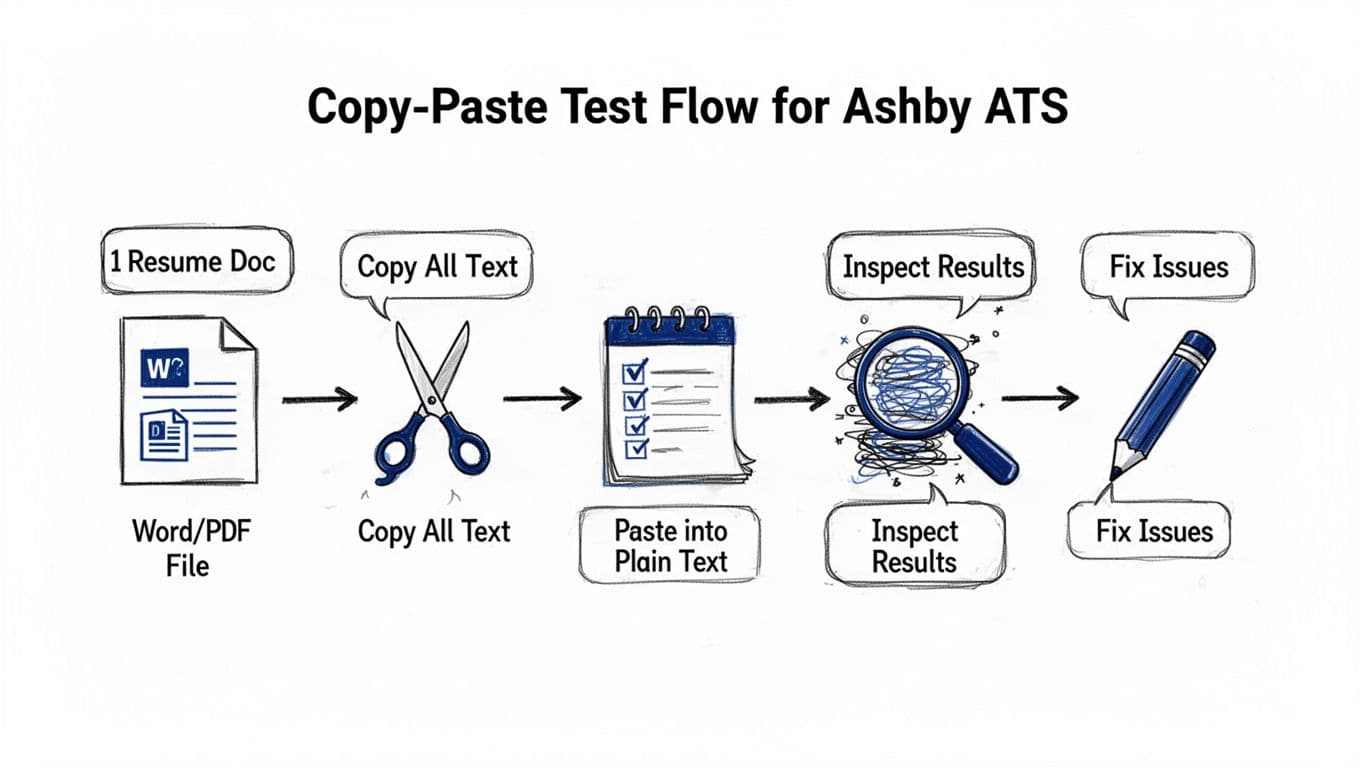
The copy-paste test is the fastest way to proactively catch parsing errors that might impact AI-Assisted Application Review. Clean text helps the system generate accurate recruitment data for candidate outreach during the hiring process. It won’t mirror Ashby perfectly, but it catches the most common failures. A successful test ensures your details remain searchable in automated resume parsing workflows.
- Open your resume (DOCX or PDF file format).
- Select all text (Ctrl+A or Cmd+A).
- Copy (Ctrl+C or Cmd+C).
- Paste into a plain-text editor (Notepad, TextEdit in plain-text mode, or a blank Gmail draft).
- Inspect structure: headings, dates, employer lines, and bullets.
Good output usually looks like this:
FIRST LAST
City, State | phone | email | LinkedInEXPERIENCE
Senior Analyst, Company Name, New York, NY | 01/2023 to 02/2026
- Built monthly KPI dashboard, reduced reporting time by 30%.
Bad output often looks like this:
FIRST LAST City, State phone email LinkedIn EXPERIENCE 01/2023 02/2026 Company Name Senior Analyst Built monthly KPI dashboard reduced reporting time 30 percent
If your “good” version collapses into the “bad” version, fix these first: remove columns, remove text boxes, replace custom bullets with standard round bullets, and pull contact info out of headers.
Tip: If your resume uses a two-column header, the copy-paste test often exposes scrambled reading order fast.
Keyword optimization and a simple skills matrix for Ashby applications
Ashby parsing is only half the battle. The other half is matching the role. That means keyword optimization using relevant keywords to pass AI-Assisted Application Review, without copying the job post word-for-word. Pull exact tool names, core responsibilities, required skills, and industry terminology, then prove them in bullets with numbers.
A simple skills matrix helps you stay honest. Each skill needs evidence.
| Skill/Keyword | Proof to include on resume |
|---|---|
| SQL | “Wrote SQL queries for churn analysis, cut ad hoc requests by 25%.” |
| Stakeholder management | “Led weekly reviews with Sales and Finance, aligned on forecast changes.” |
| Python | “Automated data cleanup, reduced errors by 40%.” |
| Experimentation | “Designed A/B test plan, improved conversion by 8%.” |
| SaaS experience | “Built scalable features for SaaS platforms in software engineering roles, boosted user retention by 15%.” |
| Data-driven mindset | “Applied data-driven mindset to prioritize features, increased revenue by 12%.” |
To speed this up, an AI tool that respects responsible AI standards can help you align keywords and keep bullets measurable, while building strong professional branding. CareerScribeAI’s AI Resume Builder is useful for tightening bullet points to match a posting. These tools also help maintain the quality of recruitment data within the hiring process. For roles that request extra documents, the Cover Letter Generator helps you stay role-specific without rewriting from scratch. After you submit, Interview Prep Tools can turn the same job description into practice questions and talking points.
Also, if you upload multiple files (resume, cover letter, work sample), organization matters. Ashby has discussed better file organization via categories, see Ashby’s candidate file categories announcement.
Final checklist recap (quick pass)
- Single column, left-aligned text
- Standard headings (Summary, Skills, Experience, Education)
- No headers/footers for contact info
- Consistent dates (MM/YYYY)
- Simple bullets, no icons
- Skills match the posting, and each appears in proof bullets
- Quantifiable achievements and measurable results throughout
- Action verbs to start strong bullets
- Copy-paste test passes before you apply
FAQ: Ashby ATS resume format
Should I submit PDF or DOCX to Ashby?
Either can work, but DOCX often copies cleaner in tests. The PDF file format may disrupt automated resume parsing, so if your PDF paste looks messy, switch to DOCX.
Can I use a two-page resume?
Yes, if the content stays relevant, especially with a single-column layout and reverse chronological order for readability. Ashby can store longer resumes, but a technical recruiter still skims for clear visual hierarchy and clean typography using standard fonts.
Do graphics, logos, or skill bars help?
Usually no. They can confuse parsing and they rarely add proof. Use text and metrics instead.
What headings work best for parsing?
Common ones: Professional Summary, Areas of Expertise, Skills, Experience, Education, Certifications, Projects. These support AI-Assisted Application Review. Avoid creative labels.
How many keywords should I add?
Include relevant keywords that match your real experience to improve the hiring process with better recruitment data. Then support them with results in bullets.
Conclusion
A clean Ashby ATS resume format is less about style and more about readable structure, vital for automated resume parsing and AI-Assisted Application Review. Keep your layout simple, prove your skills with metrics, incorporate industry terminology and the bullet point formula to boost your professional branding, and include your LinkedIn profile URL while maintaining responsible AI transparency. This approach works especially well for software engineering roles and professionals with SaaS experience or a data-driven mindset. Run the copy-paste test before every submission. When your resume reads clearly in plain text, it improves candidate outreach effectiveness and reads clearly to recruiters too.