
If your resume looks great but appears “weird” in the online application, the problem usually isn’t your experience. It’s the format. A poor format can ruin your online application. An Applicant Tracking System can only score what it can read, and unreadable text is like handing a hiring manager a page with smeared ink.
This guide shows a practical ATS resume format to optimize your work experience and strategically place resume keywords so they are readable by the system. It tends to parse cleanly in hiring flows that run through ADP Workforce Now (and tools connected to it). You’ll also get a quick copy-paste test, a fix-it table for common parsing issues, and a simple template you can reuse.
What to expect from ADP Workforce Now ATS-style parsing in 2026
ADP Workforce Now, a primary HR platform, uses AI-driven parsing and OCR technology to facilitate automated screening, and many employers route candidate data through it. In addition, it commonly connects with other hiring tools, which means your resume may pass through more than one parser before a hiring manager sees it. You can see how ADP Workforce Now fits into broader hiring tech stacks through vendor integration docs like Lever’s ADP Workforce Now integration overview.
So what does that mean for your resume in February 2026?
First, send the simplest file you can. Focus on the right file format: if the posting allows DOCX, use DOCX over PDF. A plain Word file is still the safest bet because it preserves readable text structure. PDFs can work, but they’re less predictable when the system tries to extract text.
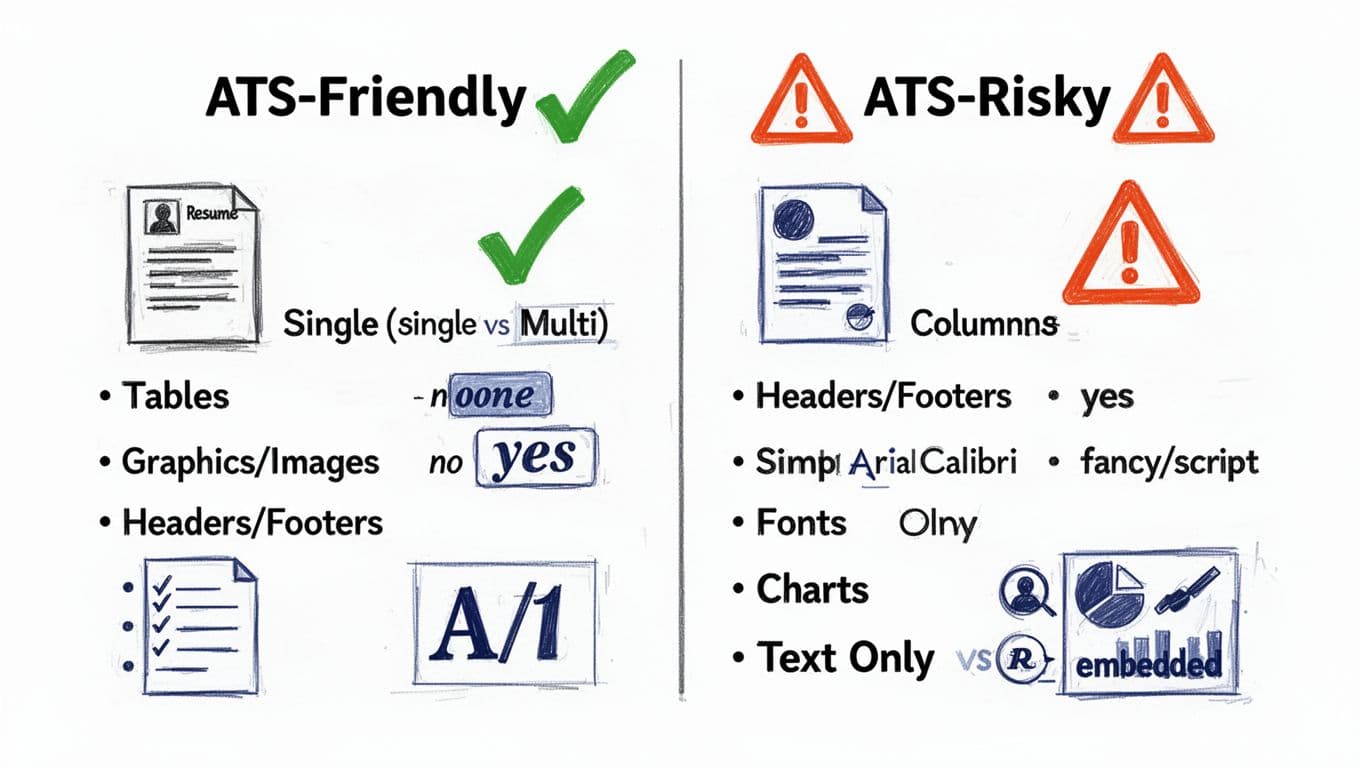
Second, assume the system reads top to bottom, left to right. A one-column layout is essential since multi-column layouts, tables, and text boxes can scramble the order. Your “Skills” can end up in the middle of your job history, or your dates can drift into the wrong role.
Third, keep your goal realistic, with matching the job description as the ultimate goal. You’re not trying to “beat” ADP Workforce Now. You’re trying to stop formatting from blocking qualified content. For more general, up-to-date formatting guidance, this 2026-focused breakdown of parsing pitfalls is a useful cross-check: ATS formatting rules and parsing basics.
ATS-Friendly Resume Template That Stays Readable (Even After Upload)
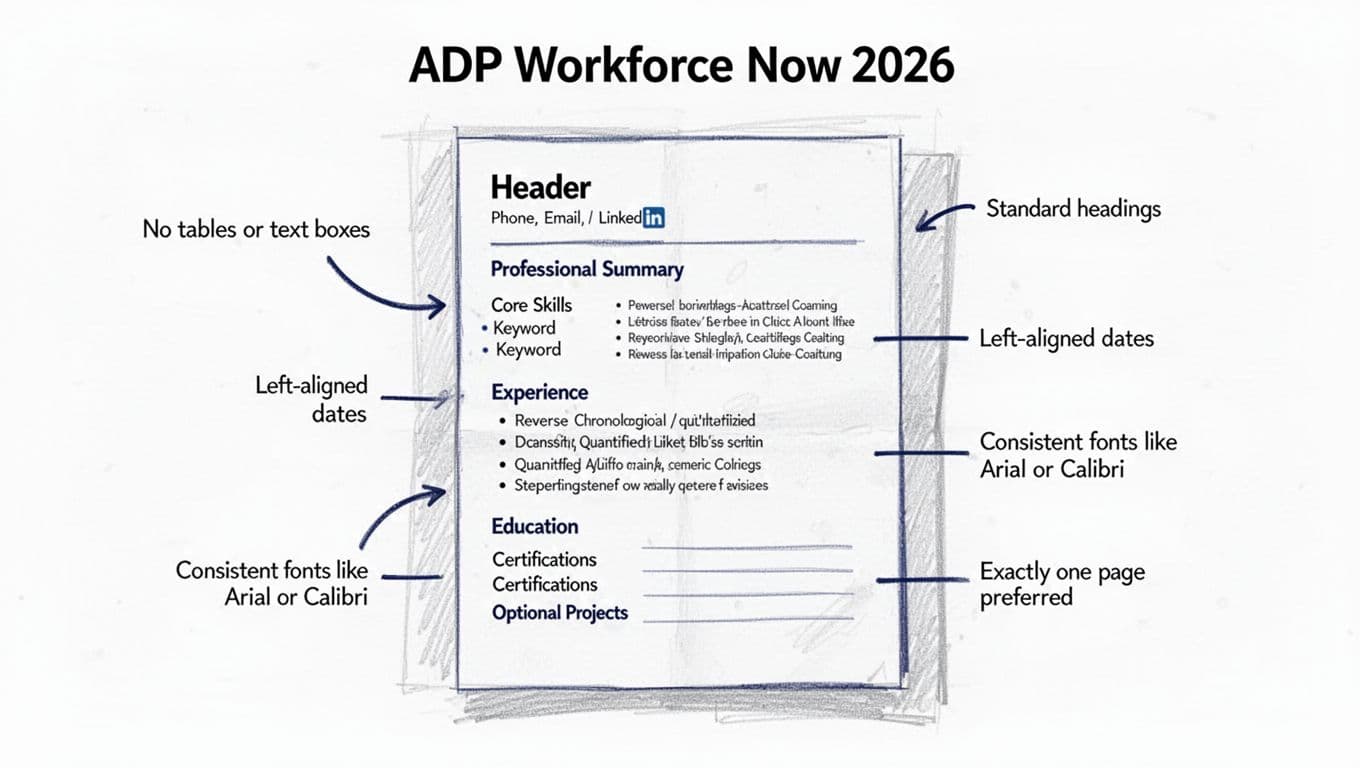
A clean resume is like a well-labeled moving box. The system can “unpack” it fast, and a recruiter can scan it in seconds.
Use this ATS-friendly resume template structure, in this order, with standard headings:
- Header: contact information including name, city/state, phone, email, LinkedIn (in the body, not in a document header)
- Professional Summary: 2 to 4 lines aligned to the role
- Hard Skills: a simple list (no columns)
- Soft Skills: a simple list (no columns)
- Work Experience: reverse chronological format, with measurable bullets
- Education
- Certifications (if relevant)
- Projects (optional, only if they match the job)
A few formatting rules that prevent most ADP Workforce Now parsing headaches:
- Use a one-column layout and left alignment.
- Keep fonts simple (Arial, Calibri, Times New Roman).
- Use standard headings and bullet points.
- Avoid tables, icons, graphics, and text boxes.
- Write dates consistently (for example,
Jan 2022 - Feb 2026or2022-01 to 2026-02, but don’t mix styles).
If you want help tailoring skills and bullets to a posting, CareerScribeAI’s AI resume builder can suggest resume keywords and rewrite bullets into clearer, measurable outcomes to improve your match score. Then, its Cover Letter Generator can mirror the same job language, so your materials match without sounding copied.
Copy/paste resume template (replace brackets with your info):
[YOUR NAME]
[City, ST] | [Phone] | [Email] | [LinkedIn URL]
PROFESSIONAL SUMMARY
[Role title] with [X] years in [industry/specialty]. Known for [1 strength] and [1 strength]. Delivered [measurable result], using [tools/skills relevant to the posting].
HARD SKILLS
[Skill 1] | [Skill 2] | [Skill 3] | [Skill 4] | [Skill 5] | [Skill 6]
SOFT SKILLS
[Skill 1] | [Skill 2] | [Skill 3]
WORK EXPERIENCE
[Job Title], [Company], [City, ST]
[Mon YYYY] to [Mon YYYY]
- [Action verb] [what you did], resulting in [metric].
- [Improved/reduced/increased] [process/outcome] by [X%/$/time].
- [Collaborated/led] [who/what], using [tools], to achieve [result].
[Job Title], [Company], [City, ST]
[Mon YYYY] to [Mon YYYY]
- [Achievement bullet with metric].
- [Achievement bullet with metric].
EDUCATION
[Degree], [School], [Year] (optional)
CERTIFICATIONS
[Certification], [Issuer], [Year]
The ADP Workforce Now copy-paste test (and the fixes that matter)
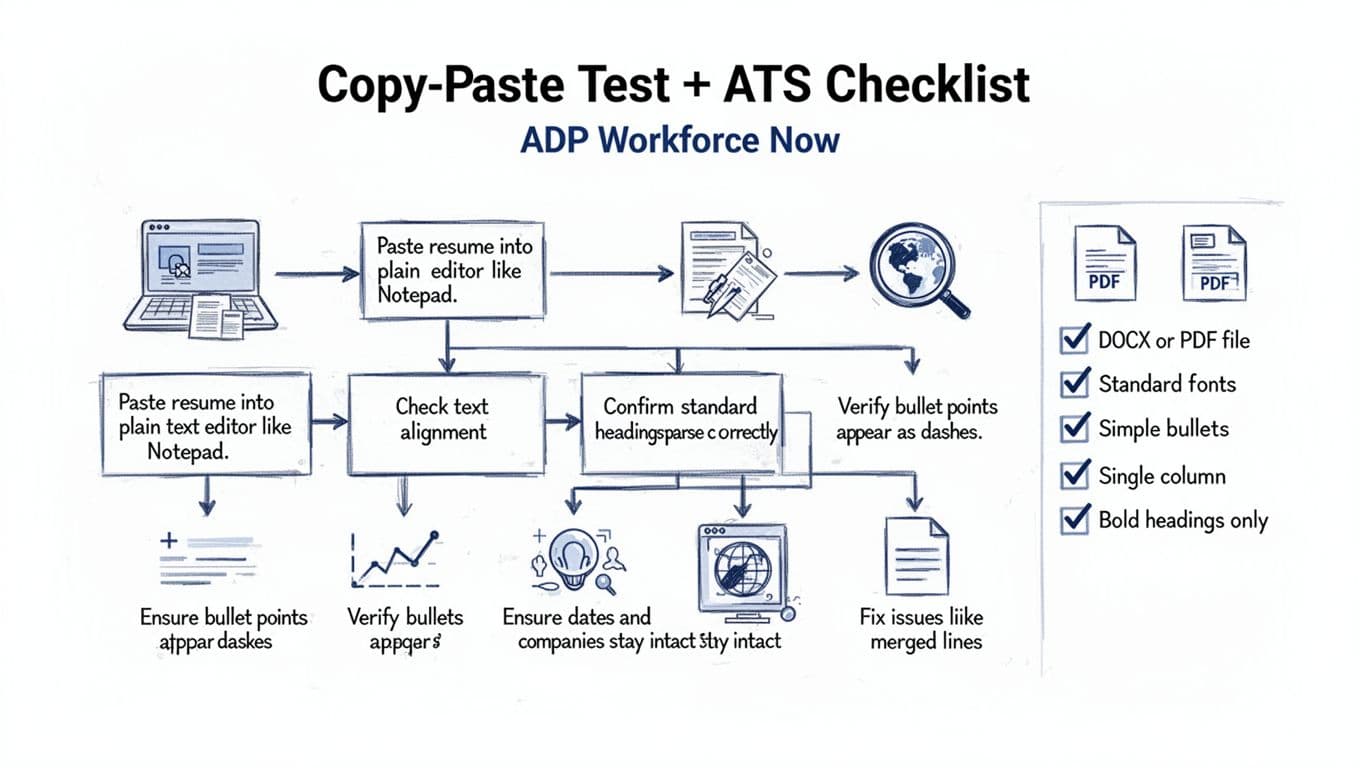
The fastest way to spot parsing problems for any online application is low-tech. If your resume survives a plain-text paste, it usually uploads better.
Do the copy-paste test in 6 steps
- Save your resume as PDF or DOCX.
- Select all text and paste into a plain text editor (Notepad or TextEdit in plain-text mode).
- Check whether section headings stay on their own lines.
- Look for bullets that turned into odd symbols or ran together.
- Confirm each job keeps its company, title, and dates together.
- Paste into the application text fields (if offered) and compare.
If the pasted text looks like a shuffled deck of cards, the resume scanner in the Applicant Tracking System may read it the same way.
Common formatting issues and how to fix them
Use this table as a quick repair guide before you re-upload.
| Formatting issues you see | What caused it | Fix that usually works |
|---|---|---|
| Name or email missing | Contact info placed in header/footer | Move contact information into the main document body |
| Dates attach to wrong job | Two-column layout or tab-heavy spacing | Use one column for work experience, left-align dates with simple fonts, replace tabs with spaces |
| Bullets become squares or disappear | Nonstandard bullet symbols | Use standard bullet points with action verbs or hyphens |
| Skills appear in random order | Skills in tables, columns, or text boxes | Convert skills to a single plain list |
| Section titles don’t show | Creative headings (ex: “Where I’ve Been”) | Use standard headings like “Work Experience” and “Education” |
| Acronyms aren’t recognized | Only acronyms listed | Spell out once, then add acronym (example: “Applicant Tracking System (ATS)”) |
For another reference point on ATS-friendly structure, compare your draft against an established 2026 template guide like ATS-friendly resume template guidance.
After your resume parses cleanly, prepare for what comes next. Many employers add skills screens or structured interviews. That’s where CareerScribeAI’s Interview Prep Tools help, because they turn the exact job posting into practice questions and talking points.
Conclusion
An Applicant Tracking System performs automated screening based on how well your resume matches the job description. A readable resume beats a fancy one when an ATS is the first reader. The importance of an ATS-friendly resume template cannot be overstated: opt for a reverse chronological format, work experience bullets, and standard headings. Bullet points and resume keywords help the hiring manager and the recruiter see your value immediately. In 2026, the safest approach for ADP Workforce Now application flows is still simple: DOCX when allowed, one column, standard headings, and clean bullets. Run the copy-paste test before every submission, then fix what breaks. If you want an extra edge, match your resume and cover letter language to the posting, so the system and the recruiter see the same story.