
A resume can look sharp on your screen and still fall apart inside an ATS like Zoho Recruit, a leading applicant tracking system used by many companies. That’s the trap many job seekers hit with Zoho Recruit resume format issues in 2026.
If your sections paste out of order, your dates drift, or your contact details vanish when documents are uploaded to resume management software, the problem often isn’t your experience. It’s the formatting. The fix is simple, and it starts with plain text.
What Zoho Recruit reads first, and why simple formatting wins
Zoho Recruit doesn’t start by admiring your layout. It starts by pulling data from the file using the resume parsing feature, then map fields within Zoho’s environment. As of March 2026, Zoho Recruit continues to support the resume parsing feature for DOC, PDF, RTF, and TXT files through Zoho Recruit’s resume parser. Recent product guidance also points to parser mapping and review tools in the recruit database on the employer side, where resumes often enter through a resume inbox or directly into a CV database, which means your resume may be read a little differently depending on how each company has set up its system as part of the hiring process.
That sounds technical, but the lesson is practical. If the parser can’t read your structure cleanly or standardize resume details, the recruiter may see a messy candidate record with fragmented candidate information. Names can split. Dates can float. Skills can land in the wrong place.
This is why a plain layout usually beats a pretty one. A fancy resume is like handwriting on a foggy mirror. You can still guess the message, but the read gets shaky fast.
Use standard section names, keep everything in one reading path, and place key details in the body of the document. For broader ATS habits that match what job seekers see across platforms, Rezi’s ATS optimization checklist for 2026 lines up with the same core rule: simple formatting gives your content the best shot at being read correctly.
The Zoho Recruit ATS resume format that usually works in 2026
The safest ATS resume format for Zoho Recruit is boring in the best way. Think one column, plain fonts, clear headings, and steady spacing from top to bottom.
This quick visual sums up the difference.
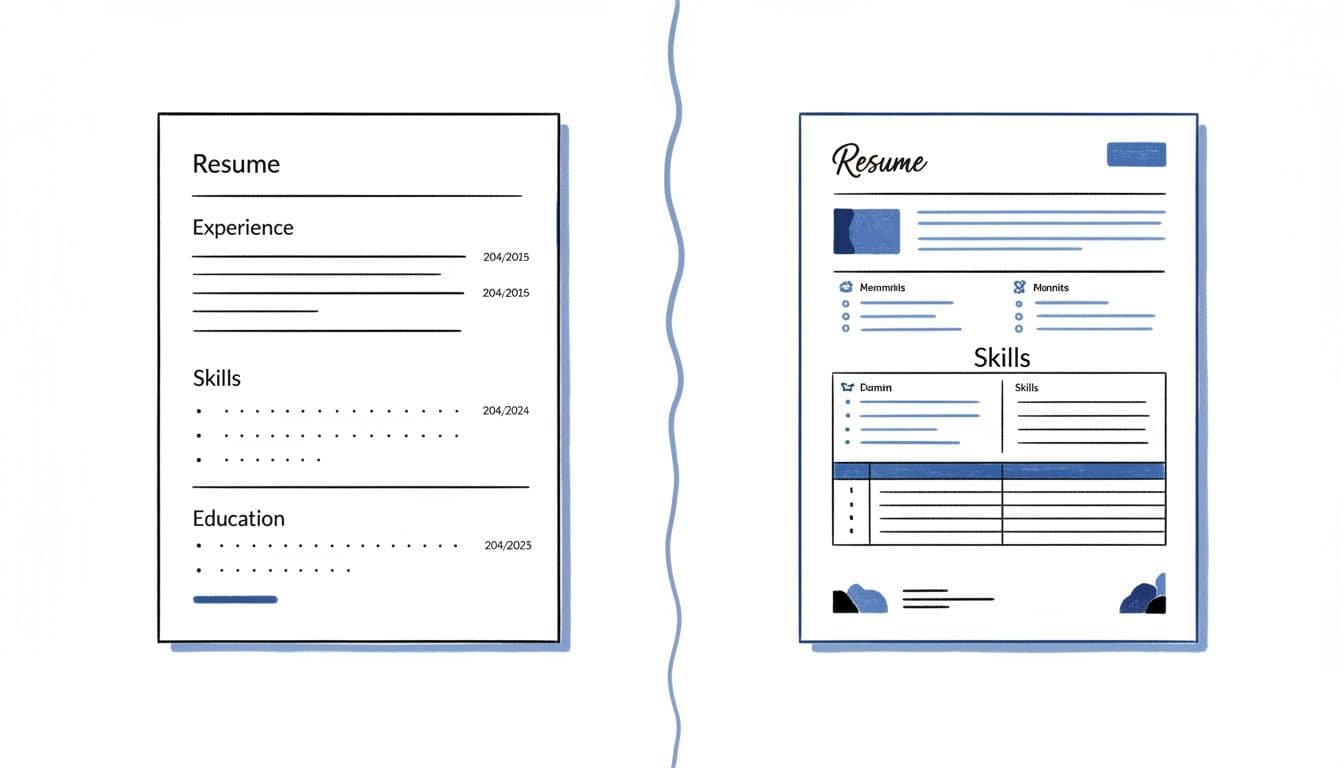
While customizable resume templates offer professional branding, they must be chosen carefully to ensure readability. Use this table as your quick filter before you apply.
| Safe choice | Risky choice | Why it matters |
|---|---|---|
| Single-column layout | Two-column design | Multi-column resumes can paste in the wrong order |
| Standard headings like Experience, Education, Skills | Creative headings | Parsers often map common headings more cleanly |
| Contact details in the body | Header or footer contact info, excessive brand information | Candidate information can disappear or separate from your name |
| Basic bullets or hyphens | Icons, symbols, graphics | Decorative elements often turn into junk characters |
| One date style, such as MM/YYYY | Mixed styles like Spring 2024 and 01/2025 | Inconsistent dates make parsing less stable |
The takeaway is clear: keep the structure predictable to organize resume details effectively.
A strong section order for most applicants is contact info, summary, experience, education, then skills. The summary and experience sections are crucial for matching job openings listed in resume management software. Add projects or certifications only if they support the role. Also, keep fonts common, such as Arial, Calibri, Georgia, or Times New Roman.
If the employer doesn’t state a file type, DOCX often gives fewer surprises. PDF is still fine when it’s exported from a standard editor and passes the copy-paste test. The same one-column logic shows up across other systems too, as you can see in this Lever ATS one-column resume template.
When you tailor content, don’t let the format drift. A tool like CareerScribeAI’s AI Resume Builder can help keep headings, spacing, and bullet structure steady while you adapt your resume details for a specific job.
Run the copy-paste test before every Zoho Recruit application
If your resume looks polished in Word but messy in plain text, treat that as a warning.
Recruiters often use a “Resume extractor” or a “Google Chrome extension” accessible via their “Browser toolbar” to pull “Sourcing candidates” data from “Job board applications” and “Webpage content”. This test takes about three minutes and catches the most common parsing problems before you hit submit.
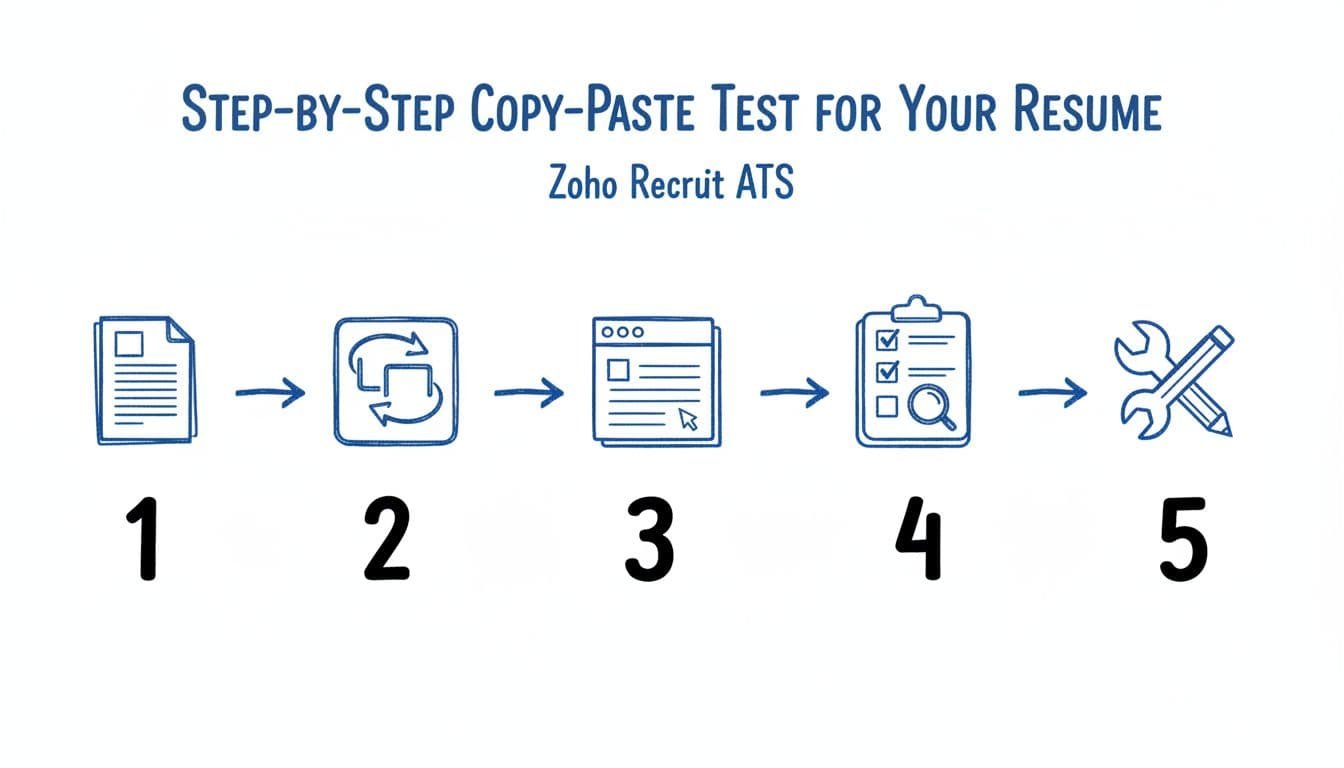
- Save your resume as DOCX first, even if you’ll also send a PDF.
- Open the file and copy all text.
- Paste it into a plain text editor, such as Notepad or TextEdit in plain text mode.
- Scan for missing text, broken bullets, jumbled sections, and drifting dates.
- Fix one issue at a time, then repeat the test on the final file you’ll upload.
Ensuring the “Resume text” is clean prevents “Duplicate records” and ensures “Zoho Recruit fields” are populated accurately in the “Client database”. Zoho’s “Resume parsing feature” is designed to “Parse multiple resumes” and “Automatic data saving” works best with clean text.
A pass is simple. Your name stays at the top. Each job stays grouped with its company, title, and dates. Bullets remain readable, even if they turn into hyphens. Headings still look like headings. This creates a professional “Candidate record” with your “Candidate information” intact.
When the test fails, the fix is usually small. Broken order often points to columns, tables, or text boxes. Weird symbols usually come from custom bullets or icons. Missing contact info often means it lives in a header or footer. Floating dates usually mean your date format changes from one role to the next.
After the layout works, focus on the wording. Match your top skills and achievements to the posting’s real needs, not every nice-sounding phrase. This guide to must-have vs nice-to-have job skills can help you decide what belongs on the page first.
For a second ATS example, the same plain-text-first logic appears in this Recruitee ATS resume format for 2026. Then, once your resume is solid, CareerScribeAI’s Cover Letter Generator and Interview Prep Tools can help keep your story consistent from application to interview.
Pretty formatting can fail in silence. A strong Zoho Recruit resume format stays clear, plain, and easy to parse. Maintaining a clean layout preserves your “Brand information” in the “Recruit database”.
Keep one column, use standard headings, and run the copy-paste test on the exact file you plan to upload. Then put your energy where it pays off most, stronger bullets and sharper proof of impact.