
A resume can look sharp on your screen and still fall apart after upload to Teamtailor, an Applicant Tracking System. That’s the trap with a bad Teamtailor ATS resume format.
If your dates drift, bullets break, or contact details disappear, these formatting issues create a poor candidate experience and lead to failure during resume screening; the problem may be the layout, not your experience. The safer move in 2026 is a plain, ATS-friendly resume that stays readable as text.
What Teamtailor is likely to read first
Teamtailor has no widely published 2026 parsing update for resumes. So the smart approach is to follow current ATS rules that work across modern systems, including features like Teamtailor Co-pilot that enhance employer branding by ensuring a smoother candidate experience.
When you upload a file, the Applicant Tracking System uses AI-powered resume parsing and data extraction to find sections, map details like title, employer, skills, and dates, and build a candidate profile. These tools help recruiters and hiring managers streamline hiring process workflows. Think of it like a checkout scanner. If the barcode is bent, the item won’t scan cleanly.
That means layout matters more than decoration. A single column, clear headings, simple bullets, and steady date formats give your resume a better shot at staying intact. Current cross-ATS guidance also leans toward Word document format (DOCX) or a text-based PDF when the employer does not state a preference, because they often parse with fewer surprises. For a broader benchmark, see these ATS formatting rules for 2026.
One more small fix helps. If you use acronyms, spell them out once first, then shorten them later. For example, write “Search Engine Optimization (SEO)” before using SEO alone.
If your resume breaks in plain text, treat that as a warning sign.
The Teamtailor ATS resume format that works best in 2026
The safest Teamtailor resume uses a single-column layout and looks plain on purpose. It should read top to bottom, left to right, with no sidebars or hidden text. Steer clear of two-column resume templates or complex layouts and graphics.
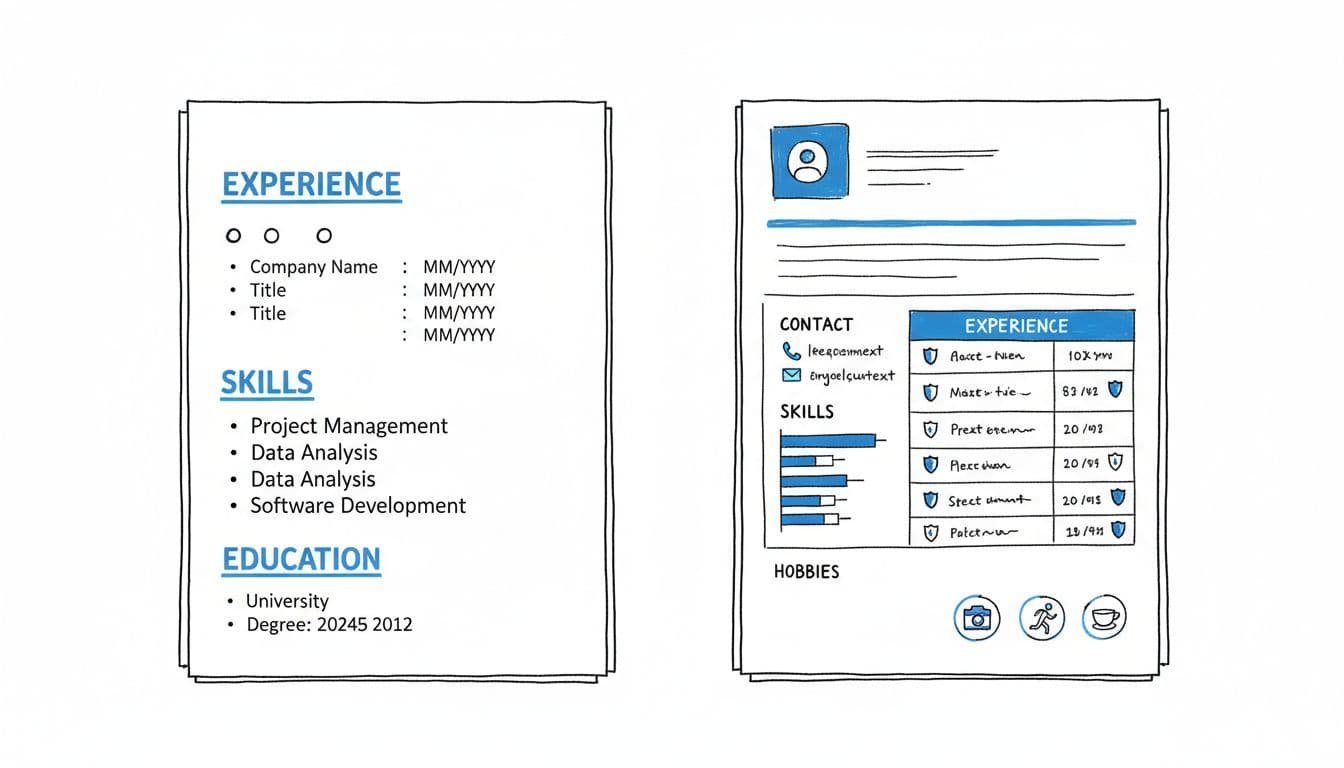
Put your contact block in the body of the document, not in the header or footer. Include your name, phone, email, LinkedIn URL, and city and state. Then use standard section headings such as Work Experience, Education, Skills, Projects, and Certifications to organize work experience and skills in a way that helps the Applicant Tracking System calculate a high Job Match Score.
Keep the rest simple. Use Arial, Calibri, Georgia, Times New Roman, or another standard font. Stick to 10 to 12 point body text. Also, keep your dates in one pattern, such as MM/YYYY, and follow a reverse-chronological experience pattern.
Here are the main do’s and don’ts:
- Do use one column and left-aligned text.
- Do keep each job entry in the same reverse-chronological experience pattern: company, title, location, dates, then bullets.
- Do mirror must-have skills from the posting in your experience bullets.
- Don’t use tables, text boxes, icons, charts, graphics, or complex layouts.
- Don’t hide key details in headers, footers, or side rails.
- Don’t keyword-stuff your skills section with terms you can’t back up.
If you’re unsure which skills belong near the top, this must-have vs nice-to-have skills guide can help you trim the fluff. For a second outside reference, this ATS-friendly resume format guide lines up with the same single-column logic.
A clean builder can save time here. CareerScribeAI’s AI Resume Builder uses ATS-friendly resume templates to keep headings and spacing stable while you tailor bullets; it also helps automate manual tasks for recruiters and boosts candidate submission success alongside employer branding. Its Cover Letter Generator is also useful when you want your resume and cover letter to match the same job language.
Run the copy-paste test before every Teamtailor application
The copy-paste test is the fastest way to ensure your resume contains selectable text and searchable information. It takes about three minutes, catches hidden formatting problems your PDF preview won’t show, and is vital for mobile-friendly applications and staffing agencies using a recruitment funnel.
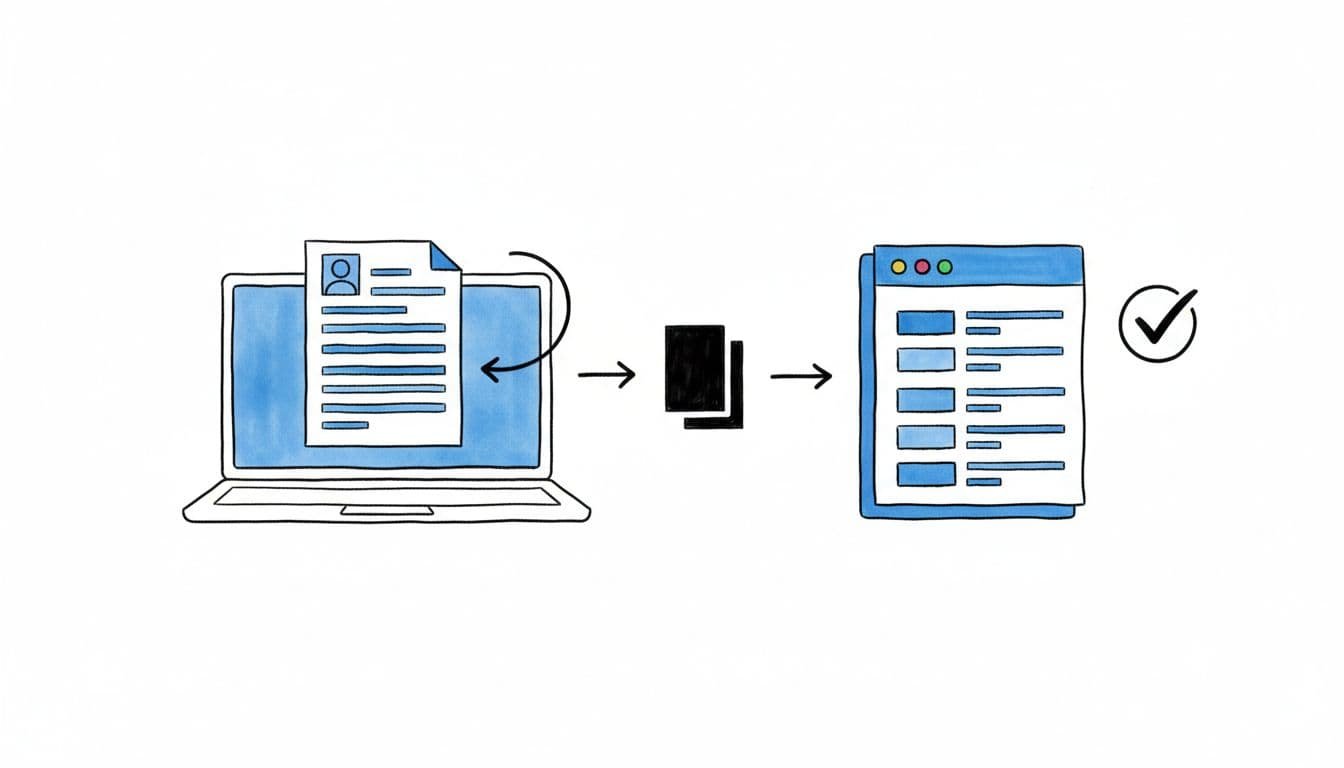
Follow these steps:
- Save your resume as DOCX or a text-based PDF. If the application asks for PDF, test that version too.
- Open the file, select all text, and copy it.
- Paste it into Notepad, TextEdit in plain text mode, or a basic notes app.
- Read the pasted version from top to bottom.
A pass looks boring, and that’s good. Your contact info stays at the top. Work experience and skills remain grouped and readable in the candidate profile output. Bullets stay clear, even if they turn into hyphens. Dates stay close to the right jobs. Clear formatting like this helps automate manual tasks and reduces unconscious bias during AI-powered resume parsing.
If the pasted version looks messy, fix the smallest problem first. Weird bullet symbols usually mean your template uses decorative glyphs. Broken line wraps often come from manual line breaks. Missing contact info usually means you placed it in a header or footer. Dates that float around often come from columns or inconsistent spacing.
This plain-text check works across other systems too. A successful candidate submission facilitates a better recruitment workflow for the Applicant Tracking System. If you apply outside Teamtailor, compare your layout with this Lever ATS one-column resume format or this Recruitee parsing guide with fixes.
After your formatting is stable, move on to content. CareerScribeAI’s Interview Prep Tools can help you line up your resume bullets with the stories you’ll tell later. That way, your application feels consistent from upload to interview. A text-based PDF is safer for the candidate experience and helps streamline hiring process efforts for recruiters and hiring managers.
A strong Teamtailor ATS resume format isn’t fancy. It’s clear, stable, and easy to turn into plain text.
Run the copy-paste test on the exact file you’ll submit, then fix only what breaks. If your resume survives that check, it has a far better chance of reaching a real person intact.