Ever paste your resume into an application form and watch your dates jump around, your bullets merge, or your Skills section scatter like spilled beads? That’s usually not a “you” problem. It’s a formatting problem in the applicant tracking system (the kind the SmartRecruiters ATS Resume Format solves).
The SmartRecruiters resume format that works best in 2026 is simple on purpose: one column, standard headings, and alignment that doesn’t depend on tabs or design tricks. This post shows the formatting for ATS (the clean layout to use, the rules that keep your content from shifting, and a fast copy-paste test that tells you if your skills and dates will parse cleanly).
Why SmartRecruiters parsing breaks when your resume “looks fine”
SmartRecruiters (like most applicant tracking system platforms) has to turn your file into structured fields. It tries to identify sections (Experience, Skills), then extracts job titles, employers, dates, and bullet points. If your layout relies on visual positioning instead of a recruiter-friendly format with plain reading order for an ATS-friendly resume, the system can misread it, and the hiring manager might end up seeing jumbled skills or shifted dates.
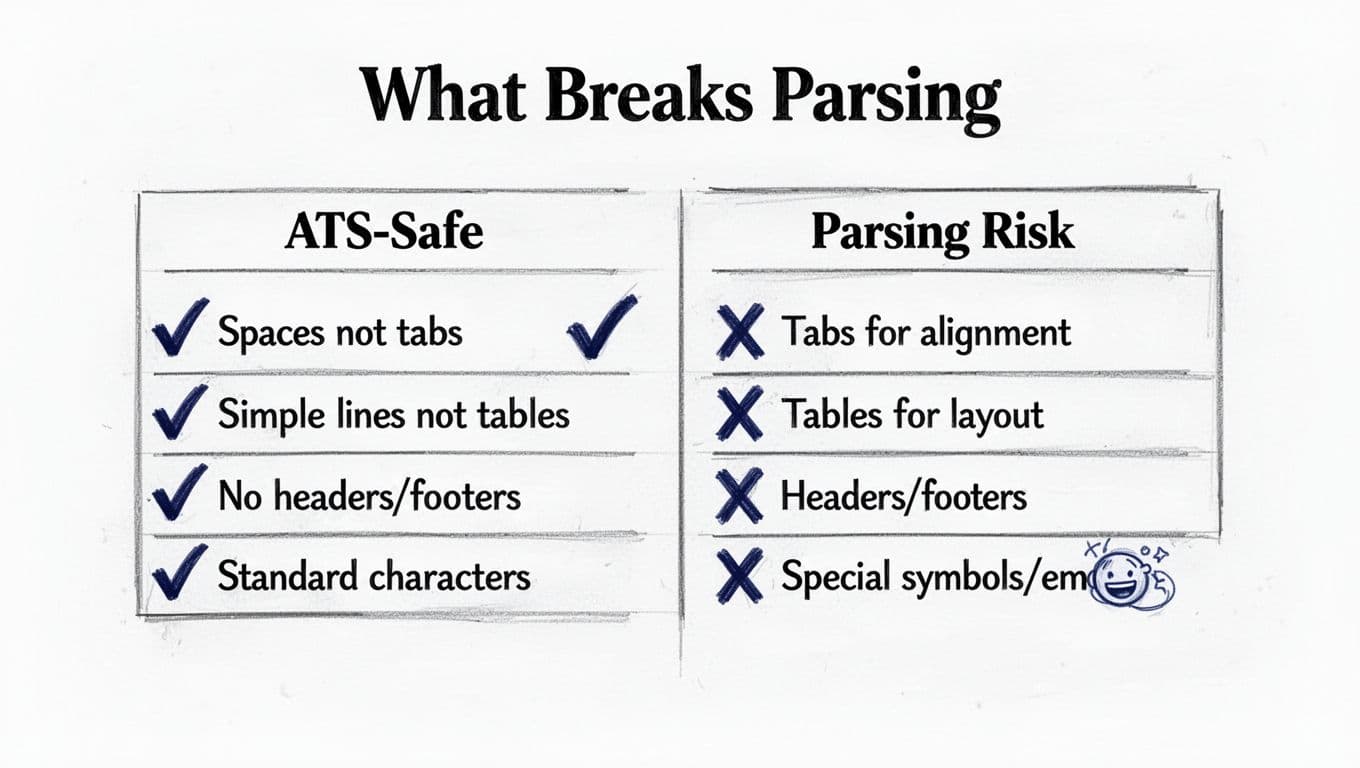
Here’s what causes the “shifting skills and dates” problem most often in formatting for ATS:
- Tabs used for alignment: Tabs can collapse, expand, or get interpreted as random spacing.
- Two-column layouts: Many parsers read left column top-to-bottom, then jump to the right column. That’s how Skills ends up inside Experience.
- Tables and text boxes: They may look tidy, but extraction can reorder or drop content.
- Headers, footers, and sidebars: Contact info can vanish, or dates can float into odd places.
- Special symbols: Icons and unusual characters sometimes convert into junk.
If you want a deeper, practical refresher on why this happens across ATS tools, Jobscan’s guide to ATS-friendly resumes in 2026 explains the common parsing pitfalls in plain language.
A quick rule: if your resume doesn’t paste cleanly into plain text, don’t expect an ATS form to read it correctly.
The clean SmartRecruiters resume format for 2026 (single column, stable dates)
Think of your resume like a shipping label, not a magazine spread. It has to survive scanning, copying, and reformatting without losing meaning. A SmartRecruiters-friendly layout is also easier for recruiters to skim.
The structure that usually parses best
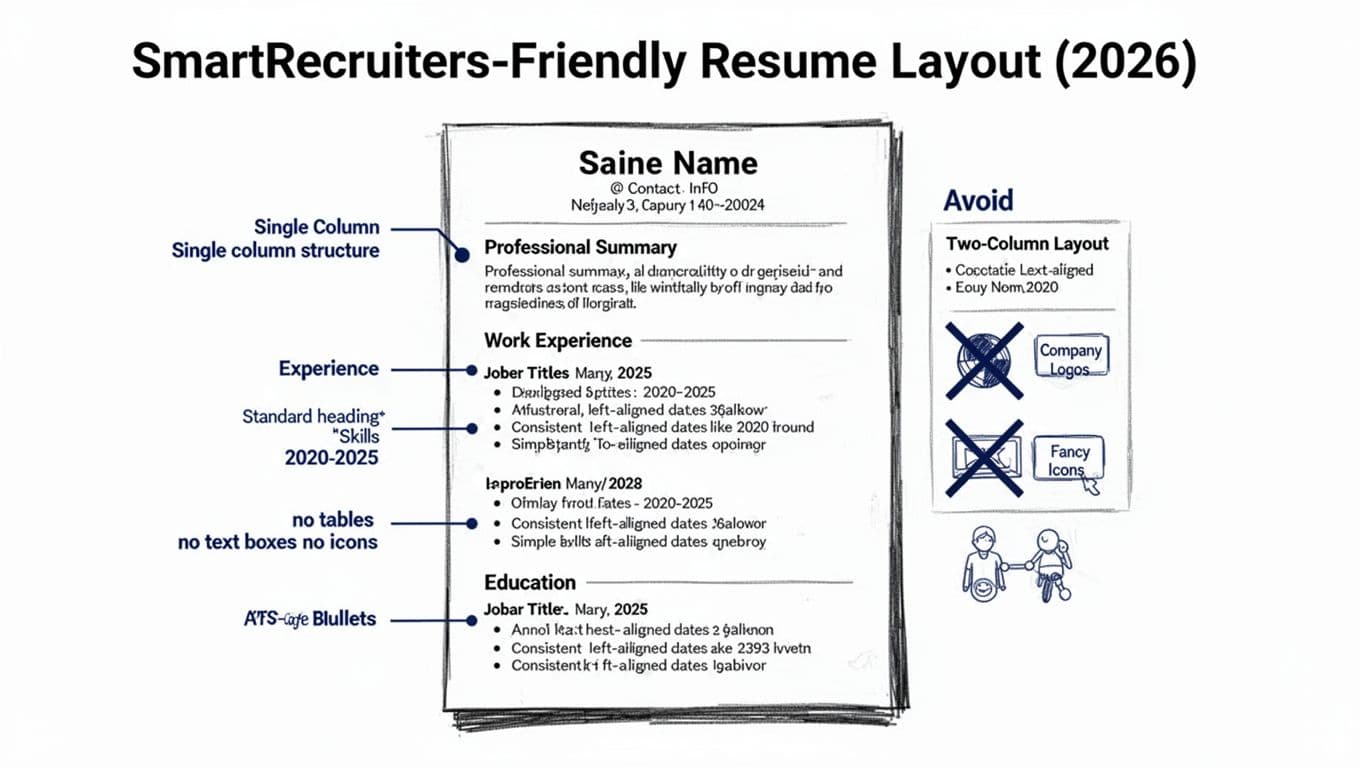
Use this order, with standard headings:
- contact info (name, phone, email, city/state, LinkedIn profile URL)
- professional summary (2 to 4 lines)
- Skills (a simple list balancing hard skills and soft skills)
- work experience (reverse chronological order)
- education section (plus certifications if relevant)
Keep everything single column. Use simple round bullets. Stick to 10 to 12 pt fonts like Calibri, Arial, or Times New Roman.
The “dates won’t shift” method
The safest approach is to avoid right-aligned dates entirely. Right alignment often means tabs or tables. Instead, put dates on their own line and keep the pattern consistent:
- Job Title, Company, City, ST
2023-02 to 2026-01
• Achievement bullet…
• Achievement bullet…
That extra line feels plain, but it prevents the classic problem where dates slide into the middle of a sentence after parsing, while keeping your achievements aligned with the job description.
File type and size: keep it boring
Many SmartRecruiters application flows accept common file types like DOC, DOCX, and parsable PDF, and some enforce size limits. Requirements can vary by employer, so confirm in the portal you’re using. iReformat’s page on SmartRecruiters resume formatting expectations is a helpful reference for common constraints (like avoiding image-only PDFs).
If you’d rather not fight formatting at all, CareerScribeAI’s AI Resume Builder can help you generate an ATS-friendly resume with professional summary and work experience sections, plus bullet points based on a specific job description, while keeping the layout clean and parser-friendly.
Copy-paste test (5 steps) to catch shifting skills and dates before you apply
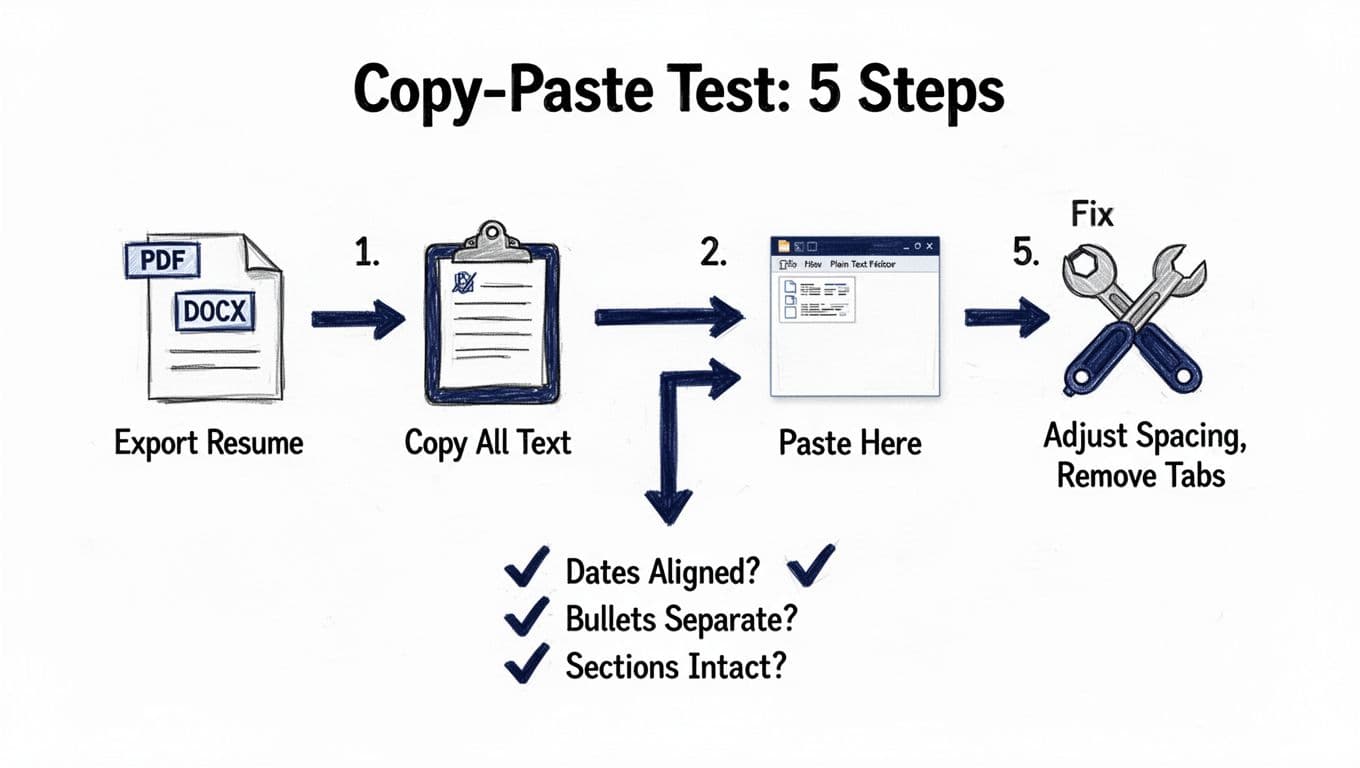
This copy-paste test is the fastest “will it parse?” check you can do at home. It takes two minutes, and it’s brutal in a good way.
Step-by-step: the copy-paste test
- Export a fresh file in DOCX (and PDF if you also plan to upload PDF).
- Open the file, then select all text (Ctrl/Cmd + A).
- Copy, then paste into a plain text editor (Notepad, TextEdit in plain-text mode).
- Scan for four failures: dates out of place, bullets merged, section headings missing, lines out of order.
- Fix and re-test until the paste looks like a readable outline of your resume.
Now use a quick comparison to keep edits focused. This table shows what usually helps a SmartRecruiters resume format behave.
| ATS-safe choice | Parsing risk |
|---|---|
| Spaces for alignment | Tabs for alignment |
| Single-column sections | Two-column layouts |
| Simple resume bullets (•) | Icons, shapes, custom bullets |
| Plain section headings | Text boxes and stylized headers |
| Dates on their own line | Dates right-aligned with tabs/tables |
Takeaway: Start with a master resume and tailor target titles based on the job description; if you remove tabs, columns, and boxes, most “shifting” problems disappear.
Troubleshooting when pasted text looks wrong
When the paste looks messy, match the symptom to a fix:
- Dates drift into the employer line: Move dates to their own line in your career history, remove tabs, remove right alignment.
- Bullets merge into a paragraph: Replace fancy bullets with standard resume bullets using action verbs and quantifiable results to improve resume scoring in the ranking system, add a blank line between work experience roles, keep bullet lines short.
- Skills scatter or reorder: Convert multi-column Skills into one list, separated by commas or single bullets.
- Missing contact info: Pull details out of headers/footers and place them at the top of the body.
- Education section misplaced: Switch to a recruiter-friendly format with plain text lists instead of tables or graphics.
- Random symbols appear: Replace icons and special characters with plain text.
For more general guidance on beating automated screening with clean formatting and readable achievements, Resume Polished explains the mechanics well in their article on passing automated screening software. If you want a broader 2026 checklist that covers both formatting and keyword fit, OwlApply’s ATS-friendly resume guide for 2026 is a solid companion read.
Don’t fix parsing problems by adding more design. Fix them by removing the parts the ATS can’t reliably read.
Once your resume passes the copy-paste test, you can shift to the rest of the process. CareerScribeAI’s Cover Letter Generator helps you write role-specific letters that match your resume language, and its Interview Prep Tools help you prepare for the questions that come after you clear the ATS.
Conclusion
A clean SmartRecruiters ATS Resume Format in 2026 isn’t about looking plain, it’s about staying intact after import. Use a single-column standardized layout, standard headings, and skills and dates on their own line to stop shifting. Then run the copy-paste test until the text reads like a neat outline with a simple design. If your resume holds its shape in plain text, it has a much better shot of holding its place in the hiring workflow.