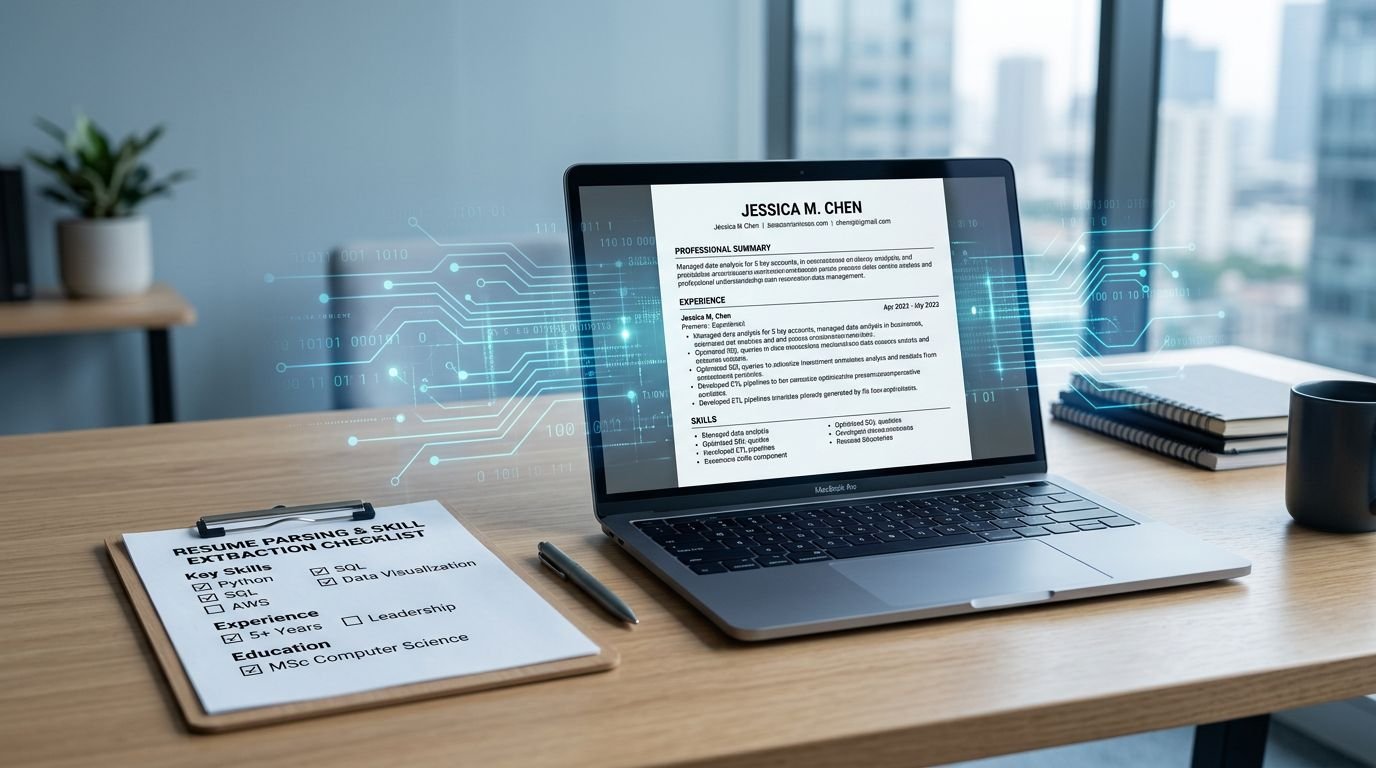
Ever upload a resume that looks perfect, then paste it into an application box and watch the spacing break, dates drift, and bullets turn into symbols? That’s the warning sign. In 2026, the safest Recruitee ATS resume format for Applicant Tracking Systems (ATS) is the one that stays readable after it gets turned into plain text. This clean approach supports the recruitment process by enhancing candidate experience and reducing time-to-hire for companies.
This guide gives you a clean, ATS-friendly structure that usually parses well in Recruitee, plus a repeatable copy-paste resume test you can run in minutes. You’ll also get quick fixes for the most common “why did my resume scramble?” problems.
What Recruitee “sees” when you upload a resume
Most Applicant Tracking Systems (ATS) follow a predictable path in resume parsing. They perform data extraction, detect sections, then map your info into fields recruiters scan fast during resume screening. Think of it like a cashier scanner. If the barcode is bent (columns, tables, headers), the scan fails or reads wrong.
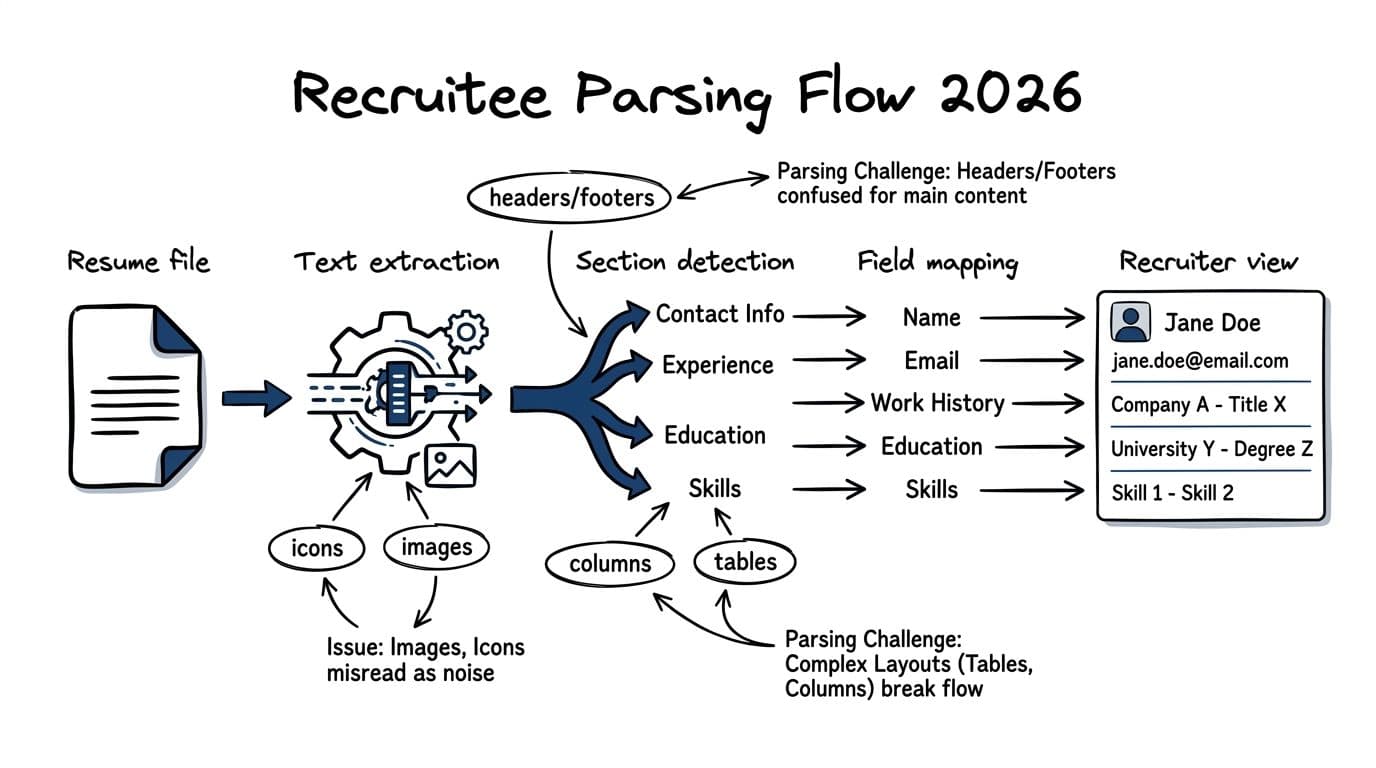
Here’s what often goes wrong when candidates format for looks first in this recruitment technology automation:
- Headers and footers: Contact info can get missed or separated from your name.
- Two-column layouts: The ATS may read across the page in a strange order, disrupting resume screening.
- Tables and text boxes: Some text gets skipped or pasted out of sequence.
- Icons and graphics: An email icon is not an email address to a parser.
- Mixed date formats: “Spring 2023” next to “01/2024” can confuse section mapping.
If your resume doesn’t copy and paste cleanly, assume the ATS may not map it cleanly either.
Because Recruitee is used by many teams with different workflows, your goal is simple: make the text easy to extract for smooth resume parsing and resume screening, then make the content easy to skim. For broader ATS formatting checklists (useful for cross-checking your structure), compare your draft to Rezi’s ATS optimization checklist for 2026.
Recruitee ATS resume format that usually parses cleanly in 2026
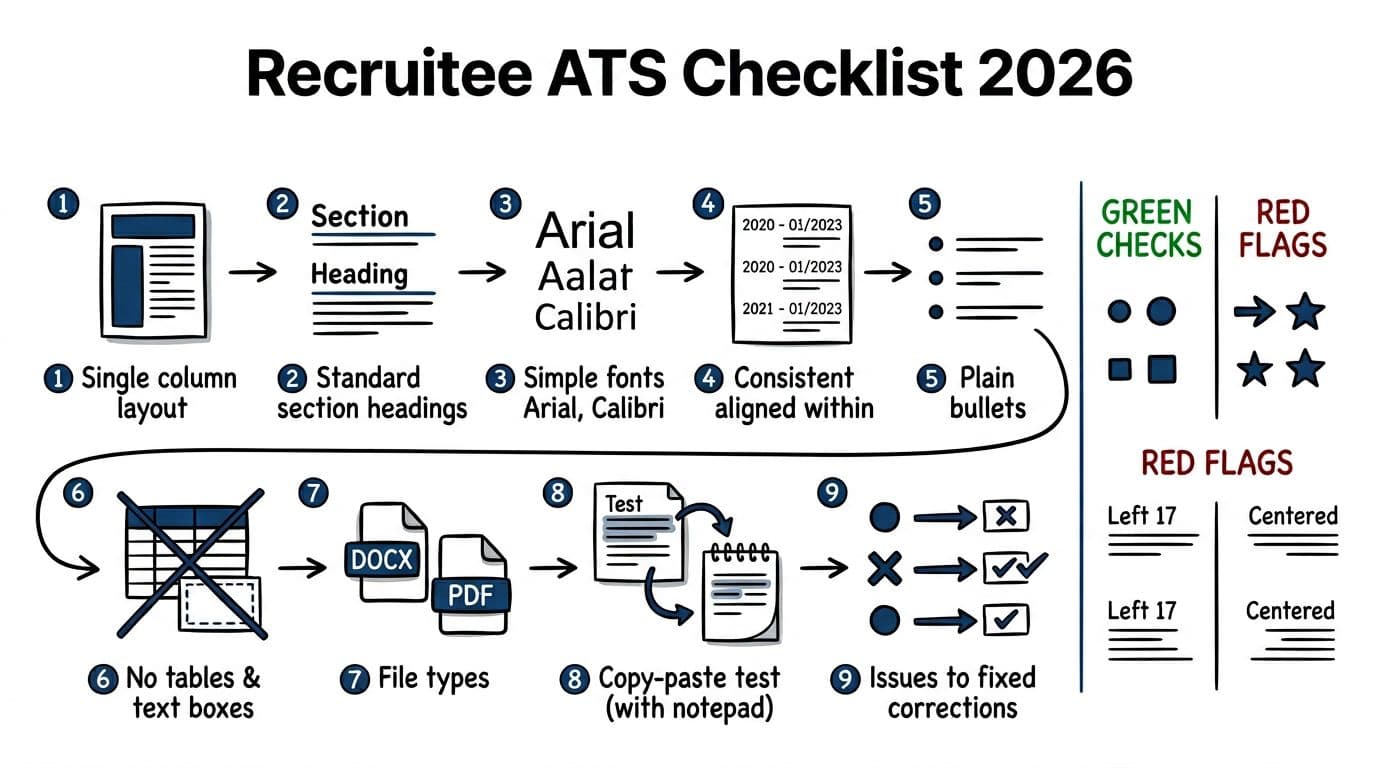
A strong ATS-friendly resume feels almost boring. That’s a good sign. In practice, the most reliable Recruitee Applicant Tracking System (ATS) resume uses a single-column layout, standard headings, and consistent spacing in a chronological resume format.
Layout rules that keep parsing stable
Keep these choices consistent from top to bottom for a standardized layout:
- One column, left-aligned: Avoid sidebars and right-rail skills blocks.
- Standard headings: Use “Work Experience”, “Education”, “Skills”, “Projects”, “Certifications” in the work experience section and beyond.
- Simple fonts: Arial, Calibri, Cambria, Times New Roman, Helvetica, or Georgia work well. Use 10 to 12 pt body text, 12 to 14 pt headings.
- Steady margins and spacing: 0.5 to 1 inch margins, normal line spacing, no tight compression.
- Clean contact block: Name, phone, email, LinkedIn URL (typed out), city and state. Put it in the body, not the header.
A safe section order (and why it works)
Use this order because it matches how hiring managers scan and how ATS section detection, powered by machine learning, typically behaves in a chronological resume format:
- Contact Info
- Professional Summary (2 to 4 lines, optional but helpful)
- Skills (8 to 12 relevant skills, plain text)
- Work Experience section (reverse chronological, like trusted resume templates)
- Education
- Projects or Certifications (only if they support the role)
For the summary, mirror the job title and key tools from the job description without stuffing. For example: “Customer Success Manager with 5+ years in SaaS, renewals, and Salesforce. Reduced churn 12% through onboarding improvements.” This setup highlights your work experience section clearly for both ATS and humans.
PDF vs DOCX for Recruitee (practical guidance)
Follow the application instructions first. When the posting doesn’t specify, choose the file type that preserves text extraction in your situation. This quick table helps:
| File type | When it’s a good choice | What to watch for |
|---|---|---|
| DOCX | When you want the most consistent text extraction across systems | Visual spacing can shift across devices |
| When you need visual consistency and you export from a standard editor | Some PDFs paste poorly if built from templates or design tools |
The takeaway: test your actual file type. A “good PDF” and a “bad PDF” can look identical on screen.
If you want a parallel example from another widely used ATS, the same single-column rules show up in this one-column template for Lever ATS.
The copy-paste resume test (3 minutes) and how to fix failures
This test doesn’t promise perfection in every setup, but it catches the most common parsing problems fast. Run it every time you change formatting, then again before you apply. Passing helps your resume navigate the Applicant Tracking System (ATS), enter the talent pool, and support shortlisting candidates during the recruitment process.
Step-by-step copy-paste test
- Save your resume as DOCX (even if you plan to submit PDF).
- Open it, select all, and copy.
- Paste into a plain text place (Notepad, TextEdit in plain text mode, or a basic notes app).
- Scan for three things: missing text, scrambled order, and broken line wraps.
- Repeat with your PDF export if the job asks for PDF.
What “pass” looks like: headings stay clear, job entries stay grouped, bullets stay readable (even if they become hyphens), and contact info stays at the top. This ensures the hiring manager sees a structured resume after it passes initial filters.
Common failures and quick fixes
When the pasted text looks wrong, especially with resume templates, use the smallest fix that solves it:
- Your contact info disappears or moves: Put it in the document body. Remove headers and footers.
- Experience bullets appear under the wrong job: Ensure each role follows the same pattern (Company, Title, Location, Dates), then bullets.
- Dates drift to odd places: Put dates on the same line as the job title, or directly under it. Keep one format like
MM/YYYY. - Bullets turn into weird symbols: Switch to basic round bullets or hyphens. Avoid special glyphs.
- Lines wrap in choppy fragments: Remove manual line breaks (Shift+Enter) and reduce heavy indentation.
For a second opinion on formatting trends, compare your structure to a neutral ATS format guide like ResumeAdapter’s ATS resume format guide for 2026.
Using CareerScribeAI without overcomplicating the format
Formatting problems often happen when tailoring gets messy. A structured builder helps you keep headings consistent while you tailor content.
CareerScribeAI’s AI Resume Builder can keep an ATS-safe layout while you rewrite bullets into clear, quantified outcomes through keyword optimization from the job description. Pair that with the Cover Letter Generator to align language with the job description via targeted keyword optimization, then use Interview Prep Tools (including video answers for modern applications) after you apply so your resume and interview stories match. The hiring manager will appreciate the clarity.
Conclusion: Keep the format plain, make the content memorable
A clean Recruitee ATS resume format that’s ATS-friendly is the easiest way to avoid silent failures, reach the hiring manager, and align with the job description. Proper formatting improves candidate experience while enhancing employer branding. For companies, it maximizes the ROI of an ATS through stronger recruitment metrics like reduced time-to-hire, especially in collaborative hiring and SMB hiring.
Use one column, standard headings, simple fonts, and consistent dates. Then prove it works with the copy-paste test, because your screen view isn’t the same as the ATS view.
Fast final checklist (before you submit):
- One column, left-aligned, no tables or text boxes
- Contact info in the body, not in headers or footers
- Standard section headings (Experience, Skills, Education)
- Consistent date format, readable bullets, simple fonts
- Run the copy-paste test on the exact file you’ll upload
Next step: run the test, fix one issue at a time, then re-test. Your resume should read like clean text, because that’s how it gets judged first in the recruitment process.