A digital resume can look sharp on your screen and still break after upload. That gap matters, because Paycom ATS resume format rules are less about style and more about clean text extraction.
In 2026, there is no public Paycom update showing brand-new resume parsing rules. What’s visible points to standard ATS behavior: Paycom, a leading applicant tracking system, reads contact details, work history, skills, and education, then matches that data to job requirements. So the safest move is simple, readable formatting that survives a plain-text check.
What Paycom ATS is likely reading first
Think of Paycom like a scanner at checkout. If the barcode is bent, the scan may still happen, but the result can be wrong.
Current public guidance suggests Paycom, as an applicant tracking system, handles resumes like many other ATS platforms in the recruitment process. It parses relevant experience, stores it in a profile, and uses keyword filtering with automated screening to help recruiters sort candidates. That means your layout should help the system read, not guess. A good primer on how ATS software works comes from JobTestPrep’s ATS overview.
The basics that matter most are plain:
- Use a single-column layout
- Keep headings standard, such as Work Experience, Education, and Skills
- Show dates in one format, ideally MM/YYYY
- Put contact info in the body, not in headers or footers
- Avoid tables, text boxes, icons, photos, and skill bars
This quick file guide helps with your job application when the instructions don’t spell it out.
| File type | Good use case | Watch for |
|---|---|---|
| DOCX | Best when instructions are unclear | Minor spacing shifts can happen |
| Best when the job post asks for PDF | Some exports paste poorly |
The takeaway is simple: follow the employer’s instructions first to ensure your resume reaches the hiring manager. If there’s no rule, test the exact file you plan to upload.
If your resume turns messy in plain text, treat that as a warning sign.
For broader 2026 formatting patterns, this ATS formatting rules guide lines up with the same core advice.
Build a Paycom ATS-friendly resume format that stays readable
The safest resume format for Paycom is almost boring. That’s a compliment. It ensures readability for both the ATS and the hiring manager.
Start with a clear contact block. List your name, phone, email (steer clear of an unprofessional email address), city and state, plus a full LinkedIn URL. Don’t hide links behind words like “Profile.” Full URLs tend to parse more cleanly.
Then keep the section order familiar. A strong structured format looks like this: contact details, short summary, skills, work experience, education, then optional professional certification or projects. In the skills section, prioritize hard skills that match the job, followed by relevant soft skills. If you want a parallel example from another platform, this one-column Lever template uses the same ATS-safe structure.
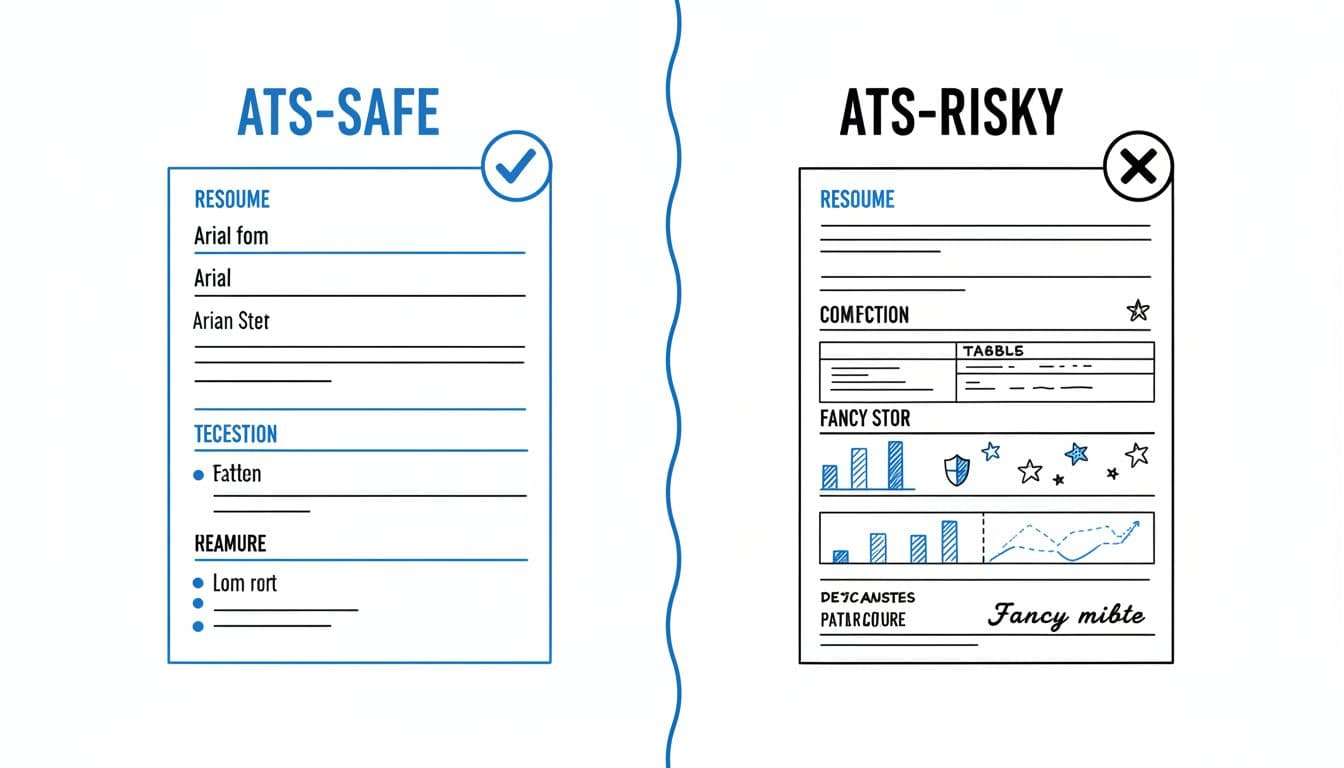
Formatting choices also shape how your experience gets mapped. Use standard fonts like Arial, Calibri, Georgia, or Times New Roman. Keep body text between 10 and 12 pt. Use basic bullet points, or even hyphens if you want the safest option.
Most important, label sections with plain words. “Career Journey” may sound better to you, but “Work Experience” works better for a parser.
Content still matters, of course. Paycom’s matching features look for terms from the job description, so mirror the language honestly. If a posting asks for Salesforce, payroll reporting, or multi-state compliance, use those exact phrases where they fit. A helpful way to do that is to separate must-have vs nice-to-have job skills before you tailor your resume. For more general layout examples, this ATS-friendly resume format guide reinforces the same plain-text-first approach.
Run the copy-paste resume test before you apply
The copy-paste resume test is the fastest way to catch formatting trouble. It takes about three minutes, and it tells you what the applicant tracking system may “see” after upload.
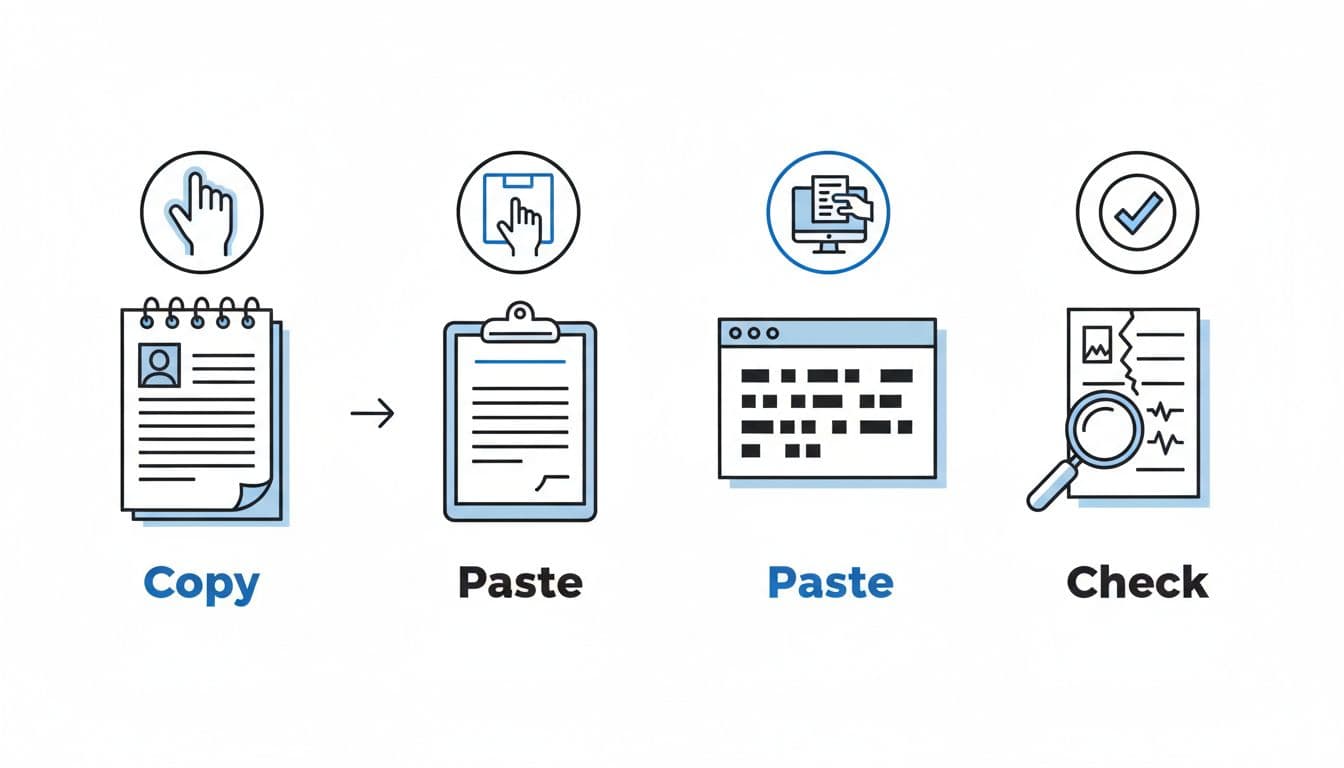
Here’s the process:
- Save your resume in the file type you plan to submit.
- Open the file and copy all text.
- Paste it into Notepad or another plain-text editor.
- Read top to bottom and look for breaks.
A pass looks clean, even for a two-page resume. Your name stays at the top. Each job stays grouped. Dates remain attached to the right role. Bullets may turn into dashes, and that’s fine. Use action verbs for bullet points to improve resume parsing results.
A fail usually shows up fast. Watch for these problems:
- Missing contact info: Move it out of headers or footers.
- Scrambled order: Remove columns, tables, or sidebars.
- Weird symbols: Replace custom bullets with basic ones.
- Dates floating away: Put dates on the same line for every role.
- Broken line wraps: Delete manual line breaks and heavy indents.
This test matters because a parser doesn’t admire design. It reads structure. If the text falls apart after paste, your resume may lose context before a recruiter ever opens it. This simple check supports talent acquisition goals by ensuring a positive candidate experience.
When tailoring starts to break your format, tools can help. CareerScribeAI’s AI Resume Builder keeps a clean ATS-friendly resume structure while helping you rewrite bullets around the job post. Its Cover Letter Generator can match the same themes for a cohesive cover letter, and Interview Prep Tools with interview scheduling features help you carry those same points into interviews, so your job application tells one clear story. This helps qualified candidates stand out during the recruitment process, from cover letter creation to interview scheduling.
Keep the format plain, then prove it works
The best Paycom ATS resume format in 2026 is simple: one column, standard headings, steady dates, clear keywords, and no decorative clutter. Then run the copy-paste test on the exact file you’ll upload.
That last step is the difference between guessing and knowing. Companies use Paycom for workflow management and to make data-driven decisions, so a resume must first survive automated screening. These essential resume writing tips help qualified candidates navigate it while maintaining a positive candidate experience, setting the stage for career success. A resume should look good to people, but first it has to survive the system. Plain wins when plain stays readable.