If your resume looks perfect in Microsoft Word but turns messy when you paste it into plain text, Oracle Recruiting Cloud (ORC) may read it the same way. That’s the quiet problem behind many “my application went nowhere” stories. Start your document with a strong resume summary for the best foundation.
The fix isn’t fancy. In 2026, the safest oracle recruiting cloud resume format for Oracle Recruiting Cloud, an Applicant Tracking System that requires a specific resume template for success, is still simple, text-forward, and built for parsing. This guide shows the formatting rules that hold up in ORC, plus a copy-paste test you can run in two minutes before you hit Submit.
How Oracle Recruiting Cloud parses resumes (and where they break)
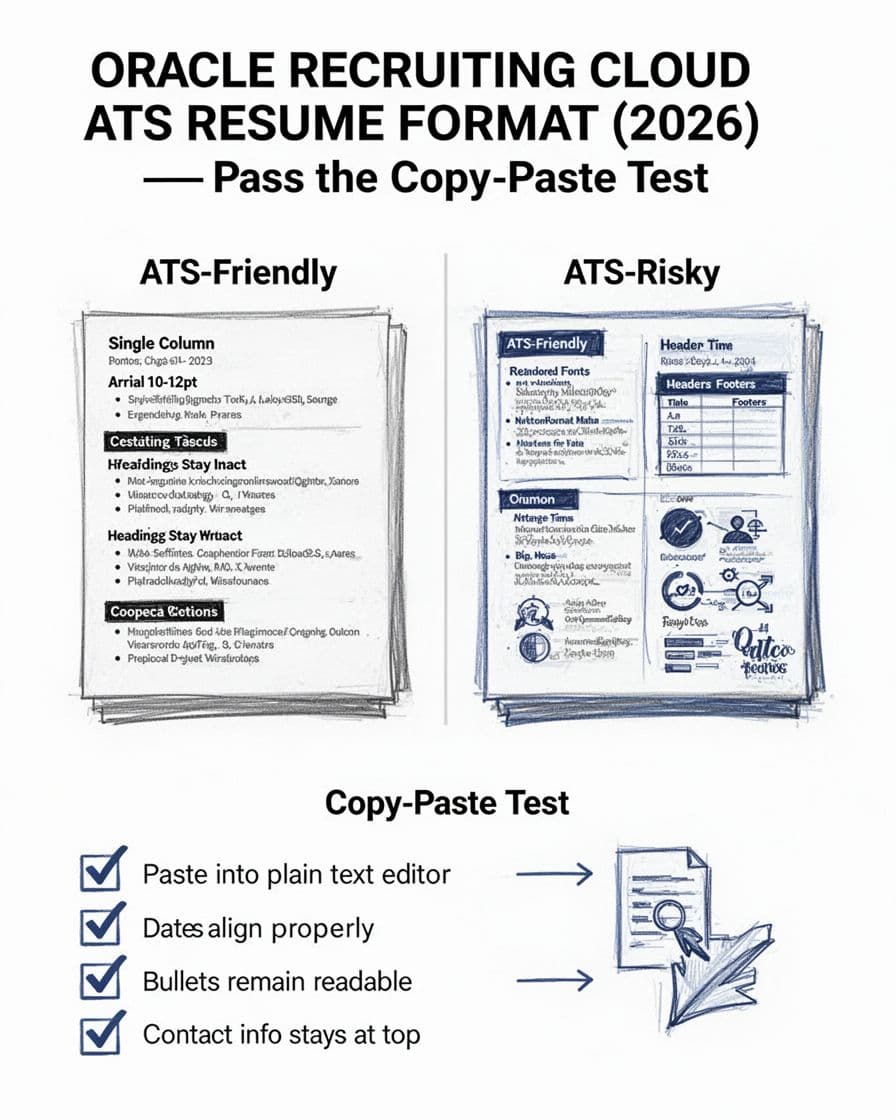
ORC, a common Applicant Tracking System used by enterprise employers, is built to extract information and place it into fields like Professional Experience, Education, and Skills. When your layout is complex, the parser can misread the order, merge lines, or drop content. Think of it like pouring soup through a strainer. Clear broth goes through, chunky bits get stuck.
Here’s what most often causes trouble in ORC submissions:
- Columns and sidebars: The parser may read left column top-to-bottom, then jump to the right column, scrambling your timeline.
- Text boxes, tables, and shapes: These can become “invisible” or arrive as jumbled fragments.
- Headers and footers: Contact info in a header is easy for humans, but not always for parsers.
- Graphic skill bars and icons: They look nice, but they usually add noise instead of data.
Certain design elements can block the extraction of specific keywords.
File type matters too. Many candidates succeed with a clean PDF format, while some employers prefer DOCX for easier parsing and editing. Using the correct PDF format is essential for an ATS-friendly resume. The key is not the extension, it’s the structure: single-column layout, standard headings, plain text bullets. For broader ATS formatting context (beyond ORC), this practical breakdown of what works across systems is useful: ATS resume formatting guidance for 2026.
The oracle recruiting cloud resume format checklist (2026)
ORC-friendly formatting is boring on purpose. That’s a good thing. Use this table as a build spec before you worry about styling.
| Resume element | ORC-friendly choice | Risky choice | Why it matters |
|---|---|---|---|
| Layout | Single column, reverse-chronological order within the work experience section | Two columns, sidebar | Prevents reading-order errors |
| File format | PDF or DOCX (simple layout) | “Designed” PDFs with layered objects | Reduces parsing gaps |
| Fonts | Arial, Calibri, Georgia, Times New Roman | Decorative fonts | Improves text recognition |
| Font size | 10 to 12 pt body | Tiny text, oversized headers | Helps consistent extraction |
| Section headings | Work Experience, Education, Skills | Creative headings (“My Journey”) | Parser looks for familiar labels |
| Technical skills | Dedicated section listing Oracle Database, PL/SQL clearly | Vague lists, images | Helps the Applicant Tracking System find relevant data |
| Certifications | Bold section with name, issuer, date | Buried in text | Enables the hiring manager to spot key certifications quickly |
| Bullets | Standard round bullets, simple hyphens | Custom symbols, icon bullets | Avoids broken characters |
| Emphasis | Light bold on one item (title or company) | Heavy styling everywhere | Keeps hierarchy clear |
| Dates | Consistent month/year format | Mixed formats, missing months | ORC needs timelines for experience |
Date formatting is a common failure point. Pick one date style and use it everywhere, for example 01/2020 to 03/2023. Don’t switch formats between roles.
Two more rules help more than people expect:
First, keep contact details at the top of the main document body. Put phone, email, and location on one or two lines. Second, avoid putting critical info only in a link. ORC may store the link, but the person reviewing might scan text first.
If you want examples of strong, role-specific content (not just formatting), these Oracle resume examples for 2026 can help you sanity-check how bullets and skills are phrased. For best results, find a reliable resume template that adheres to these rules.
The ORC copy-paste test (step-by-step) before you submit
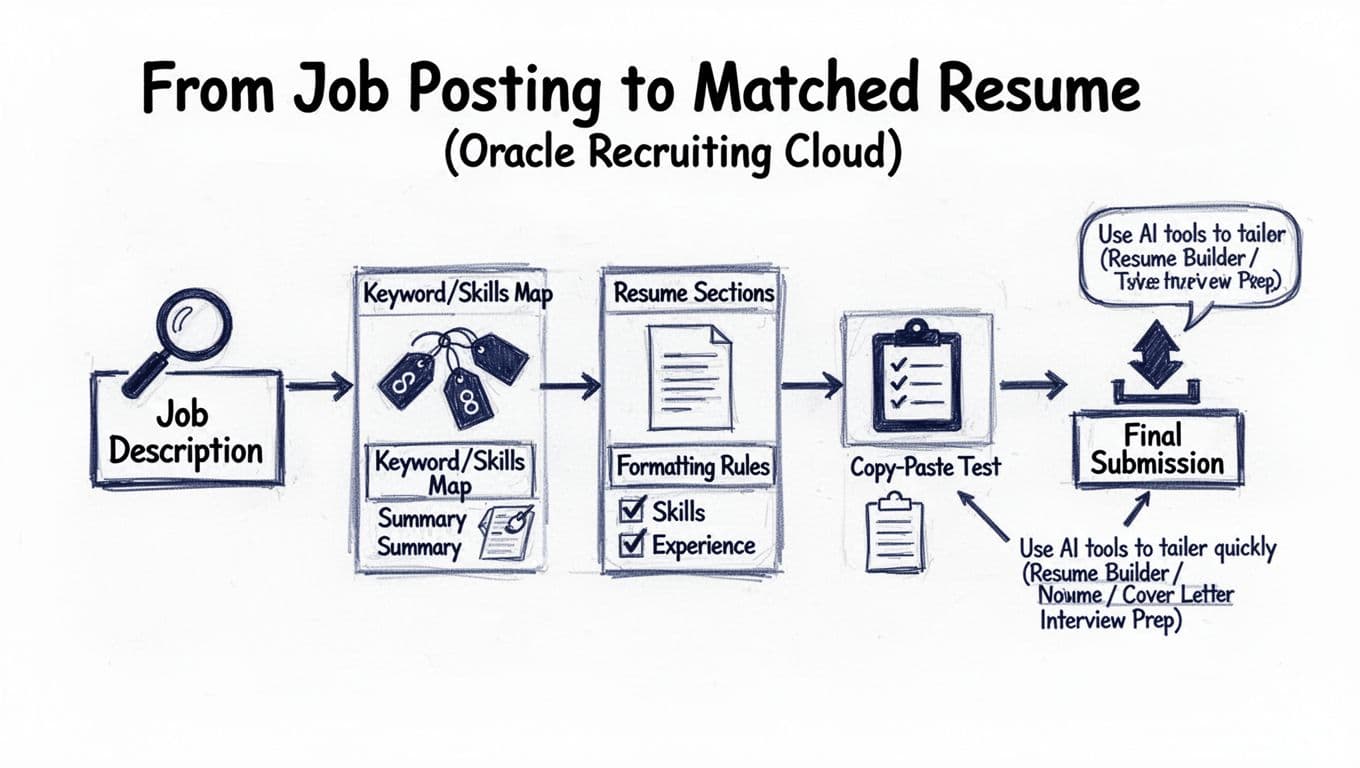
The copy-paste test is the quickest way to predict what ORC might extract and improve your ATS score. It’s not perfect, but it catches the biggest formatting traps fast.
- Open a plain-text editor (Notepad on Windows, TextEdit in plain-text mode on Mac).
- Select all text in your resume and copy it.
- Paste it into the plain-text editor.
- Scan from top to bottom and check for order, headings, dates, bullets, and alignment with the job description.
- Fix the source file, then repeat until the pasted version is readable.
What “passing” looks like: your headings stay intact, jobs stay in order, and dates remain beside the right roles. Bullets should read like bullets, not like a pile of symbols, quantifying achievements with strong action verbs.
Here’s a quick visual of a healthy pasted structure:
WORK EXPERIENCE
Senior Analyst, Company Name, City, ST
01/2022 to 02/2026
- Reduced reporting time by 30% by rebuilding weekly dashboards.
- Partnered with finance to correct data issues and prevent repeats.
If the paste shows your company names floating away from titles, or bullets collapsing into long paragraphs, simplify formatting. In practice, these fixes solve most ORC paste failures: remove columns, delete text boxes, move contact info out of headers, replace icon bullets with standard bullets. If applying for an Oracle developer role, include academic projects or GitHub links in plain text.
Content still matters after formatting. ORC screens for skills and keywords, so match your language to the job description. An AI-powered tool like CareerScribeAI can help you identify keywords such as data warehousing or performance tuning, map the job description to targeted bullets, then keep the output in a plain, ORC-friendly structure. Using the same approach for your cover letter also helps consistency, especially when recruiters compare documents side by side.
For additional ATS-focused keyword and structure tips, see what actually works for ATS-friendly resumes.
ATS-friendly resume vs risky formatting (quick examples you can copy)
Small design choices can change how ORC reads your resume. Use these patterns as a guide to create an ATS-friendly resume that modern recruiters prefer.
Safer formatting
- Skills listed as simple text lines (for example: technical skills like SQL, Excel, Oracle DBA, stakeholder management)
- One clear heading per section
- Bullets that start with a verb and end with a result
Riskier formatting
- Skills shown as charts, ratings, or visual bars
- Project details inside tables
- Dates right-aligned in a separate column
A good final check is to upload your resume, then review what ORC auto-fills in your profile. Verify that your work experience and professional experience categories are populated correctly, especially checking for keywords. If you have to retype half your history or notice missing keywords, the parser struggled. Fix the document and re-upload. It’s tedious, but it beats being filtered out because your experience didn’t parse cleanly.
Conclusion
ORC isn’t judging your design taste; it’s trying to read your resume as data. An ATS-friendly resume prioritizes data accessibility for the Applicant Tracking System, so opt for a clean, single-column oracle recruiting cloud resume format with standard headings and consistent dates to give you the best shot. Ensure your resume summary and work experience sections are keyword-rich, incorporating relevant keywords, strong action verbs, and certifications to highlight your professional experience as an Oracle developer. This will help catch a recruiter’s eye once it passes parsing. Run the copy-paste test, correct what breaks, then submit with confidence. After that, focus on interview prep, because passing the parser is only step one.