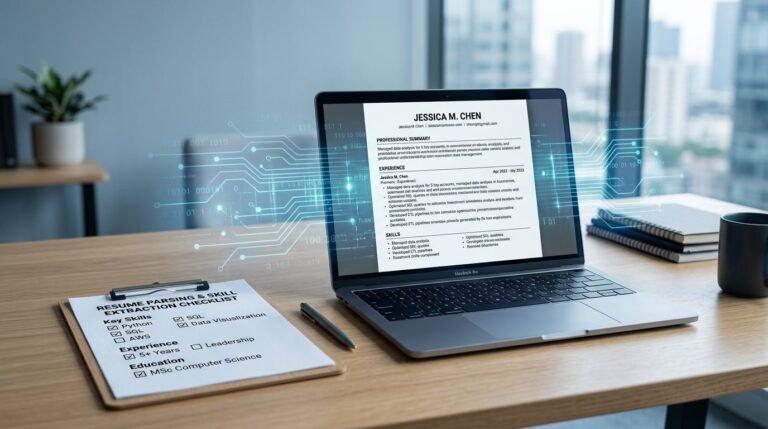
Ever upload a resume, hit submit, and wonder if the applicant tracking system read it the way a human would? That worry is fair. A small formatting choice can turn clean experience bullets into a messy block of text inside JazzHR.
This guide explains a practical JazzHR resume format for 2026, what helps resume parsing, and how to run a fast copy paste test before you apply. Optimizing your format ensures your candidate profile is accurate and streamlines your application process. You’ll also get a clear checklist, a DOCX vs PDF comparison, and examples of ATS-safe headings you can copy.
How JazzHR ATS reads your resume (and where formatting goes wrong)
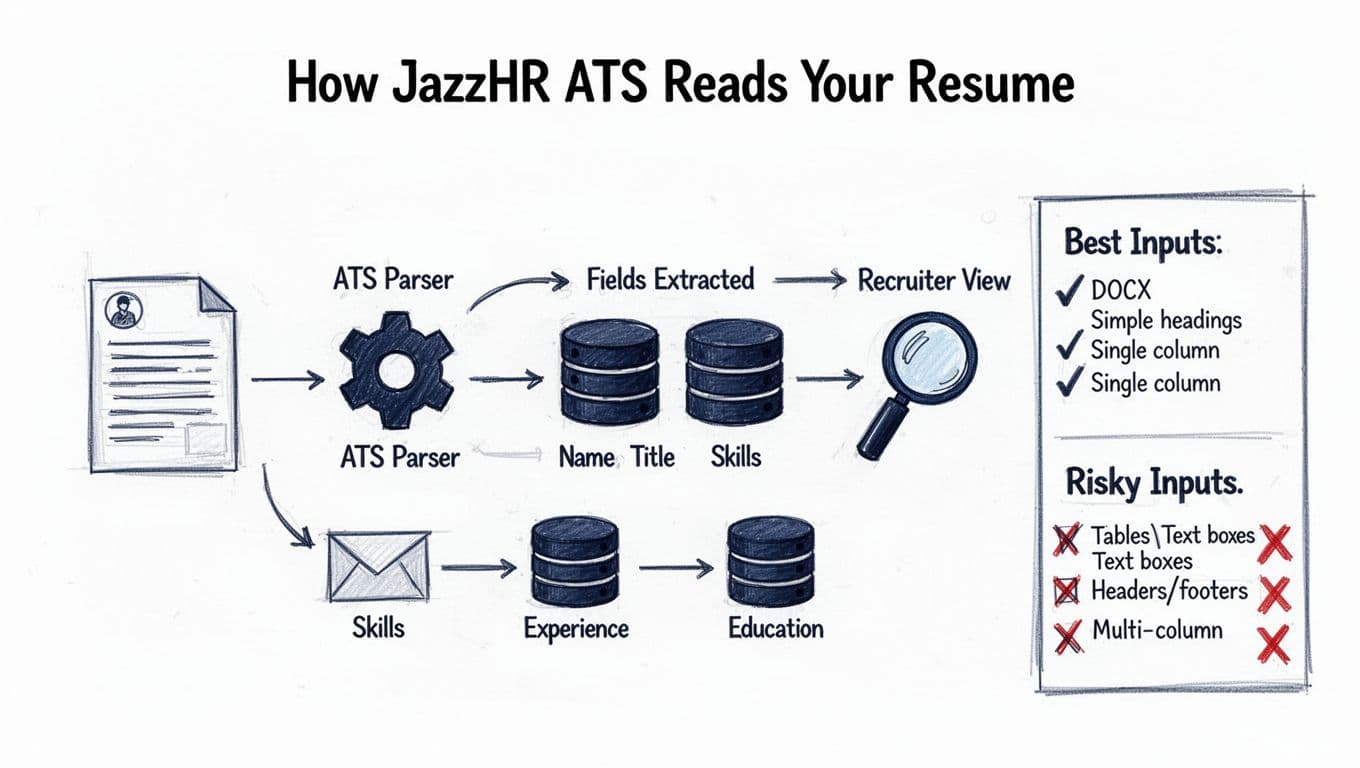
JazzHR, a leading recruitment software used by talent acquisition teams, works like most applicant tracking systems: its resume parsing functionality tries to extract your resume into fields such as name, contact info, titles, employers, dates, skills, and education. When your layout is simple, the system usually maps content correctly. When layout gets fancy, parsing can scramble sections or drop details.
Two problems show up often:
First, structure confusion. Multi-column designs, tables, text boxes, and headers or footers can cause the ATS to read across the page in the wrong order. Your job titles might land under Skills, or dates might drift away from the right role.
Second, character noise. Icons, unusual bullet symbols, and heavy styling can cause ATS scanners to struggle with symbols, converting them into odd characters that potentially corrupt candidate data when the system converts your file to plain text.
If you want more JazzHR-specific context from a resume scanning perspective, this overview is helpful: what job seekers need to know about JazzHR.
JazzHR ATS Resume Formatting Checklist for 2026 (ATS-friendly and recruiter-friendly)
JazzHR parsing rewards the same thing recruiters like: a document that reads cleanly, top to bottom, with clear section labels. Think “well-labeled filing cabinet,” not “graphic poster.”
If your resume looks beautiful but copies into a messy text block, JazzHR will often store it messy too.
ATS-friendly formatting checklist (quick scan)
Use this as your baseline to build an ATS optimized resume template:
- Layout: Single column, left-aligned text, normal margins (about 0.5 to 1 inch).
- Section headings: Plain text headings, consistent style, no banners.
- Fonts: Common fonts (Arial, Calibri, Times New Roman), 10.5 to 12 pt for body text.
- Bullets: Simple round bullets (•) or hyphens (-), keep indentation consistent.
- Spacing: One blank line between roles and sections, avoid extra line breaks.
- Dates: Use a consistent format, for example “Jan 2023 to Feb 2026” or “2023 to 2026.”
- Links: Keep them readable (LinkedIn, portfolio), don’t hide them behind shapes.
- Headers/footers: Avoid them, place contact info in the main body.
For JazzHR’s own view on candidate-friendly formatting, compare your draft against ATS resume formatting tips for today’s job candidates. Clean formatting helps with job posting distribution and compliance and reporting for the employer.
ATS-safe section headings you can copy
JazzHR ATS does best with standard labels. These headings are usually safe:
Professional Summary, Experience, Work Experience, Skills, Areas of Expertise, Education, Certifications, Projects, Volunteer Experience, Awards.
Avoid clever headings that force guesswork, like “My Journey” or “What I Bring.” The ATS might still store the text, but recruiters searching quickly may miss it.
PDF or Microsoft Word for JazzHR (what’s safest in 2026)
Below is the practical tradeoff most job seekers face. This table assumes a normal resume with no design elements.
| File format | Parse accuracy in ATS | Recruiter readability | Best use case |
|---|---|---|---|
| Microsoft Word (DOCX) | High | High | Default choice for most JazzHR applications |
| PDF (text-based) | Medium to high | High | Fine if exported from Word/Google Docs and selectable text |
| PDF (designed) | Low | Medium | Risky if made in design tools or uses columns and text boxes |
Some JazzHR environments also enforce file type and size limits. If you’re submitting through a staffing workflow, this summary can clarify typical constraints: formats accepted by JazzHR clients.
Mini do/don’t list for JazzHR parsing
Do keep titles, employers, and dates on one line per role when possible.
Do write achievements as short bullets with numbers.
Do use clear formatting that makes the document easier for hiring managers to review.
Don’t put core content inside tables, columns, or text boxes.
Don’t rely on icons to label phone, email, or location.
Copy/Paste Test (2026): a fast way to catch ATS parsing issues
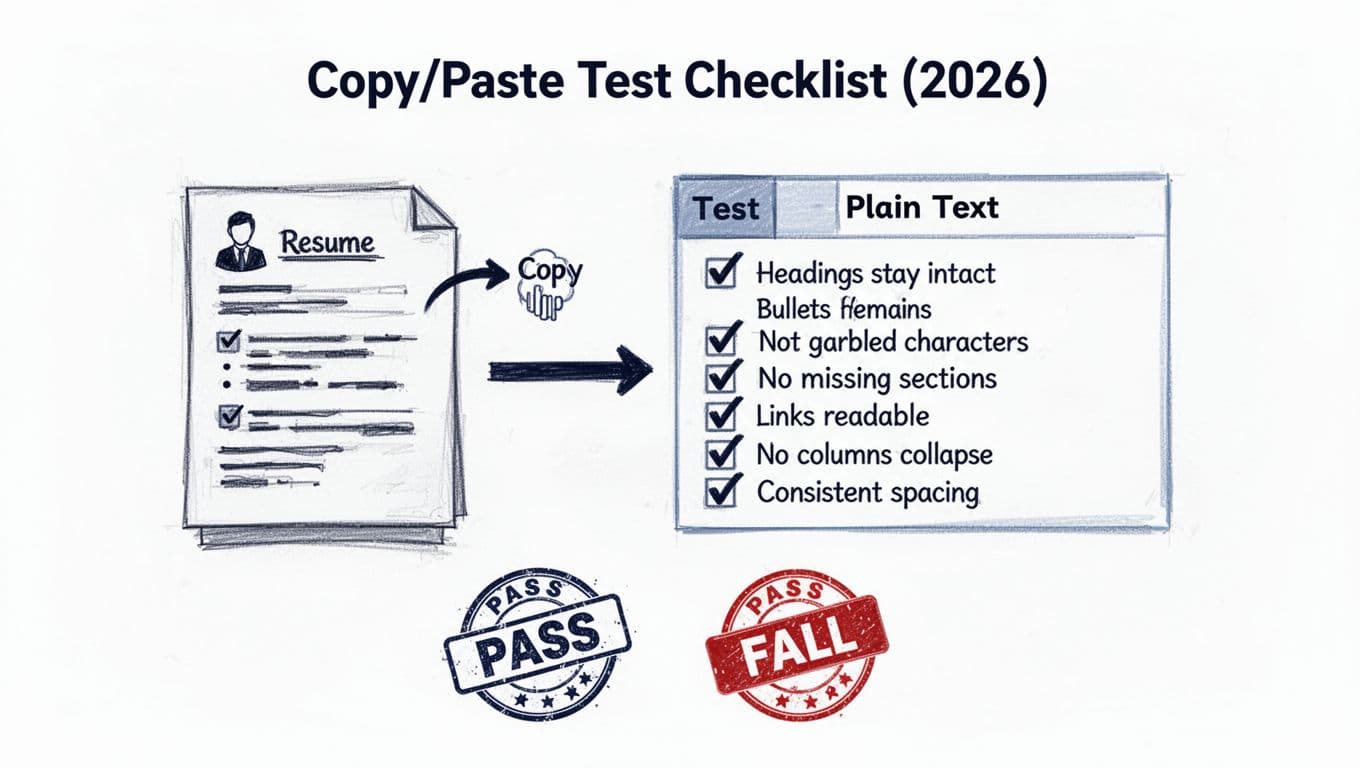
The copy paste test is simple: if your resume survives a paste into plain text, it usually survives ATS conversion. This step is vital for a smooth application process and effective resume screening. A clean paste improves the candidate experience by ensuring the system does not ask for manual corrections. Readability in plain text is a sign that hiring managers will receive a high-quality version of your data. It’s not perfect, but it catches the big failures fast.
How to run the copy paste test in under 2 minutes
- Open your resume in Word or Google Docs.
- Select all, copy.
- Paste into a plain text editor (Notepad, TextEdit in plain text mode) or a blank email draft.
- Scan the pasted result for order, spacing, and missing content.
Here’s a small plain-text example of what “good” looks like after pasting:
JORDAN LEE
Austin, TX | jordan@email.com | linkedin.com/in/jordanleeEXPERIENCE
Customer Support Specialist, Arcadia Health | Feb 2023 to Feb 2026
- Resolved 45+ tickets per day, improving CSAT from 4.2 to 4.6
- Built macros that cut average handle time by 18%
EDUCATION
B.A. Communications, UT Austin | 2022
Now check for these red flags:
- Headings got merged into body text
- Bullets turned into weird symbols or question marks
- Dates drifted to random lines
- Sections appear out of order (Skills before Summary, or Experience split in half)
- Contact info disappeared into a header area
- Columns collapsed into a confusing left to right zigzag
If your paste looks rough, simplify the layout first, then retest. For a broader explanation of why ATS formatting matters across systems, this guide is a solid reference: how to optimize your resume for an ATS.
Keyword placement that works with JazzHR (without stuffing)
JazzHR doesn’t reward repetition, it rewards relevance and clarity. Place the right job description keywords where the ATS and the recruiter expect them.
Start by mirroring job description keywords in three places:
- Summary: 2 to 4 job description keywords (for example, “customer support,” “Zendesk,” “SaaS”).
- Skills: a clean list of tools, hard skills, and technical proficiencies (not full sentences).
- Experience bullets: show proof with action verbs and industry terminology, add context, provide quantifiable details, keep it measurable.
A helpful habit is to write one bullet that connects the keyword to an outcome. For example: “Used Salesforce to manage 120-account pipeline, raising renewals by 9%.”
If you want help aligning keywords and formatting quickly, CareerScribeAI.com can support the process in a practical way by assisting with AI-powered sourcing and initial resume screening stages: use its AI Resume Builder to produce an ATS-friendly resume draft, its Cover Letter Generator for a role-specific letter that matches the posting, then its Interview Prep Tools to prepare for the questions that usually follow your application.
Conclusion
A strong JazzHR resume format in 2026 prioritizes ATS resume formatting: single column, standard headings, clean bullets, and consistent dates. This simplicity proves essential for success in modern cloud-based recruitment. The copy paste test gives you quick proof that your resume will parse in a sensible order. Keep your keywords tied to results, and you’ll make both the ATS and the recruiter’s eyes happy. A clean format also ensures you receive automated notifications while supporting the company’s recruitment marketing and employer branding through seamless intake for talent acquisition teams.