A resume can look polished on your screen and still fall apart after upload to Ceridian Dayforce, an Applicant Tracking System (ATS) used by many employers. That gap matters with Dayforce ATS resume format rules, because the system reads structure before a recruiter reads your story.
The safest approach in 2026 is simple: one column, standard headings, clear dates, plain bullets, and no design extras. Then run a quick copy-paste test to see what the software is likely to extract during the automated intake process.
How Dayforce ATS reads your resume
Dayforce, like other applicant tracking systems, uses resume parsing to first convert your file into plain text. This automated process supports candidate screening by spotting sections such as Work Experience, Education, and Skills. After that, it maps each job to fields like title, employer, start date, end date, and description.
That is why formatting matters. If your resume uses tables, icons, text boxes, or headers for key details, resume parsing can break, especially impacting mobile apply experience. A recruiter may still like the content, but the system may not place it where it belongs.
Current 2026 guidance around Dayforce-style parsing points to a few safe habits: use standard section names, keep dates consistent, and put contact details in the body of the document, not the header. Dayforce also explains the broader benefits of an Applicant Tracking System, which helps explain why employers rely on structured data during the recruitment process.
If your resume looks messy after pasting into plain text, assume the ATS may see it that way too.
Consistent date formatting deserves extra care. Mixed formats like “Spring 2024,” “2024,” and “03/2024” on one page can confuse matching. For Dayforce, MM/YYYY or Month YYYY is the safest bet across the full document.
The Dayforce ATS resume format that parses cleanly
Build your resume in a compatible format like a clean road, not a maze. A parser wants a straight path from top to bottom, so the hiring manager receives accurate parsed data.
Start with a simple contact block: name, phone, email, city and state, and a typed-out LinkedIn URL if you use one. Follow that with an optional summary, then Work Experience, Education, Skills, and Certifications if relevant. Keep work history in reverse chronological order.
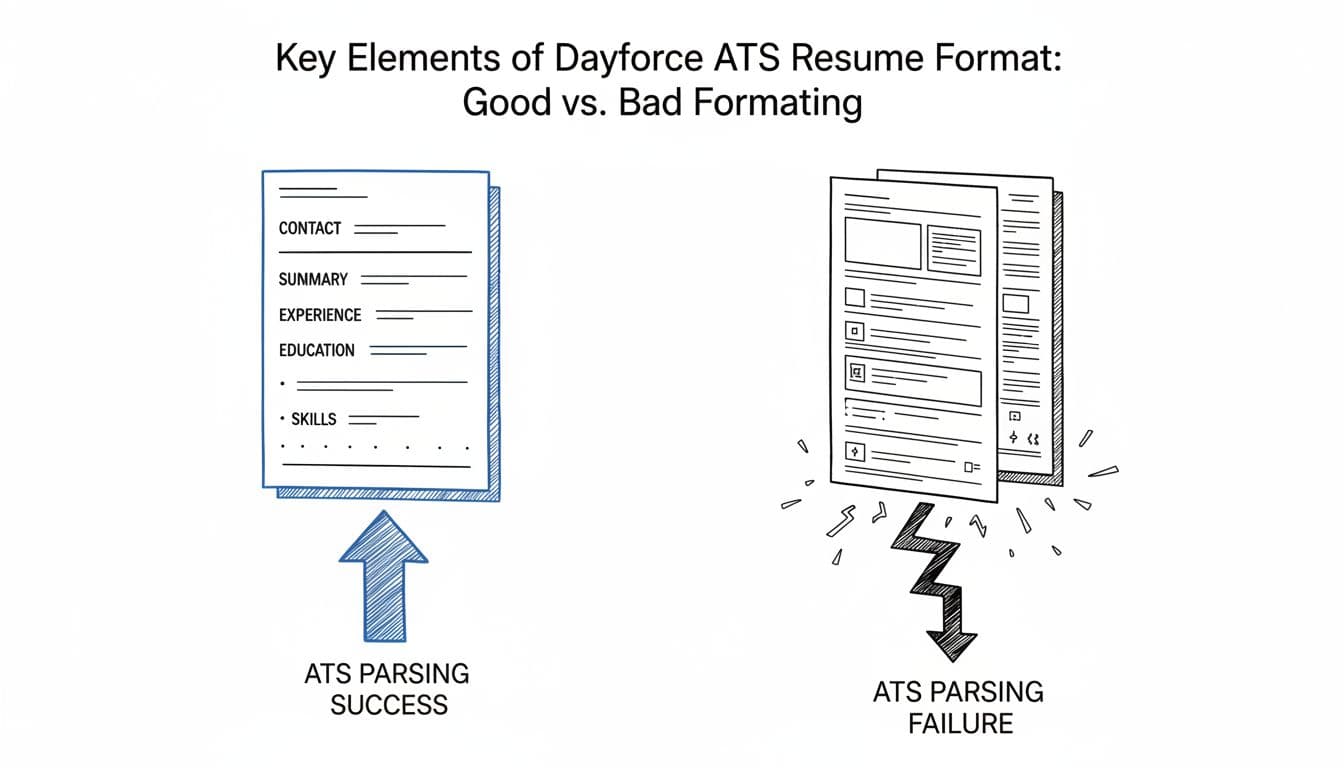
Use a standard font style like Arial, Calibri, Helvetica, or Times New Roman in 10 to 12 point body text. Use clear section headings. Stick to one column for searchable data that supports easy database retrieval. Keep spacing steady. Use plain round bullets or hyphens. Save as file type .docx unless the posting asks for PDF.
This quick comparison shows what usually works.
| Element | Parses well | Often parses poorly |
|---|---|---|
| Layout | Single-column | Two-column, sidebars |
| Headings | Work Experience, Education, Skills | Creative labels like “My Journey” |
| Dates | 03/2024 to Present | Mixed styles and seasons |
| Bullets | Standard bullets or hyphens | Icons and special symbols |
| File type | DOCX, or clean PDF if requested | PDF exported from design tools |
The main takeaway is simple: boring wins. If you want a cross-check, the same one-column advice appears in this Lever ATS one-column resume template, because most ATS tools struggle with the same formatting traps.
How to run the copy-paste test in under three minutes
The copy-paste test is the fastest way to catch hidden problems before you apply.
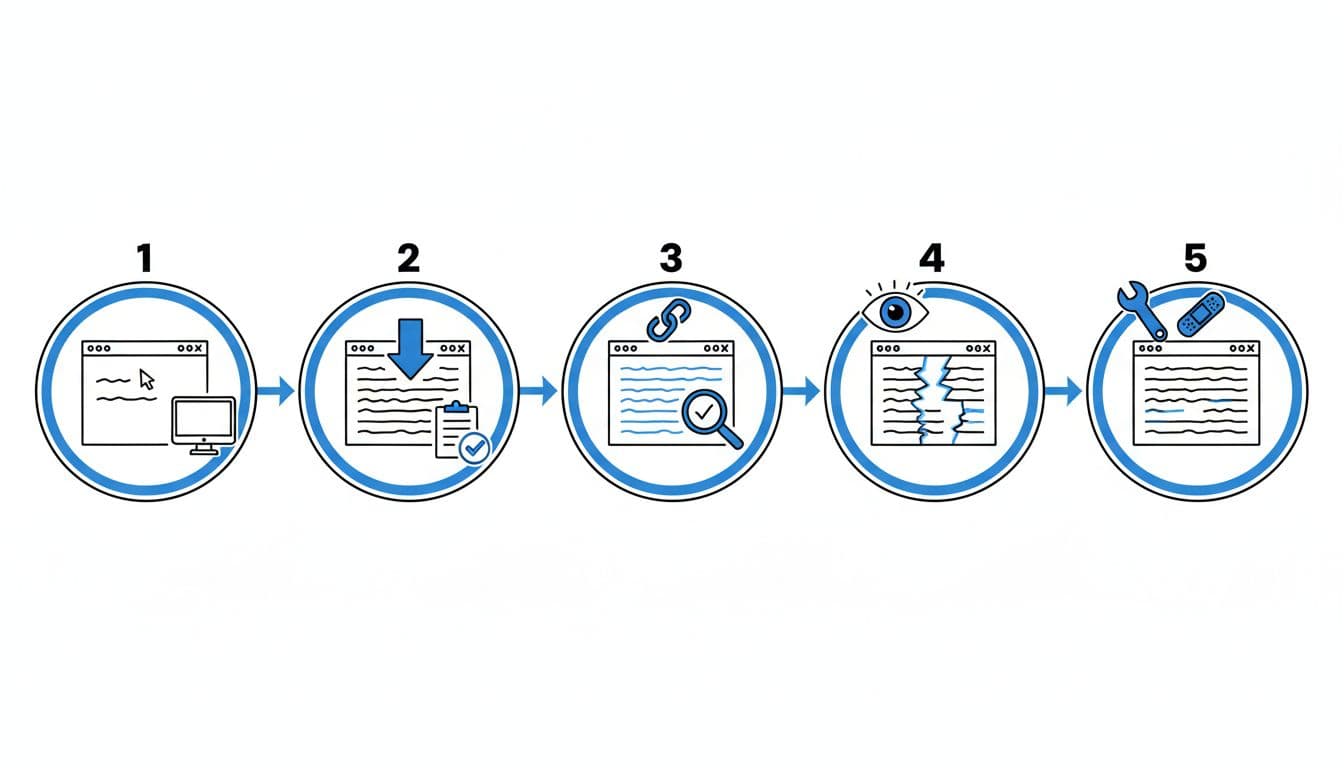
Follow these steps:
- Save your resume as DOCX, even if you may later send a PDF.
- Open the file and copy all text.
- Paste it into Notepad, TextEdit in plain text mode, or a basic notes app.
- Check the order of sections, jobs, dates, and bullets.
- Fix any broken text, then repeat the test.
A passing copy-paste test looks plain but readable. Your candidate profile stays intact with your name at the top. Each role stays grouped with its dates and bullets. Section headings stay obvious. Bullets may turn into hyphens, and that’s fine. This is the clean format talent acquisition teams view after ATS parsing.
Here are the most common fails:
- Dates drift away from jobs: Put dates on the same line as the title or directly below it, and keep one date format.
- Bullets turn into junk: Replace custom symbols with standard bullets.
- Text appears out of order: Remove columns, tables, and text boxes.
- Contact info disappears: Move it out of headers and footers.
- Sections blend together: Use expected headings, not clever ones.
If tailoring starts to break the layout, a structured tool helps. CareerScribeAI’s AI Resume Builder can keep an ATS-friendly resume stable while you tailor bullets to a job requisition. Its Cover Letter Generator and Interview Prep Tools also help keep your story consistent from application to interview. The copy-paste test ensures your structured data supports talent pool management for future openings.
Final Dayforce-friendly checklist before you apply
A clean format gets your resume through the gate, supporting compliance reporting and EEO compliance for seamless interview scheduling, offer management, and onboarding integration down the line. Strong evidence gets you the interview.
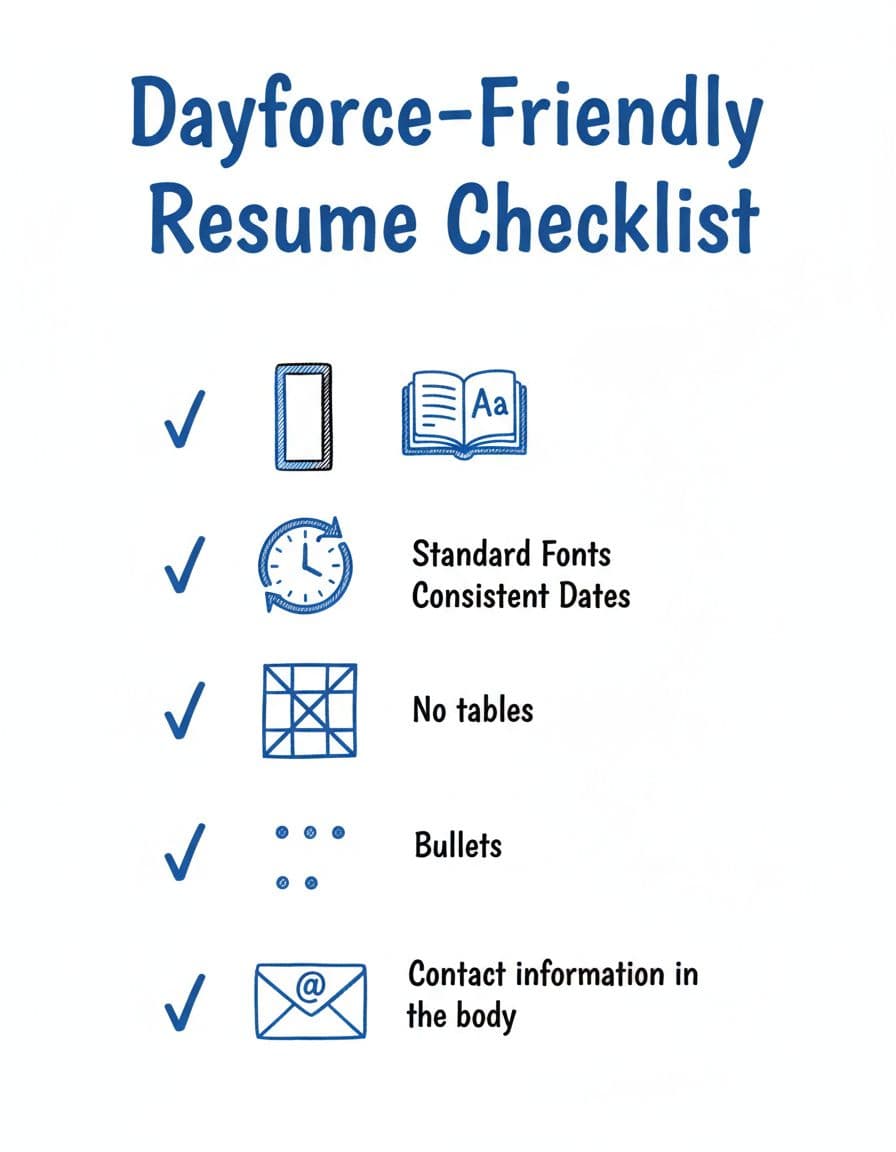
Before you upload, check these points to prepare for the full hiring lifecycle, including background checks and adherence to HR policies:
- Use one column only.
- Keep headings standard.
- Use MM/YYYY dates throughout.
- Put contact details in the body, not the header.
- Avoid tables, graphics, icons, photos, and text boxes.
- Use a DOCX file unless the employer asks for PDF.
- Keep skills relevant to the posting, not stuffed into a long list.
- Verify personal details for accurate background checks and smooth onboarding integration.
That last point matters. Before tailoring, it helps to separate must-haves from preferred qualifications so your skills section stays focused. For extra context on Dayforce-specific formatting habits in this best-of-breed HCM platform, this Ceridian Dayforce resume formatting guide is useful, and this broader ATS-friendly resume format guide shows the same parsing patterns across platforms.
Conclusion
The best Dayforce ATS resume format in 2026 is plain on purpose. Use a one-column layout, standard headings, consistent dates, and a real copy-paste test before every application. When the format stays clean, it renders perfectly in the Dayforce user interface for recruiters. This delivers clean data for their reporting and analytics, so your experience has a better chance to speak for itself in the recruitment process.