Ever paste a polished resume into an application form and watch the spacing fall apart? That small mess is often your first warning that the Bullhorn ATS resume format needs work.
In 2026, Bullhorn’s Automatic Resume Parser appears more capable than before. Current reporting points to a Textkernel-backed upgrade that improves skill extraction and handles more document types. Still, the safest resume isn’t the fanciest one. It’s the standard resume that stays clean when software turns it into plain text. These guidelines apply whether using the Corporate edition or other versions of the software.
What Bullhorn ATS is likely reading from your resume
Bullhorn’s Automatic Resume Parser doesn’t admire design. It extracts data.
The Automatic Resume Parser creates a Candidate record from your resume data using Textkernel parsing. That usually includes your name, phone, email, location, current title, employer, Work history, education, Skills, and summary. If those details sit inside tables, text boxes, headers, or sidebars, the resume parser may split them apart or miss them.
Current 2026 reporting also suggests Bullhorn can read some multi-column resumes better than older versions. That sounds helpful, but it doesn’t change the best rule. One column is still the safer bet. Better support is not the same as risk-free parsing results.
Think of it like a newer scanner at a grocery store. It may read a wrinkled barcode more often, but a flat barcode still wins.
The same plain-text logic shows up across other systems, too. If you want a side-by-side comparison, this ATS-friendly Recruitee resume structure follows many of the same parsing-safe rules. Broader ATS formatting rules for 2026 point in the same direction.
Key formatting rules for a Bullhorn ATS-friendly resume
Build a formatted resume as if it will be stripped down to plain text, because part of it probably will. A recruiter-friendly resume starts with a parser-friendly layout.
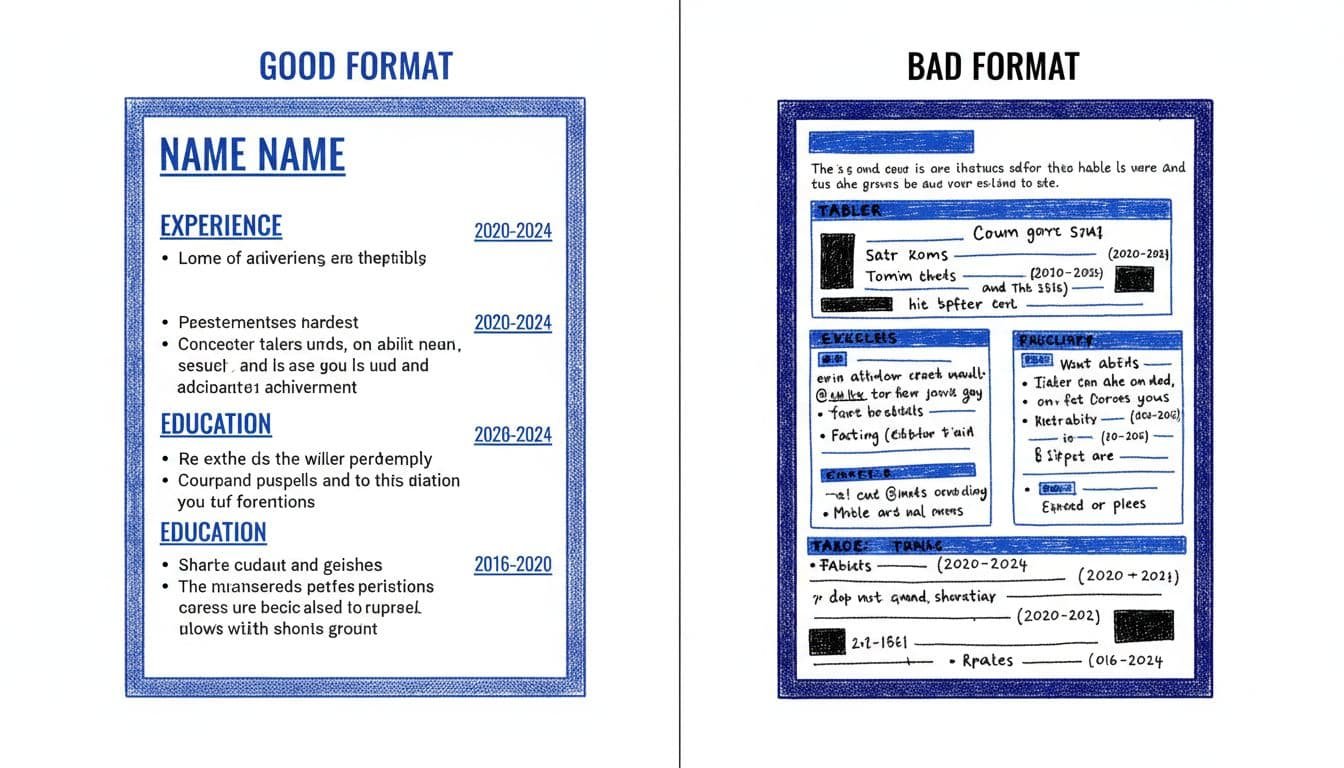
If your resume looks sharp on screen but breaks in plain text, trust the plain text.
Use a single column, left-aligned text, and standard section headings. Good choices include Professional Summary, Work Experience, Education, Skills, and Certifications. Avoid labels like “Career Story” or “My Toolkit.” They sound clever, but they can weaken section mapping.
A few formatting choices usually work best:
- Fonts: Arial, Calibri, Cambria, Helvetica, Georgia, or Times New Roman
- Size: 10 to 12 pt for body text, 12 to 14 pt for headings
- Dates: Pick one format, such as
MM/YYYY, and keep it everywhere (consistent formatting ensures merge fields are populated correctly in the system) - Contact info: Put it in the body, not in the resume header or resume footer
- Bullets: Use standard round bullets or hyphens, not arrows, icons, or emoji
File type matters, but layout matters more. Start with the employer’s instructions first.
| File type | Best use | Watch for |
|---|---|---|
| PDF format, single-column | Strong choice when layout is simple | Avoid exported design-heavy PDFs |
| Microsoft Word template (DOCX), simple layout | Strong alternative for clean text extraction | Spacing can shift on other devices |
Skip tables, graphics, text boxes, charts, and logos. Also skip unusual symbols. A phone icon is not a phone number to every parser.
The copy-paste test that catches hidden problems fast
A simple copy-paste test can reveal potential parsing failures and formatting trouble in under three minutes before submission.
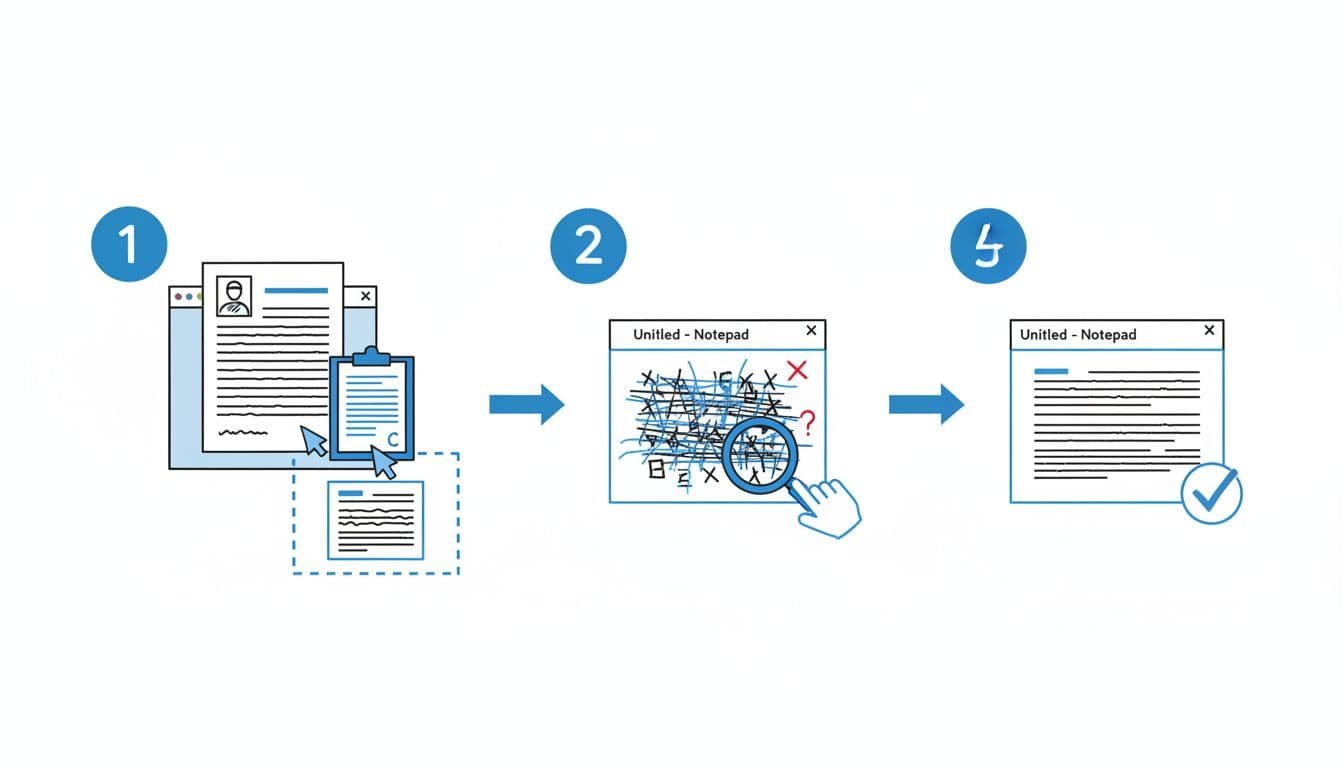
Run it on the exact file you plan to upload:
- Save your resume as the final PDF or DOCX.
- Open the file and copy all text.
- Paste it into Notepad, TextEdit in plain-text mode, or a basic notes app.
- Read from top to bottom without fixing anything.
- Look for missing text, broken bullets, mixed section order, or dates drifting away from jobs.
A pass is simple. Your name stays at the top. Headings stay clear. Job titles, employers, and dates stay grouped. Bullets remain readable, even if they turn into hyphens. This creates a clean Parsed view that matches the File View recruiters check.
A fail usually leaves fingerprints. If bullets become odd symbols, switch to basic bullets. If dates move around, place them on the same line as the title or employer. When contact info disappears, move it out of the header. If text pastes out of order, remove columns and tables first.
This test doesn’t guarantee perfect parsing in every setup. Still, it catches the most common resume formatting problems before a recruiter ever sees the file. A clean test ensures that during Deduplication, your Candidate record is accurately updated without fragmented data.
Make it readable for the recruiter after it parses
Passing the parser is step one. After that, the data flows into the candidate record and contact record for recruiter review, where a human scans your resume fast, often previewing the file with the Resume Manager’s Binoculars icon.
Keep your summary short and your bullets specific. “Responsible for customer service” is weak. “Resolved 45+ customer issues a day with 96% CSAT” is much stronger. Bullhorn may extract more skills in 2026, but it still can’t invent proof.
Match the language in the job post without stuffing keywords. Focus on the required skills first. This guide to must-have vs nice-to-have job skills can help you decide what belongs near the top. For keyword placement, this resume keywords guide for 2026 offers a useful cross-check.
If you’re updating several versions, CareerScribeAI’s AI Resume Builder can help keep headings and bullet structure consistent. The Cover Letter Generator helps you match the same language, and Interview Prep Tools help you carry that story into the next round.
Bullhorn’s parser may be getting smarter, but plain formatting still wins. A clean one-column layout, standard headings, simple fonts, and steady dates give your resume a better shot at parsing cleanly, boosting the Confidence Percentage during Semantic Search, and reading well in the candidate record. Recruiters in an Enterprise edition environment might use Quick Parts or a DHTML Editor to tweak summaries for Agency branding before Candidate submissions, while System Settings dictate how the File View displays the Formatted resume.
Run the copy-paste test on the exact file before every application. If the pasted version reads like a real resume, not scrambled text, you’re in a much safer place.