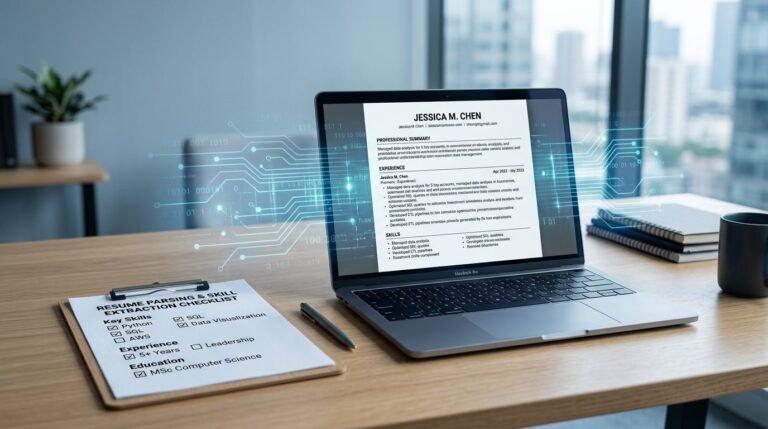
Your resume can look perfect on your screen and still read like a scrambled receipt in an ATS. When applying to companies that use modern Applicant Tracking Systems, your resume needs to be flawless. That’s why BambooHR ATS resume format questions matter in 2026, especially if you’re applying to companies that rely on clean parsing to move candidates forward.
The goal is to ensure your resume navigates the hiring process smoothly, making it easy for recruiters to identify your value. Below you’ll get a safe format, a copy-ready template, and a quick copy-paste test that exposes issues before you hit Submit.
BambooHR ATS resume format in 2026: what usually parses cleanly
BambooHR ATS, widely used by Fortune 500 companies and smaller firms alike, often means the whole hiring flow: upload, parse, screen, and route. The tricky part is that resume parsing behavior can vary based on settings and connected tools, but simple formatting is the key to successful data extraction. So your safest bet is to use formatting that works well across most Applicant Tracking Systems.
BambooHR publishes recruiting guidance for its ATS, which is helpful context if you want to understand how teams manage candidates inside the platform (see BambooHR’s recruiter guide to its ATS). For resume formatting, though, you’ll do best by sticking to broadly accepted rules compatible with Applicant Tracking Systems.
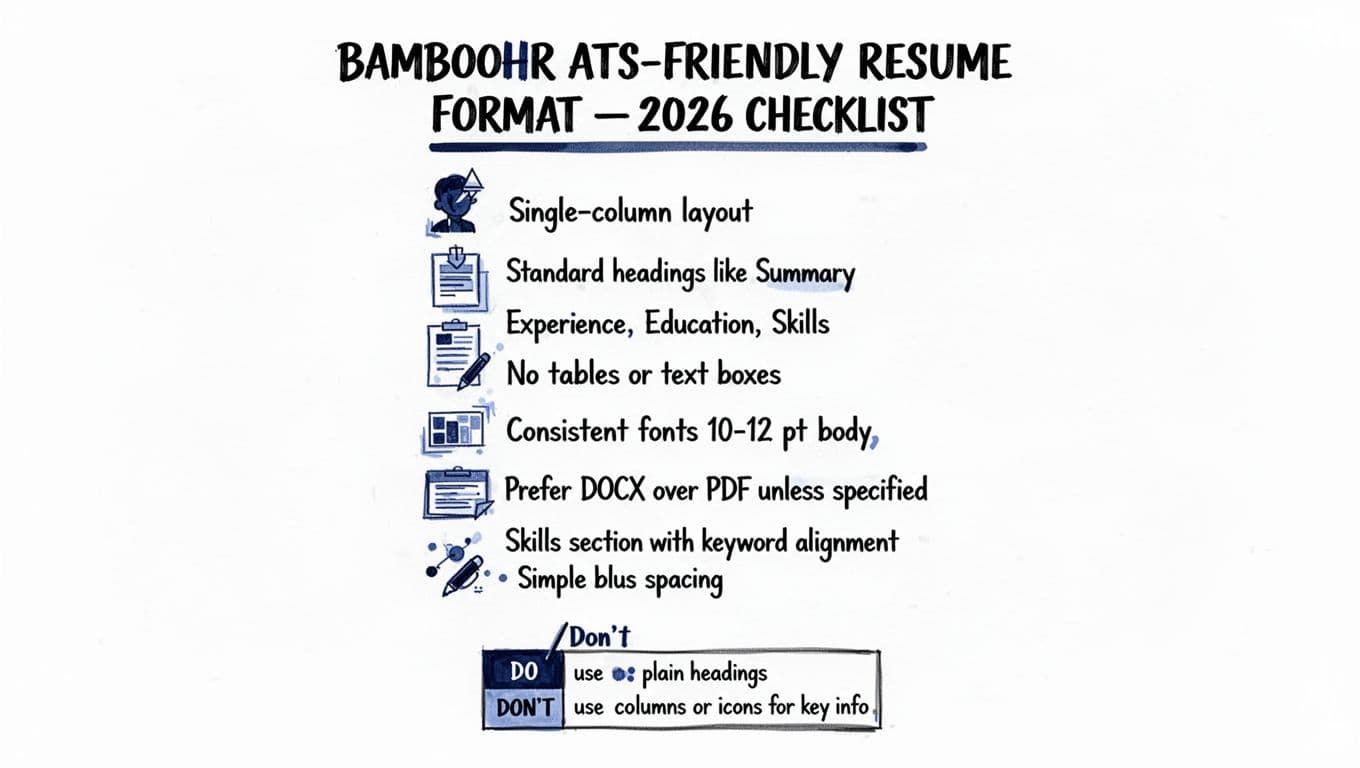
Here’s what tends to work well in 2026, including for BambooHR ATS workflows:
- Single-column layout with standard margins. Columns are a common cause of swapped sections.
- Standard section headings (Summary, Experience, Education, Skills). Unique labels can confuse parsing.
- Standard fonts (like Arial or Calibri). Fancy fonts may not parse correctly.
- No tables, text boxes, or shapes. They may look clean, but text can vanish in parsing.
- Left-aligned dates and locations. Right-aligned text sometimes lands in odd places after parsing.
- Simple bullets (•) and consistent spacing. Fancy symbols can break into stray characters.
- No header or footer for key info (name, phone, email). Some systems ignore them.
- Avoid icons for phone/email/LinkedIn. Use words instead.
If your resume can’t survive being turned into plain text, it’s probably not ATS-safe.
If you want a deeper explanation of why formatting failures happen, this overview of how ATS systems read resumes is a solid reference: how ATS platforms read resumes.
A copy-ready ATS resume layout (single column)
A good ATS resume is like a shipping label. It isn’t trying to be art. It’s trying to be readable at speed, by humans and machines.
Use this structure for a reverse chronological order or hybrid resume (both are common ATS-safe choices). Keep it to one column.
COPY-FRIENDLY RESUME TEMPLATE (edit the placeholders):
FIRST LAST
City, ST | Phone | Email | LinkedIn URL (typed out) | Portfolio (optional)
SUMMARY
2 to 3 lines. Match the role title and 2 to 4 key strengths.
Example: Customer Support Lead with 6+ years in SaaS, escalation handling, and team coaching. Known for raising CSAT and reducing response times.
SKILLS
Use a simple list, separated by commas.
Example: Zendesk, Salesforce, Troubleshooting, Knowledge Base, SLAs, QA, Training, Reporting, SQL (basic)
WORK EXPERIENCE
Job Title, Company, City, ST | Month YYYY to Month YYYY
- Bullet 1 with measurable achievements, outcomes and numbers (time saved, revenue, volume, CSAT), using relevant keywords from the job description.
- Bullet 2 with tools and scope (team size, tickets/week, accounts supported).
- Bullet 3 aligned to the posting’s core needs.
Job Title, Company, City, ST | Month YYYY to Month YYYY
- Keep 2 to 4 bullets per role. Lead with your strongest result.
EDUCATION
Degree, School, City, ST | Year (or Month YYYY)
CERTIFICATIONS (optional)
Certification, Issuer | Year
A fast way to tailor those bullets is to paste the job description into CareerScribeAI’s resume templates and generate bullet points that mirror the posting’s language while staying truthful. Then use its Cover Letter Generator to keep your story consistent across documents. If you land an interview, the Interview Prep Tools help you practice answers tied to the same posting, so you don’t sound like you applied to 30 jobs that day.
PDF vs DOCX for BambooHR ATS applications in 2026
File type rules vary by employer; PDF or DOCX are common options. In many Applicant Tracking Systems, DOCX tends to parse more predictably, while PDF can be fine when it’s text-based and simple. Choose PDF or DOCX based on the application needs.
Here’s a quick comparison to decide fast:
| File type | When it’s a good choice | Common risk |
|---|---|---|
| DOCX | Online applications that accept Word files, roles where parsing accuracy matters most | Can look slightly different across devices |
| When the posting asks for PDF, or when you need layout consistency | Some PDFs (scans, heavy design) cause the resume parser to struggle with complex layouts |
If you want more general best practices for 2026 formatting, this guide is a useful cross-check: ATS resume format best practices for 2026.
The copy-paste test: 5 minutes to catch parsing problems
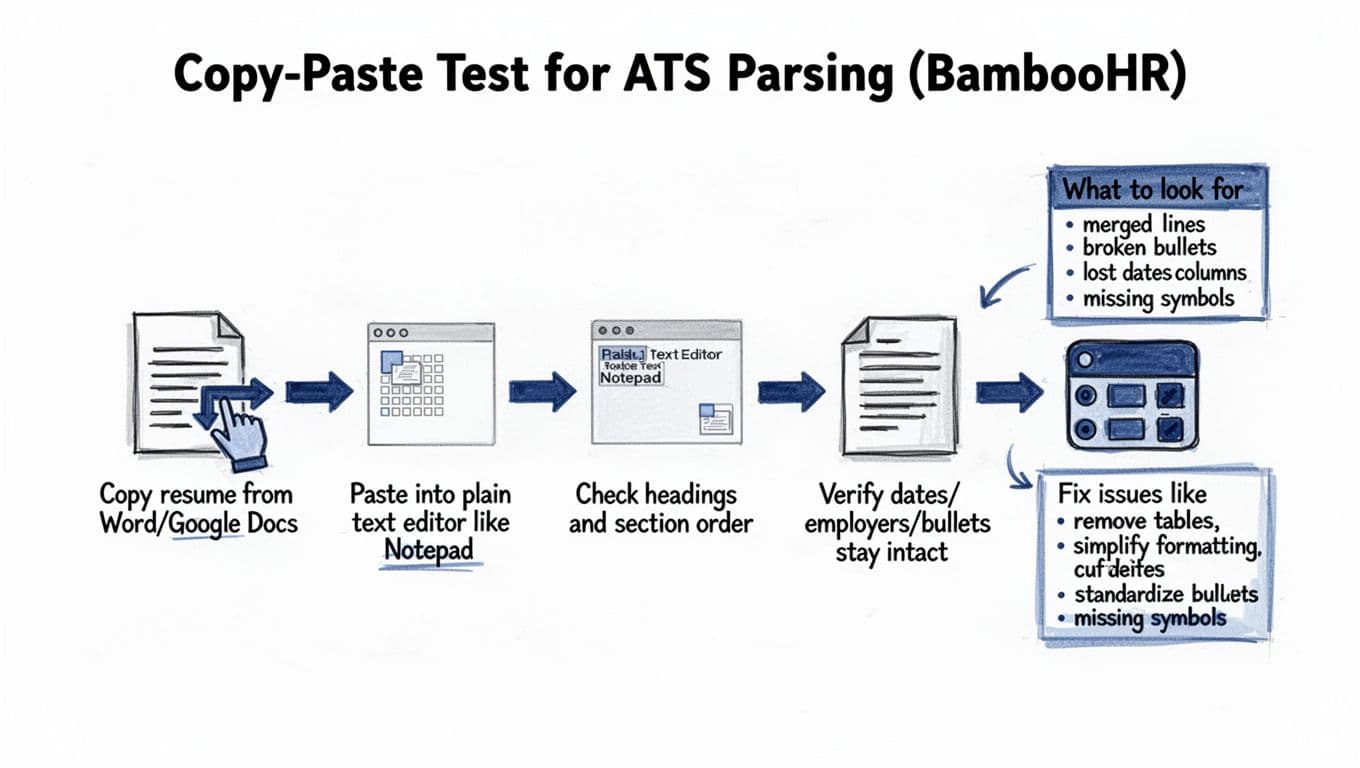
The “copy-paste test” is a simple way to preview what an ATS parser might do. It doesn’t replace a real ATS scan, but it catches the biggest formatting traps.
Copy-paste test walkthrough
This copy-paste test helps create an ATS-friendly resume by revealing potential issues upfront.
- Open your resume in Word or Google Docs.
Use the file you plan to upload. - Select all, then copy.
On Windows: Ctrl + A, then Ctrl + C. On Mac: Cmd + A, then Cmd + C. - Paste into a plain text editor.
Paste into plain text to see what the resume parser actually sees. Use Notepad (Windows) or TextEdit in plain text mode (Mac). - Check the structure first.
Your headings should appear in order. Experience entries should stay grouped. - Scan for four red flags.
Scan for these to identify parsing errors before they reach Applicant Tracking Systems: dates missing, company names detached, bullets turned into odd symbols, or lines merged.
If the plain text version looks clean, you’re usually in good shape. If it looks messy, fix the formatting before you apply. For more on why ATS formatting matters, this broader explanation can help: ATS-friendly resume guide for 2026.
Troubleshooting fixes when text breaks
Most resume parsing problems come from the same few causes. Use this table to diagnose issues quickly after your copy-paste test and apply fixes that improve data extraction and candidate screening outcomes.
| What you see after pasting | Likely cause | Quick fix |
|---|---|---|
| Experience text appears in the wrong order | Columns or a table layout | Convert to a single-column layout using simple formatting to prevent the resume parser from scrambling dates, remove tables |
| Dates vanish or float on their own line | Right-aligned tabs, text boxes, or header/footer | Put dates on the same line as the job title, left-align |
| Bullets become strange symbols | Special bullet styles or font issues | Switch to standard • bullets, use a common font |
| Section titles don’t stand out | Custom headings or stylized text | Use plain headings like “SUMMARY” and “SKILLS” |
| Words run together with no spacing | Tight line spacing or manual line breaks | Use normal spacing, avoid forced line breaks |
After you clean it up, repeat the copy-paste test. These small changes prevent parsing errors in Applicant Tracking Systems, where most people finally see a stable, readable result.
Conclusion
A strong ATS-friendly BambooHR resume format in 2026 is mostly about restraint: one column, standard headings, simple bullets, and a file type that parses cleanly. Automated screening and candidate screening tools often use qualifying questions alongside keywords to filter applicants, so make your work experience the focal point to impress both recruitment software and hiring managers. Run the copy-paste test every time, because it exposes problems in minutes, not after a silent rejection. If you want extra help tailoring content to the posting, CareerScribeAI’s resume and interview tools can speed up the hard parts while you keep full control of the facts. Above all, prioritize clarity and your experience will show up the way you meant it to.