
Ever upload a resume that looks perfect, then wonder why the application goes quiet? In 2026, a common reason is simple: the ATS reads your file as plain text, and your formatting doesn’t survive the trip.
This guide explains a Avature ATS resume format that stays readable after upload, plus a quick copy-paste test you can run in minutes. An Applicant Tracking System operates to manage talent acquisition at scale by parsing resumes from uploads on the career site; a smooth process like this forms the first step in a positive candidate experience. The hiring manager, as the end recipient, relies on clean data from the system. You’ll also get a copy-ready layout example and fixes for common parsing issues.
What typically works best for an Avature ATS resume format in 2026
Avature, an Applicant Tracking System (ATS) that enterprise-level organizations utilize for high-volume recruitment within their recruitment process, like many others, needs your resume to be easy to convert into clean text. That means your goal isn’t “pretty.” Your goal is an ATS-friendly resume with predictable structure.
A safe approach in 2026 is still the same foundation, since resume parsing efficiency depends on a clean resume layout:
- One column, top to bottom
- Standard section headings (Summary, Key Skills, Experience, Education) to help the software recognize important qualifications
- Simple fonts and consistent spacing
- Dates that stay attached to the right job
- No tables, text boxes, or sidebars
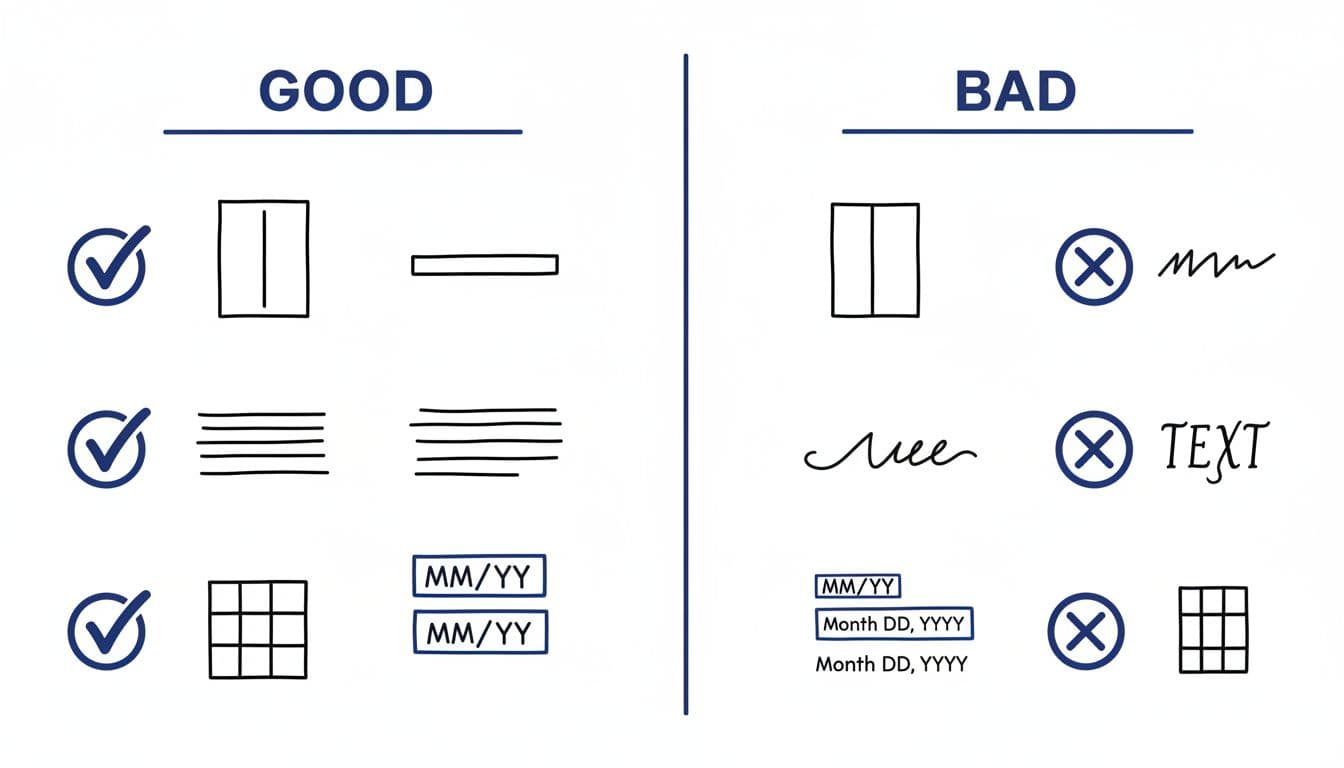
If you’ve used other ATS platforms, the same formatting logic usually carries over. For example, this single-column guidance in the Lever ATS Resume Format is a good mental model: keep the layout boring so your experience stays intact.
File type also matters, but layout matters more. Use the employer’s instructions first. When they don’t specify, this quick rule-of-thumb helps:
| File type | Usually a good choice when | Common risk |
|---|---|---|
| DOCX | You want consistent text extraction | Minor visual shifts across devices |
| You want consistent visual appearance | Some exports cause broken text order |
If you want a broader refresher on modern ATS formatting, this ATS-friendly resume format guide for 2026 summarizes the same best practices across systems.
Run the Avature ATS copy-paste test before you apply
The fastest way to predict parsing issues in screening automation powered by artificial intelligence is to “X-ray” your resume by copying it into a plain text editor. Modern Applicant Tracking Systems use semantic search to scan text and find qualified candidates within the hiring pipeline. If your resume falls apart there, an ATS may scramble it too, halting progress through the recruitment process.
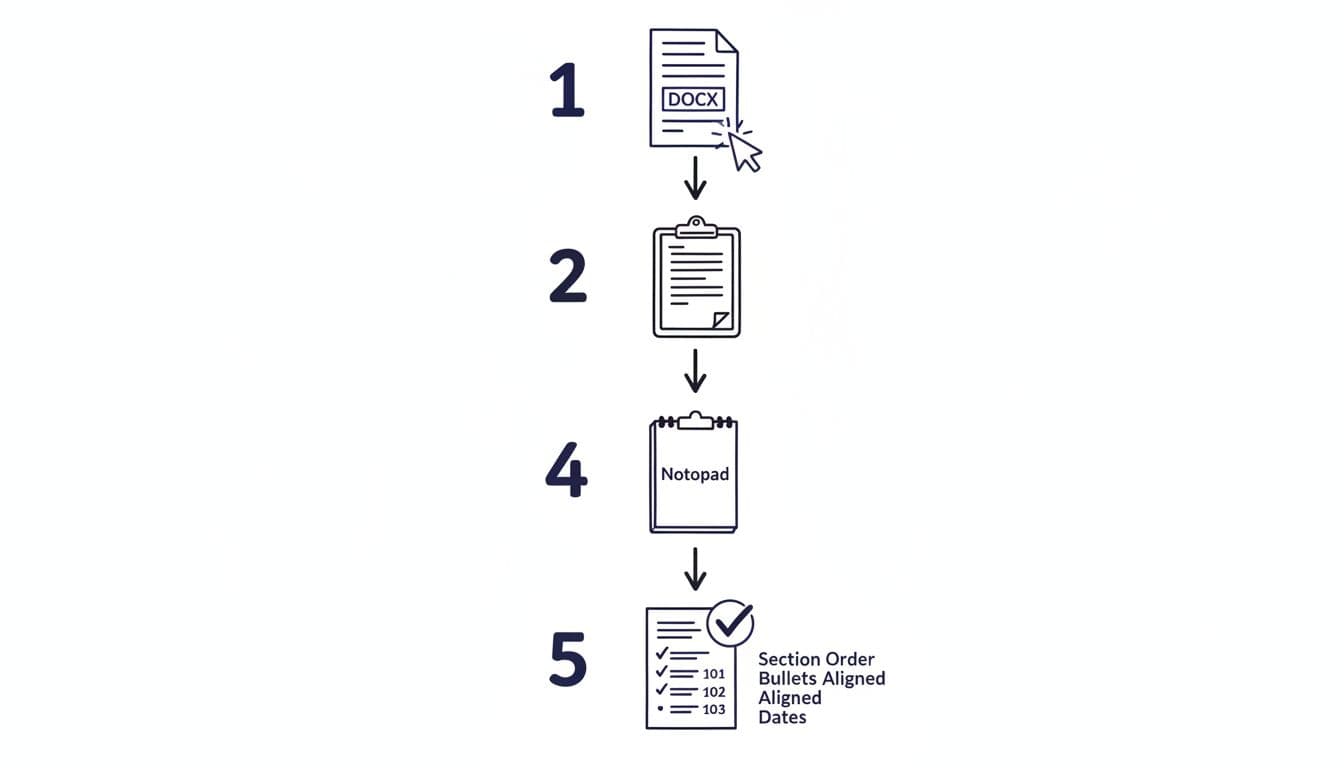
Run it like this:
- Save your resume as .DOCX (even if you’ll submit PDF later).
- Select all text (Ctrl+A or Cmd+A).
- Copy (Ctrl+C or Cmd+C).
- Paste into Notepad (Windows) or TextEdit in plain text mode (Mac).
- Review for order, missing content, and weird line breaks.
Focus on a few “pass or fail” signs:
- Your contact info appears at the top as readable text.
- Section headings look like words, not icons or shapes.
- Job titles, companies, and dates stay together.
- Bullets remain readable (even if they turn into hyphens).
If the pasted version looks messy, fix the format first. Strong content won’t help if the system can’t read it.
Once the format passes, then improve targeting. CareerScribeAI’s AI Resume Builder can help here, because it keeps an ATS-safe structure while you tailor keywords and rewrite bullets into clearer impact statements. The goal is simple: readable layout plus role-matched language.
A copy-ready ATS-friendly resume layout (plain text)
Use the template below as a starting point. It’s designed to work well in an Avature ATS resume format because it’s linear, labeled, and easy to parse. Replace bracketed text with your details.
FIRST LAST
City, State | Phone | Email | LinkedIn URL | Portfolio (optional)PROFESSIONAL SUMMARY
[2 to 3 lines. Role title, years of experience, niche, and 1 to 2 strengths tied to the job.]KEY SKILLS
[Hard Skill 1], [Hard Skill 2], [Tool 1], [Tool 2], [Method 1], [Domain 1]WORK EXPERIENCE
Job Title | Company | City, State (or Remote) | MM/YYYY to MM/YYYY
- [Action verb] [what you did] by [how], resulting in [measurable outcome].
- [Action verb] [scope], using [tools], improving [metric] by [number].
Job Title | Company | City, State (or Remote) | MM/YYYY to MM/YYYY
- [Action verb] [what you did], partnering with [teams], reducing [cost/time] by [number].
EDUCATION
Degree, Major | School | City, State | YYYYCERTIFICATIONS (optional)
Certification Name | Issuer | YYYY
A few writing rules make this template work harder:
Keep bullet points outcome-first when you can, and quantify achievements to stand out. Numbers, time saved, revenue influenced, defect rate reduced, tickets closed, and cycle time all help. Also tailor the key skills section to the specific job description’s wording, as long as it’s true. For ideas on keyword placement without stuffing, see this guide on using keywords for an ATS-friendly resume.
To round out the application, align your resume and cover letter language. Artificial intelligence tools like CareerScribeAI’s Cover Letter Generator are useful when you want role-specific alignment without creating a formatting mess, especially to improve internal mobility prospects. After you hit submit, the Interview Prep Tools help you prep stories that match the same job requirements (so your interview answers don’t drift from your ATS-friendly resume).
Troubleshooting Avature parsing errors (quick fixes that usually work)
Avature, often part of a larger candidate relationship management suite with automated workflows, sometimes causes the copy-paste test to fail even when your resume looks “normal.” In that case, fix the smallest thing that solves the problem, then retest.
Here are common symptoms and practical fixes:
- Contact info disappears or moves: Layout errors on the company career site can often be traced back to non-standard headers, footers, or icons. Put contact details in the document body.
- Experience sections appear out of order: Use standard headings (Professional Experience, Education, Skills). Avoid custom titles like “My Journey.”
- Dates float to random lines: Keep dates on the same line as the job header, and stick to one format (MM/YYYY or YYYY).
- Bullets turn into odd symbols: Bullet points are a common failure point for an Applicant Tracking System. Use basic round bullets or hyphens. Avoid special bullet styles.
- Text looks merged or staggered: Remove columns, tables, and text boxes. Also delete manual line breaks (Shift+Enter) inside bullets.
- Skills don’t show up clearly: Put a dedicated Skills section with commas or short lines. Don’t hide skills in graphics.
If you’re submitting a PDF format and seeing problems, export again. “Print to PDF” can behave differently than “Save as PDF,” which may impact data privacy and encryption. When in doubt, submit DOCX if the employer allows it.
Conclusion
In 2026, the best Avature ATS resume format is readable, plain, and consistent. A one-column layout with standard headings keeps your content in the right fields. Run the copy-paste test before you apply, because it reveals problems faster than guessing. A well-formatted resume like this leads to faster interview scheduling and more personalized engagement from recruiters, especially as modern software increasingly uses explainable AI to help them understand why a candidate is a match.
After your formatting is stable, spend your energy where it counts: targeted skills, clear impact bullets, and role-aligned interview stories. Your resume should read like a clean receipt of results, not a poster. Ultimately, it forms the foundation of a professional candidate experience.